Этот перевод был сделан машиной и пока не проверен человеком. Говорите на этом языке? Просмотрите его.
Введение
Проблемы с подключением у этого устройства могут возникать из-за неисправной или сломанной антенны. Вы можете обратиться к своему оператору связи или найти новую антенну для замены в интернете. Это руководство содержит инструкции по замене антенны.
Выберете то, что вам нужно
-
-
-
Снимите заднюю крышку, надавив на нее и потянув в сторону от устройства.
 Спросите у FixBot
-
-
-
Поместите палец на заднюю часть аккумулятора, расположенную ближе к краю устройства.
-
Надавите пальцем на аккумулятор и подденьте его, чтобы извлечь из устройства.
-
-
-
-
-
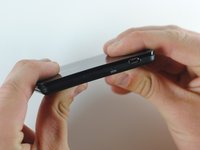
Используя металлический spudger, подденьте корпус устройства вдоль шва между передней и задней крышками.
-
-
-
-
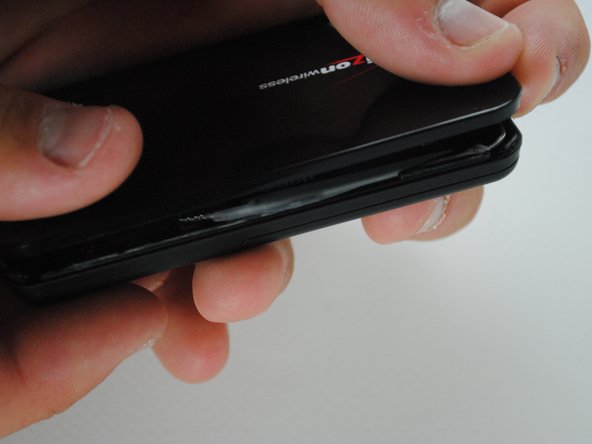
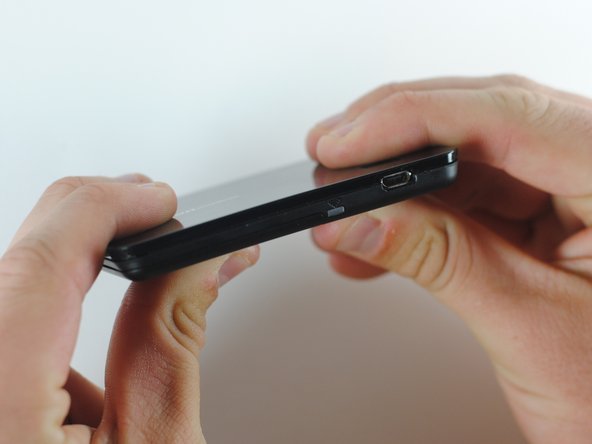
После того как уплотнение будет нарушено по всему периметру, откройте корпус руками.
-
-
-
-
-
Чтобы отсоединить антенну, потяните вверх за ее разъем на плате, пока она не отщелкнется.
-
-
-
Осторожно извлеките антенну вдоль края устройства.
-
Антенна приклеена, поэтому она может отделяться с трудом.
-
-
-
Подключите новую антенну к плате в том же положении, как описано в шаге 3.
-
-
-
Нанесите двустороннюю клейкую ленту на внутренние верхнюю и нижнюю части устройства вдоль шва, который ранее был рассоединен.
-
Соедините две половины вместе вдоль линии клея, чтобы восстановить прежнее состояние устройства.
-
-


После установки новой антенны устройство должно передавать сигнал в штатном режиме. Имейте в виду, что вам понадобится клейкая лента, чтобы надежно скрепить корпус устройства.

Команда

Cal Poly, Team 7-36, Maness Spring 2012 Участник Cal Poly, Team 7-36, Maness Spring 2012
CPSU-MANESS-S12S7G36
5 членов
Автор 60 руководств
