Этот перевод был сделан машиной и пока не проверен человеком. Говорите на этом языке? Просмотрите его.
Введение
После множества циклов зарядки аккумулятор может износиться и в конечном итоге перестать держать заряд. Когда это произойдет, вам нужно будет заменить аккумулятор, чтобы продолжать пользоваться вашим Mifi.
Выберете то, что вам нужно
-
-
-
Снимите заднюю крышку, надавив на нее и потянув в сторону от устройства.
 Спросите у FixBot
-
-
-
Положите палец на заднюю часть аккумулятора, расположенную у края устройства.
-
Надавите на аккумулятор пальцем и подденьте его вверх, чтобы извлечь из устройства.
-
-
-
-
Вставьте новый аккумулятор в отсек для аккумулятора.
-
Убедитесь, что аккумулятор установлен белыми стрелками внутрь.
-
-
-
Установите заднюю крышку на место, вставив ее внутренний край в паз.
-
Нажмите на крышку и сдвиньте ее в паз до щелчка, чтобы зафиксировать.
-
-


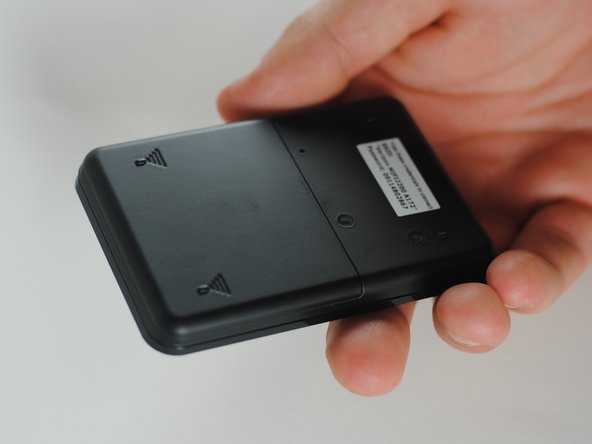
Зарядите новый аккумулятор, и вы снова сможете пользоваться своим Mifi.
Отменить: Я не выполнил это руководство.
Еще один человек закончил это руководство.

Команда

Cal Poly, Team 7-36, Maness Spring 2012 Участник Cal Poly, Team 7-36, Maness Spring 2012
CPSU-MANESS-S12S7G36
5 членов
Автор 60 руководств
