Перейти к основному содержанию
Присоединяйся к сообществу ремонтников - Создай аккаунт

OLPC XO-4 Touch Touchpad Controller Replacement

Выберете то, что вам нужно

    1. OLPC XO-4 Touch Touchpad Controller Replacement, Battery: шаг 1, изображение 1 из 1
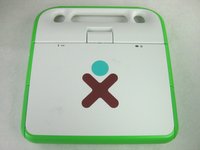
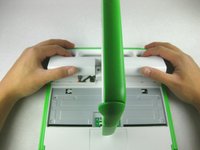
      • Turn the laptop upside-down, with the handle facing away from you.

      Спросите у FixBot

      Добавить комментарий

    2. OLPC XO-4 Touch Touchpad Controller Replacement: шаг 2, изображение 1 из 2 OLPC XO-4 Touch Touchpad Controller Replacement: шаг 2, изображение 2 из 2
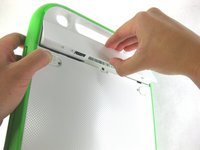
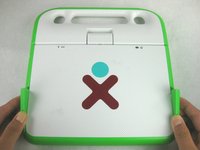
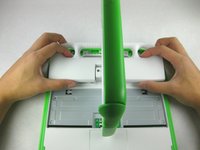
      • Pull the lock tabs towards the green outer edges of the laptop.

      • Hold the left lock tab in the unlock position until the battery is completely removed in the next step.

      Спросите у FixBot

      Добавить комментарий

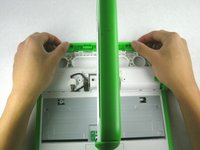
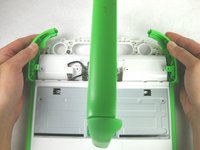
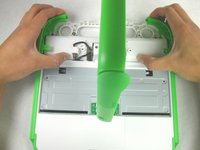
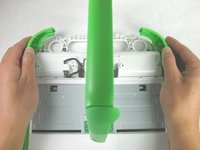
    3. OLPC XO-4 Touch Touchpad Controller Replacement: шаг 3, изображение 1 из 2 OLPC XO-4 Touch Touchpad Controller Replacement: шаг 3, изображение 2 из 2
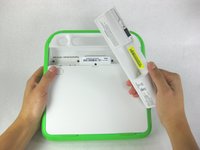
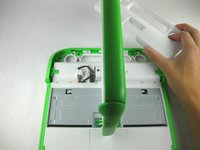
      • Lift up on the middle of the battery to remove it from the device.

      Спросите у FixBot

      Добавить комментарий

    1. OLPC XO-4 Touch Touchpad Controller Replacement, Keyboard: шаг 4, изображение 1 из 2 OLPC XO-4 Touch Touchpad Controller Replacement, Keyboard: шаг 4, изображение 2 из 2
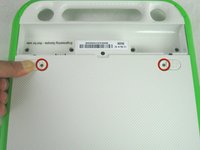
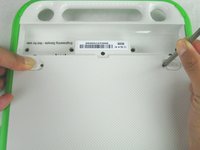
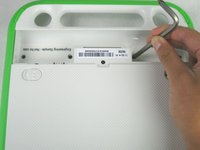
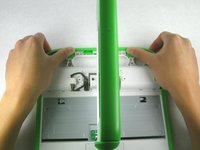
      • Remove the two 2mm Phillips #1 screws from beneath the battery lock tabs.

      Спросите у FixBot

      Добавить комментарий

    2. OLPC XO-4 Touch Touchpad Controller Replacement: шаг 5, изображение 1 из 3 OLPC XO-4 Touch Touchpad Controller Replacement: шаг 5, изображение 2 из 3 OLPC XO-4 Touch Touchpad Controller Replacement: шаг 5, изображение 3 из 3
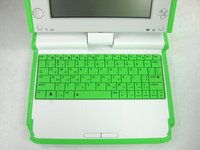
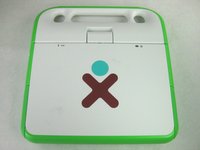
      • Flip the laptop over to its normal position.

      • Lift the two antennas on both sides to unlock the screen.

      • Open the laptop.

      Спросите у FixBot

      Добавить комментарий

    3. OLPC XO-4 Touch Touchpad Controller Replacement: шаг 6, изображение 1 из 2 OLPC XO-4 Touch Touchpad Controller Replacement: шаг 6, изображение 2 из 2
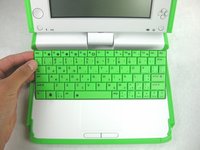
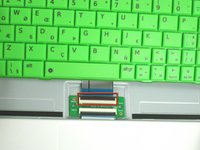
      • Be careful not to pull the keyboard too far because there is still a ribbon cable attached to the bottom.

      • Gently lift up on the back of the keyboard.

      • Pull the keyboard up far enough to expose the ribbon cable.

      Спросите у FixBot

      Добавить комментарий

    4. OLPC XO-4 Touch Touchpad Controller Replacement: шаг 7, изображение 1 из 2 OLPC XO-4 Touch Touchpad Controller Replacement: шаг 7, изображение 2 из 2
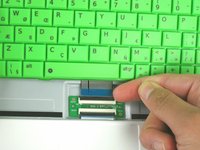
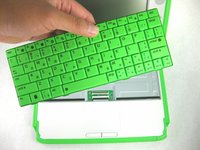
      • Gently lift up on the black connector to release the ribbon cable.

      • Gently pull the blue plastic tab up and away from the black connector.

      • Remove the keyboard from the laptop.

      Спросите у FixBot

      Добавить комментарий

    1. OLPC XO-4 Touch Touchpad Controller Replacement, Lower Case: шаг 8, изображение 1 из 2 OLPC XO-4 Touch Touchpad Controller Replacement, Lower Case: шаг 8, изображение 2 из 2
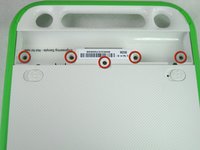
      • Close and flip the laptop over so you are looking at the battery compartment

      • Remove the five 4mm Phillips #1 screws from inside the battery compartment

      Спросите у FixBot

      Добавить комментарий

    2. OLPC XO-4 Touch Touchpad Controller Replacement: шаг 9, изображение 1 из 3 OLPC XO-4 Touch Touchpad Controller Replacement: шаг 9, изображение 2 из 3 OLPC XO-4 Touch Touchpad Controller Replacement: шаг 9, изображение 3 из 3
      • Flip the laptop over, showing the top of the device.

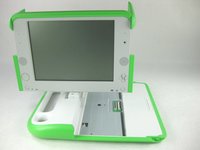
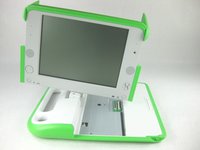
      • Open the laptop and rotate the screen ninety degrees.

      • Tilt the screen so the lower right corner of the screen is closer to the lower case.

      Спросите у FixBot

      Добавить комментарий

    3. OLPC XO-4 Touch Touchpad Controller Replacement: шаг 10, изображение 1 из 3 OLPC XO-4 Touch Touchpad Controller Replacement: шаг 10, изображение 2 из 3 OLPC XO-4 Touch Touchpad Controller Replacement: шаг 10, изображение 3 из 3
      • Push in and lift up on the keyboard edge of the white handle piece.

      • Pull the piece towards yourself to remove it from the laptop.

      Спросите у FixBot

      Добавить комментарий

    4. OLPC XO-4 Touch Touchpad Controller Replacement: шаг 11, изображение 1 из 1
      • Remove the four 4mm Phillips #1 screws attaching the green trim to the body of the computer.

      Спросите у FixBot

      Добавить комментарий

    5. OLPC XO-4 Touch Touchpad Controller Replacement: шаг 12, изображение 1 из 2 OLPC XO-4 Touch Touchpad Controller Replacement: шаг 12, изображение 2 из 2
      • Pry off the rear green trim piece.

      Спросите у FixBot

      Добавить комментарий

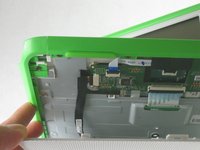
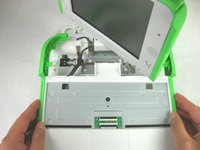
    6. OLPC XO-4 Touch Touchpad Controller Replacement: шаг 13, изображение 1 из 3 OLPC XO-4 Touch Touchpad Controller Replacement: шаг 13, изображение 2 из 3 OLPC XO-4 Touch Touchpad Controller Replacement: шаг 13, изображение 3 из 3
      • Be careful not to pull the bottom portion of the laptop completely off, as there is a cable connecting it to the laptop.

      • Slide the green trim pieces away from the screen.

      • This should release the entire bottom portion of the laptop.

      Спросите у FixBot

      Добавить комментарий

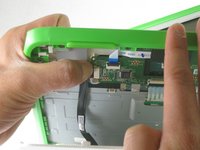
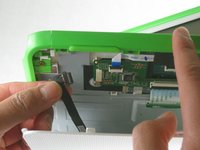
    7. OLPC XO-4 Touch Touchpad Controller Replacement: шаг 14, изображение 1 из 3 OLPC XO-4 Touch Touchpad Controller Replacement: шаг 14, изображение 2 из 3 OLPC XO-4 Touch Touchpad Controller Replacement: шаг 14, изображение 3 из 3
      • Unplug the cable from the mouse buttons controller to completely remove the lower frame from the device.

      Спросите у FixBot

      Добавить комментарий

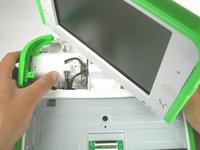
    8. OLPC XO-4 Touch Touchpad Controller Replacement: шаг 15, изображение 1 из 2 OLPC XO-4 Touch Touchpad Controller Replacement: шаг 15, изображение 2 из 2
      • Rotate the entire lower assembly up slightly, and pull it away from the screen to free it from the screen hinge.

      • There may be some adhesive holding the cable to the metal plate. Gently pull the cable off of the plate if it is stuck.

      Спросите у FixBot

      Добавить комментарий

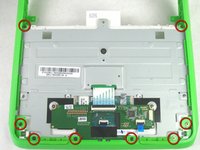
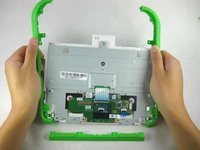
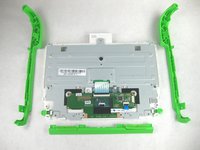
    1. OLPC XO-4 Touch Touchpad Controller Replacement, Mouse Buttons Controller: шаг 16, изображение 1 из 3 OLPC XO-4 Touch Touchpad Controller Replacement, Mouse Buttons Controller: шаг 16, изображение 2 из 3 OLPC XO-4 Touch Touchpad Controller Replacement, Mouse Buttons Controller: шаг 16, изображение 3 из 3
      • You should now be looking at the bottom of the lower case.

      • Remove the eight 4mm Phillips #1 screws attaching the green trim pieces to the lower frame.

      • Pry off the front and side trim pieces.

      Спросите у FixBot

      Добавить комментарий

    2. OLPC XO-4 Touch Touchpad Controller Replacement: шаг 17, изображение 1 из 1
      • Remove the two 4mm Phillips #1 screws that attach the mouse buttons controller to the lower frame.

      Спросите у FixBot

      Добавить комментарий

    3. OLPC XO-4 Touch Touchpad Controller Replacement: шаг 18, изображение 1 из 3 OLPC XO-4 Touch Touchpad Controller Replacement: шаг 18, изображение 2 из 3 OLPC XO-4 Touch Touchpad Controller Replacement: шаг 18, изображение 3 из 3
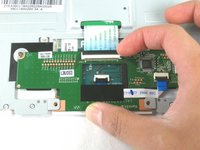
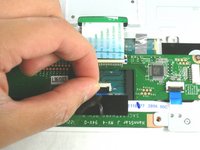
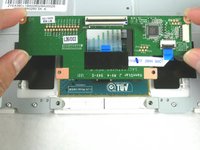
      • Disconnect the ribbon cable attached to the keyboard compartment.

      • Unplug the ribbon cable between the touchpad and the mouse buttons controller.

      • Remove the mouse buttons controller from the device.

      Спросите у FixBot

      Добавить комментарий

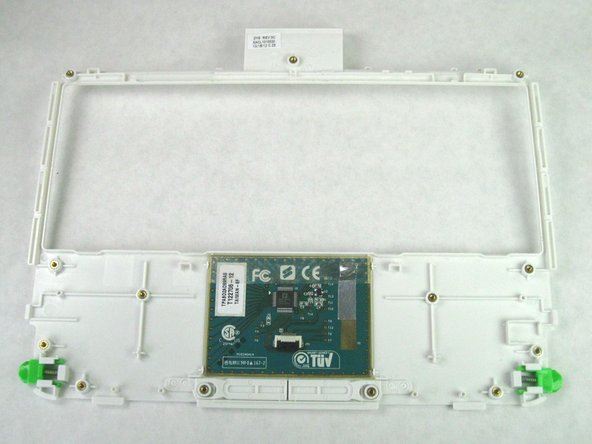
    1. OLPC XO-4 Touch Touchpad Controller Replacement, Touchpad Controller: шаг 19, изображение 1 из 1
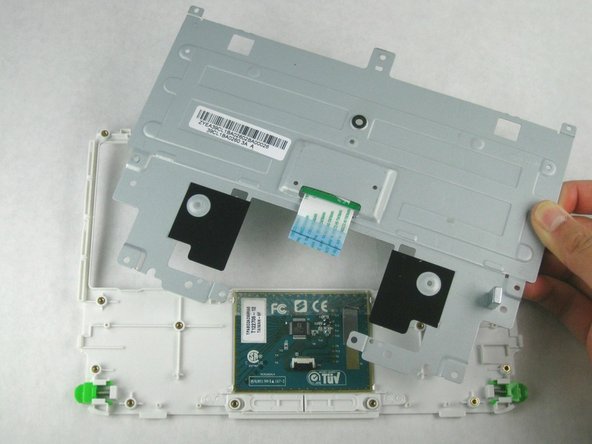
      • Remove the two 4mm Phillips screws that attach the metal plate to the touchpad assembly.

      • Be sure not to lose the silver magnet in the lower right corner of the touchpad assembly.

      Спросите у FixBot

      Добавить комментарий

    2. OLPC XO-4 Touch Touchpad Controller Replacement: шаг 20, изображение 1 из 3 OLPC XO-4 Touch Touchpad Controller Replacement: шаг 20, изображение 2 из 3 OLPC XO-4 Touch Touchpad Controller Replacement: шаг 20, изображение 3 из 3
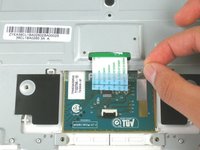
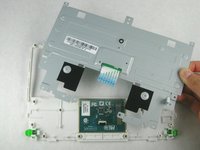
      • Remove the silver contact tape from the metal plate.

      • Lift the metal plate off of the touchpad assembly.

      Спросите у FixBot

      Добавить комментарий

Заключение

To reassemble your device, follow these instructions in reverse order.

Отменить: Я не выполнил это руководство.

Еще один человек закончил это руководство.

Theodore Tsanakas

Участник с: 01/24/13

24 Репутация

1 руководство автора

Команда

Cal Poly, Team 3-30, Amido Winter 2013 Участник Cal Poly, Team 3-30, Amido Winter 2013

CPSU-AMIDO-W13S3G30

3 членов

Автор 60 руководств

0 Комментарии к руководству

Добавить комментарий

Статистика просмотров:

За последние 24 часов: 0

За последние 7 дней: 8

За последние 30 дней: 32

За всё время: 870