Перейти к основному содержанию
Присоединяйся к сообществу ремонтников - Создай аккаунт

Olympus D590 Lens Replacement

Выберете то, что вам нужно

  1. Olympus D590 Lens Replacement, Face Plate: шаг 1, изображение 1 из 1
    • Remove five baseplate screws using a Phillips #00 screwdriver.

    Спросите у FixBot

    Добавить комментарий

  2. Olympus D590 Lens Replacement: шаг 2, изображение 1 из 1
    Инструмент, используемый на этом этапе:
    Tweezers
    $4.99
    • Press and slide the battery cover retainer clip to the left. Use tweezers to lift the battery cover away.

    Спросите у FixBot

    Добавить комментарий

  3. Olympus D590 Lens Replacement: шаг 3, изображение 1 из 1
    • Remove the single screw from the battery housing using a Phillips #00 screwdriver.

    Спросите у FixBot

    Добавить комментарий

  4. Olympus D590 Lens Replacement: шаг 4, изображение 1 из 1
    • Using tweezers, lift the rubber plate to expose the ports.

    Спросите у FixBot

    Добавить комментарий

  5. Olympus D590 Lens Replacement: шаг 5, изображение 1 из 1
    • Remove two screws from the ports using a Phillips #00 screwdriver.

    Спросите у FixBot

    Добавить комментарий

  6. Olympus D590 Lens Replacement: шаг 6, изображение 1 из 1
    • Use a spudger to pry the faceplate away from the rest of the camera.

    Спросите у FixBot

    Добавить комментарий

  7. Olympus D590 Lens Replacement: шаг 7, изображение 1 из 1
    • To avoid disconnection of the connector line to the motherboard, use caution when pulling faceplate away from camera case.

    • Damage to the connector line will prevent the on/off power switch's operational function.

    Спросите у FixBot

    Добавить комментарий

  8. Olympus D590 Lens Replacement, Backplate: шаг 8, изображение 1 из 1
    • Using a Phillips #00 screwdriver, remove three screws fastened to the camera backplate edge.

    Спросите у FixBot

    Добавить комментарий

  9. Olympus D590 Lens Replacement: шаг 9, изображение 1 из 1
    • Using a Phillips #00 screwdriver, remove the two camera flash screws secured to either side of bulb housing component.

    Спросите у FixBot

    Добавить комментарий

  10. Olympus D590 Lens Replacement: шаг 10, изображение 1 из 1
    • Using an iFixit opening tool, pry the backplate from the camera internal housing component.

    Спросите у FixBot

    Добавить комментарий

  11. Olympus D590 Lens Replacement: шаг 11, изображение 1 из 1
    • Pull the backplate away from the camera internal housing component.

    Спросите у FixBot

    Добавить комментарий

  12. Olympus D590 Lens Replacement, LCD Screen: шаг 12, изображение 1 из 1
    • Remove one screw Phillips #00 from the right side of the LCD screen camera internal housing component.

    Спросите у FixBot

    Добавить комментарий

  13. Olympus D590 Lens Replacement: шаг 13, изображение 1 из 2 Olympus D590 Lens Replacement: шаг 13, изображение 2 из 2
    • To check that all screws are removed from the exterior side panel, gradually slide and lift no more than 3cm away from the camera internal component body.

    Спросите у FixBot

    Добавить комментарий

  14. Olympus D590 Lens Replacement: шаг 14, изображение 1 из 2 Olympus D590 Lens Replacement: шаг 14, изображение 2 из 2
    Инструмент, используемый на этом этапе:
    Tweezers
    $4.99
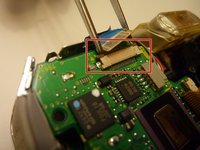
    • View the front of the camera internal housing component.

    • Using tweezers, detach the gray connector and blue wiring tape.

    • Be cautious to gently wiggle and pull blue wiring tape and gray wire connector during detachment.

    Спросите у FixBot

    Добавить комментарий

  15. Olympus D590 Lens Replacement: шаг 15, изображение 1 из 2 Olympus D590 Lens Replacement: шаг 15, изображение 2 из 2
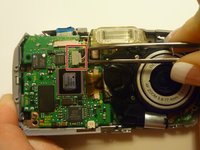
    • View the top of the camera internal housing component.

    • Using tweezers, gently lift the black tape exposing all connector wires.

    Спросите у FixBot

    Добавить комментарий

  16. Olympus D590 Lens Replacement: шаг 16, изображение 1 из 1
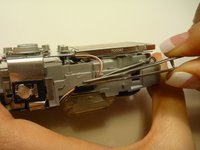
    • View the bottom of the camera internal housing component.

    • Caution: Keep yellow taped wire attached to the LCD screen.

    • Use tweezers to gently wiggle, pull, and detach tape from the surface of the camera internal housing component.

    Спросите у FixBot

    Добавить комментарий

  17. Olympus D590 Lens Replacement: шаг 17, изображение 1 из 3 Olympus D590 Lens Replacement: шаг 17, изображение 2 из 3 Olympus D590 Lens Replacement: шаг 17, изображение 3 из 3
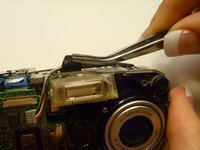
    • View the front of the camera internal housing component.

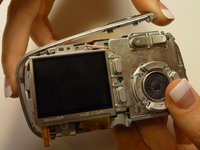
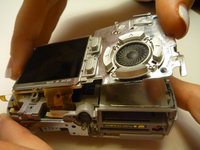
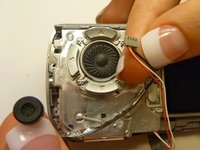
    • Using tweezers, gently lift the speaker, cautiously maneuvering the wire away from the side of the internal housing component toward the front of the camera internal housing component.

    Спросите у FixBot

    Добавить комментарий

  18. Olympus D590 Lens Replacement: шаг 18, изображение 1 из 2 Olympus D590 Lens Replacement: шаг 18, изображение 2 из 2
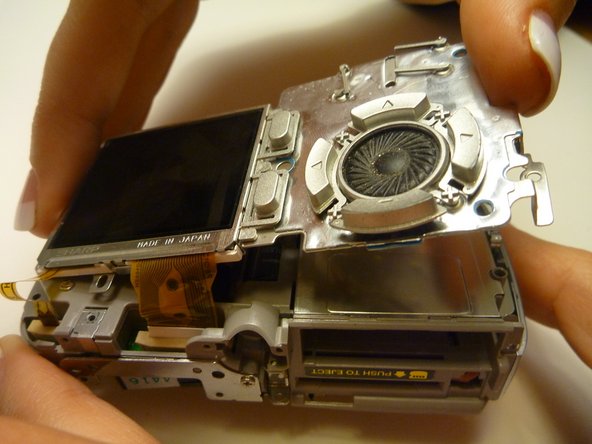
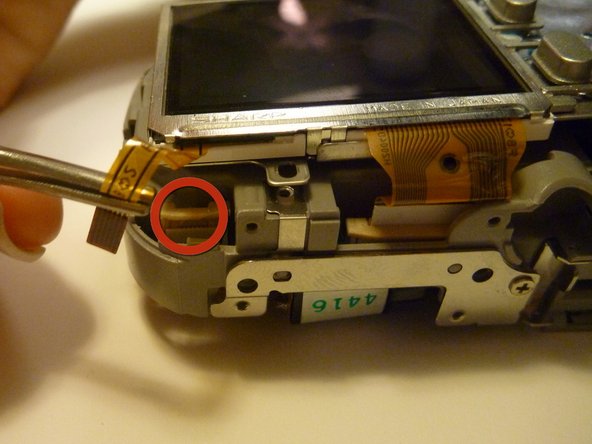
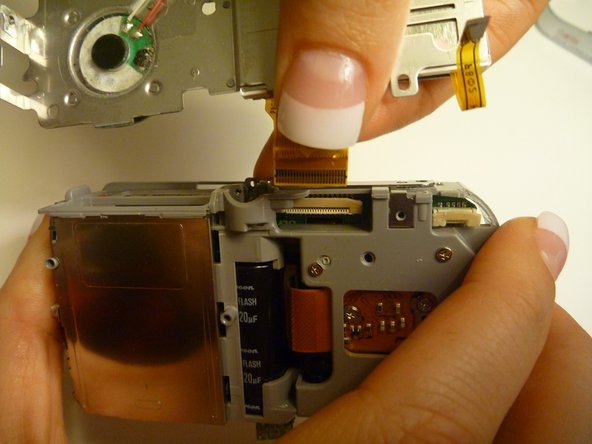
    • Gently lift the LCD screen away from the camera internal housing component hinging the thick yellow wiring tape attached to the camera internal housing component.

    • Use a forefinger and thumb to gently pull the thick yellow wiring tape out of the camera internal housing component.

    Спросите у FixBot

    Добавить комментарий

  19. Olympus D590 Lens Replacement, Lens: шаг 19, изображение 1 из 1
    • Flip the camera so you are looking at the back.

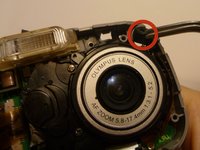
    • Looking at the back of the camera, remove the 3 screws behind the camera lens.

    Спросите у FixBot

    Добавить комментарий

  20. Olympus D590 Lens Replacement: шаг 20, изображение 1 из 1
    • Flip the camera so that the front lens is facing up.

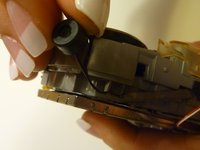
    • Disconnect the lens from the logic board.

    Спросите у FixBot

    Добавить комментарий

  21. Olympus D590 Lens Replacement: шаг 21, изображение 1 из 1
    • Flip the camera back over so that the back of the camera is facing you, and the lens in facing away.

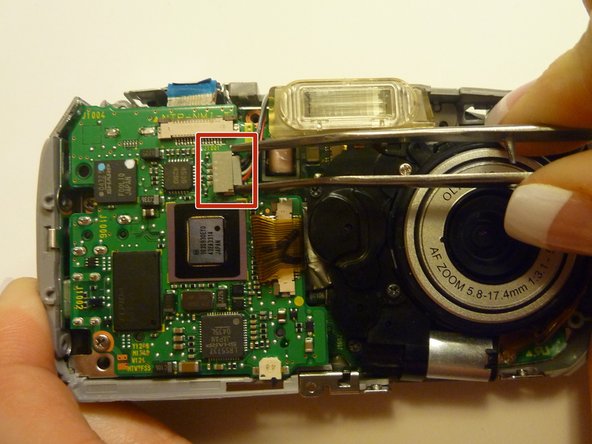
    • Disconnect the wire that connects the logic board to the lens assembly.

    • Gently pull back on the wire to disconnect it safely.

    Спросите у FixBot

    Добавить комментарий

  22. Olympus D590 Lens Replacement: шаг 22, изображение 1 из 1
    • Flip the camera back around so that the front is facing you.

    • Carefully lift the lens assembly out of the camera.

    Спросите у FixBot

    Добавить комментарий

Заключение

To reassemble your device, follow these instructions in reverse order.

Отменить: Я не выполнил это руководство.

Joshua

Участник с: 04/15/10

7 Репутация

Автор 2 руководств

Команда

Cal Poly, Team 28-23, Regan Spring 2010 Участник Cal Poly, Team 28-23, Regan Spring 2010

CPSU-REGAN-S10S28G23

4 членов

Автор 14 руководств

0 Комментарии к руководству

Добавить комментарий

Статистика просмотров:

За последние 24 часов: 1

За последние 7 дней: 14

За последние 30 дней: 43

За всё время: 2,912