Введение
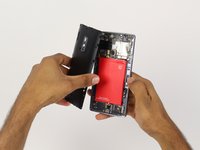
Before you replace your screen you will need to take out the battery.
Выберете то, что вам нужно
-
-
-
Make sure that your phone is turned off before proceeding
-
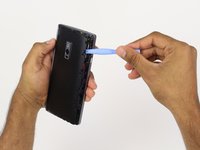
Use an opening pick, your thumbnail, or a spudger to gently pry off the external casing
 Спросите у FixBot
-
-
-
Locate the SIM card tray on the back of the phone
-
Use your thumb to gently slide out the tray
-
-
-
-
Инструмент, используемый на этом этапе:Tweezers$4.99
-
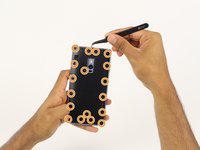
Find and carefully remove all 6 rubber screw covers with the tweezers.
-
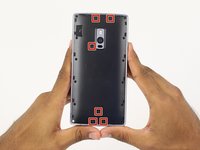
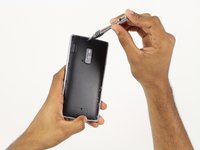
Unscrew all 18 screws from the mid frame.
-
-
-
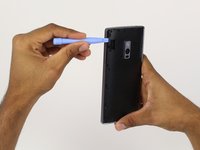
Carefully pry up the mid frame from the back of the phone with the plastic opening tools.
-
Slowly work your way around the phone releasing all the clips that hold the frame in place.
-
-
-
-
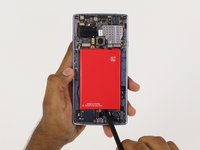
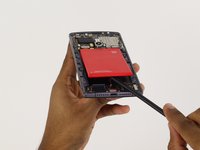
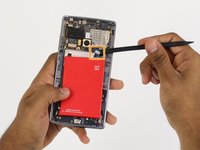
Using the spudger tool, pry the battery up from the adhesive.
-
Once the battery is loose from the adhesive holding it down, use the spudger tool to pry up the connection from the battery to the phone on the top right hand side.
-
-
-
-
-
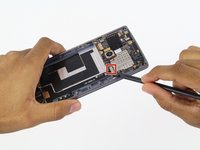
Use the spudger tool to pry up the top connection of the charging port.
-
Follow the cable with the spudger and slowly pry it up from the adhesive holding it down.
-
Stop at the next connection.
-
-
-
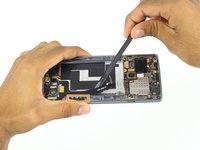
Again, using the spudger tool, pry up the final 4 connections on the charging port
-
Again, just like before, slowly follow the cable with the spudger tool lifting it up from the adhesive backing.
-
-
-
Using the spudger tool on the bottom of the phone, push the charging part inward.
-
Once the charging port is free from the frame, use your fingers to remove the charging port the rest of the way.
-
-
-
-
-
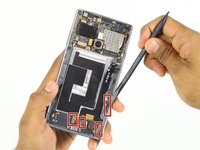
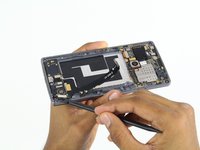
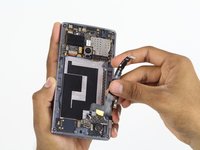
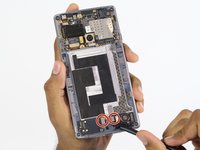
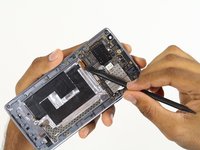
Locate two connections at the bottom of the phone.
-
Using a spudger, carefully bend the connections up and towards the top of the phone.
-
-
Инструмент, используемый на этом этапе:Tweezers$4.99
-
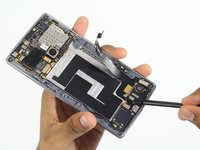
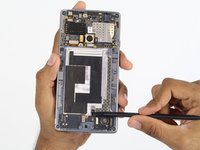
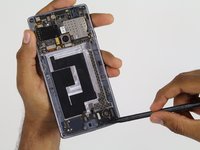
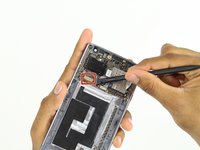
Locate connection left of the rear facing camera.
-
If black tape covers the connector, use tweezers to carefully peel it back.
-
Using a spudger, carefully pry the connector out and bend it towards the bottom of the phone.
-
-
-
Flip your phone so that the screen is facing up
-
Place a warm iOpener on the screen to heat up the adhesive holding the screen in place
-
Leave on for one minute
-
-
-
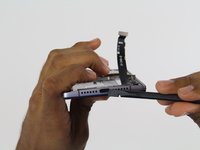
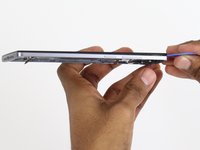
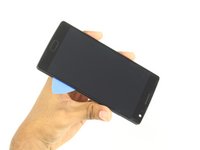
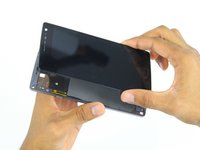
Use a pick to carefully separate the screen and the rest of the phone.
-
Make sure to go around every edge and corner.
-
-












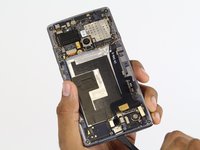








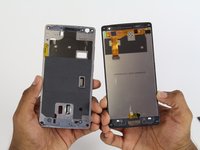
To reassemble your device, follow these instructions in reverse order.
Отменить: Я не выполнил это руководство.
65 человек успешно провели ремонт по этому руководству.

Команда

Cal Poly, Team 4-5, Maness Fall 2015 Участник Cal Poly, Team 4-5, Maness Fall 2015
CPSU-MANESS-F15S4G5
4 членов
Автор 52 руководств
29 Комментарии к руководству
Screen is available on internet but without frame and buttons. I bought one of those so the only pb i had was to separate capacitive buttons and fingerprint scanner from the screen. i had to separate the black plastic frame from the screen too. It takes me around 2 hours to do it but now my OP2 works with a brand new screen. Changing screen on OnePlus2 is doable and cost around 100€ but you have to be careful and patient.
Is the screen working properly??
It's the glue on the back of the screen or on the frame? Do you need to apply new glue?
Hi, can you recommend the place where you bought your screen?
You need glue when installing a new digitizer?
