Введение
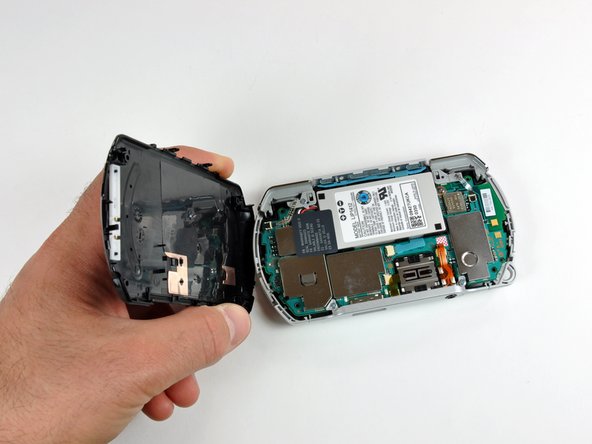
This guide shows you how to remove the PSP Go's back cover.
Выберете то, что вам нужно
-
-
Unscrew the four Phillips screws on the back of the PSP Go.
-
Rotate the PSP so you can see the top of the device.
-
Unscrew the two Phillips screws next to the volume buttons.
 Спросите у FixBot
-
-
-
-
Use a plastic opening tool around the perimeter of the back cover to loosen it on all sides.
-
Open the back cover by gently lifting the right side, and rotating it to the left side (as if you were opening a book).
-




To reassemble your device, follow these instructions in reverse order.
Отменить: Я не выполнил это руководство.
3 человек успешно провели ремонт по этому руководству.

