Введение
Before you begin disassembly, be sure to have the necessary tools. You will need a Torx size T6 screwdriver, tweezers, and the device opening tool. You will remove the stylus and back plate in order to access the battery.
Выберете то, что вам нужно
-
-
-
Remove the stylus from the side of the PDA by sliding it upwards.
 Спросите у FixBot
-
-
-
Remove the 4 screws from the corners of the back panel of the device using a size T6 Torx screwdriver.
-
-
-
-
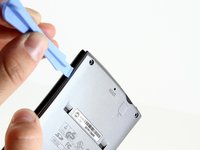
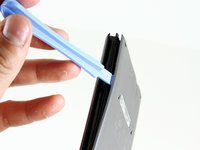
Insert the edge of the plastic opening tool between the back panel and the black stylus holder.
-
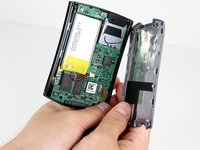
Carefully and forcefully pry the panels apart.
-
-
-
-
Инструмент, используемый на этом этапе:Tweezers$4.99
-
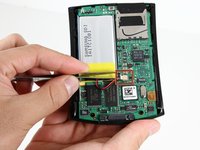
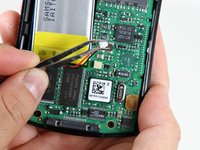
Use tweezers to unplug the battery cable from the motherboard socket.
-
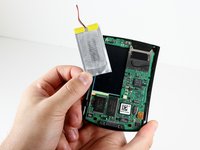
Gently remove the battery from the motherboard using your thumb and forefinger to pull upwards.
-
-




To reassemble your device, follow these instructions in reverse order.
Отменить: Я не выполнил это руководство.
6 человек успешно провели ремонт по этому руководству.

Команда

Cal Poly, Team 14-9, Forte Winter 2011 Участник Cal Poly, Team 14-9, Forte Winter 2011
CPSU-FORTE-W11S14G9
6 членов
Автор 48 руководств
