Перейти к основному содержанию
Присоединяйся к сообществу ремонтников - Создай аккаунт

Panasonic DVD-RV31 Player Disc Retainer Replacement

Выберете то, что вам нужно

  1. Panasonic DVD-RV31 Player Disc Retainer Replacement, Disk Tray Cover: шаг 1, изображение 1 из 1
    • Eject the disk tray from the DVD player before removing power supply.

    Спросите у FixBot

    Добавить комментарий

  2. Panasonic DVD-RV31 Player Disc Retainer Replacement: шаг 2, изображение 1 из 1
    • Evenly lift upward on the disk tray front cover (not slanted, as pictured). This will allow for easier disassembly of the player.

    Спросите у FixBot

    Добавить комментарий

  3. Panasonic DVD-RV31 Player Disc Retainer Replacement, Outer Case: шаг 3, изображение 1 из 2 Panasonic DVD-RV31 Player Disc Retainer Replacement, Outer Case: шаг 3, изображение 2 из 2
    • Remove the three screws running along the back edge of case cover.

    • Remove the two screws from each side of the case cover.

    Спросите у FixBot

    Добавить комментарий

  4. Panasonic DVD-RV31 Player Disc Retainer Replacement: шаг 4, изображение 1 из 1
    • Grab edges of the cover with your hands. Pull outward slightly, then straight up.

    Спросите у FixBot

    Добавить комментарий

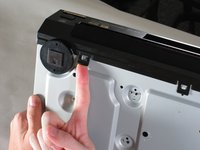
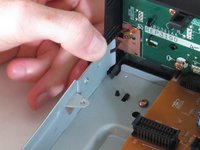
  5. Panasonic DVD-RV31 Player Disc Retainer Replacement, Front Panel: шаг 5, изображение 1 из 2 Panasonic DVD-RV31 Player Disc Retainer Replacement, Front Panel: шаг 5, изображение 2 из 2
    • Lift up the five tabs securing the front panel to the chassis. There are three on the bottom, and two on the inside edges of the panel. Panel should then lift off the player.

    Спросите у FixBot

    Добавить комментарий

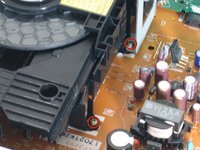
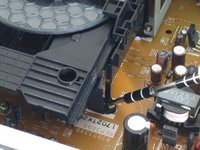
  6. Panasonic DVD-RV31 Player Disc Retainer Replacement, Disk Drive: шаг 6, изображение 1 из 3 Panasonic DVD-RV31 Player Disc Retainer Replacement, Disk Drive: шаг 6, изображение 2 из 3 Panasonic DVD-RV31 Player Disc Retainer Replacement, Disk Drive: шаг 6, изображение 3 из 3
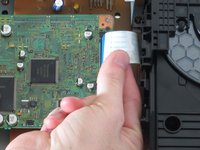
    • Locate the four screws securing the disk drive assembly. There are two on each side.

    • Use a narrow screwdriver to remove all four screws.

    • Remove the blue ribbon wire from its connector. When doing this, be cautious to not damage the connector.

    Спросите у FixBot

    Добавить комментарий

  7. Panasonic DVD-RV31 Player Disc Retainer Replacement: шаг 7, изображение 1 из 1
    • Lift assembly by the front to pull metal bracket from the power board.

    • Pull up back end and lift drive out.

    Спросите у FixBot

    Добавить комментарий

  8. Panasonic DVD-RV31 Player Disc Retainer Replacement: шаг 8, изображение 1 из 1
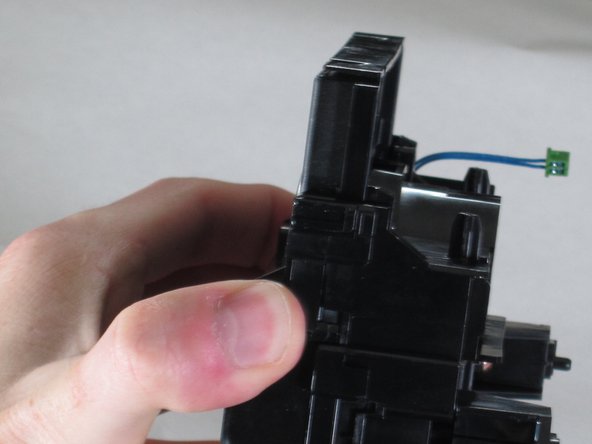
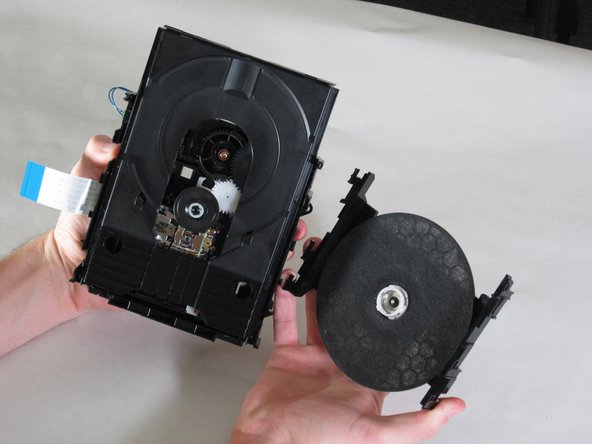
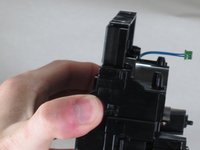
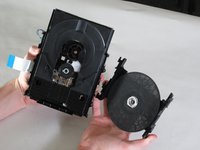
    • With the drive assembly separate from the player, hold as shown and pull the bracket edges away from the disk drive.

    • Lift bracket off and reserve for re-assembly.

    Спросите у FixBot

    Добавить комментарий

  9. Panasonic DVD-RV31 Player Disc Retainer Replacement, Disc Retainer: шаг 9, изображение 1 из 3 Panasonic DVD-RV31 Player Disc Retainer Replacement, Disc Retainer: шаг 9, изображение 2 из 3 Panasonic DVD-RV31 Player Disc Retainer Replacement, Disc Retainer: шаг 9, изображение 3 из 3
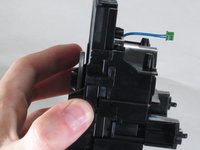
    • Grasp the bridge above the wheel and push the tabs on the side as shown.

    • Pull down firmly and away from the laser housing.

    Спросите у FixBot

    Добавить комментарий

Заключение

To reassemble your device, follow these instructions in reverse order.

Отменить: Я не выполнил это руководство.

3 человек успешно провели ремонт по этому руководству.

Kevin

Участник с: 04/26/11

375 Репутация

Автор 8 руководств

Команда

Cal Poly, Team 18-20, Garner Spring 2011 Участник Cal Poly, Team 18-20, Garner Spring 2011

CPSU-GARNER-S11S18G20

4 членов

Автор 14 руководств

0 Комментарии к руководству

Добавить комментарий

Статистика просмотров:

За последние 24 часов: 3

За последние 7 дней: 8

За последние 30 дней: 40

За всё время: 5,842