Перейти к основному содержанию
Присоединяйся к сообществу ремонтников - Создай аккаунт

Panasonic Lumix DMC-FX07 Back Panel Buttons Replacement

Выберете то, что вам нужно

    1. Panasonic Lumix DMC-FX07 Back Panel Buttons Replacement, Battery: шаг 1, изображение 1 из 1
      • Move the switch on the battery door to the Open position.

      • The door will automatically swing open after you let it go.

      Спросите у FixBot

      Добавить комментарий

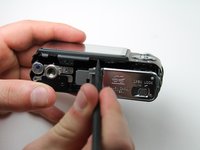
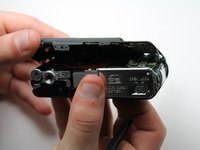
    2. Panasonic Lumix DMC-FX07 Back Panel Buttons Replacement: шаг 2, изображение 1 из 2 Panasonic Lumix DMC-FX07 Back Panel Buttons Replacement: шаг 2, изображение 2 из 2
      • Push the small gray tab on the top right corner to the left. The battery will pop out slightly.

      • Keep your finger clear of the battery when it pops out.

      Спросите у FixBot

      Добавить комментарий

    1. Panasonic Lumix DMC-FX07 Back Panel Buttons Replacement, Memory Card: шаг 3, изображение 1 из 1
      • Push the memory card in and let go.

      • The memory card will pop out slightly.

      • Pull out the memory card.

      Спросите у FixBot

      Добавить комментарий

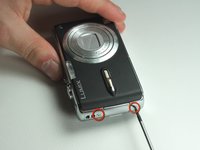
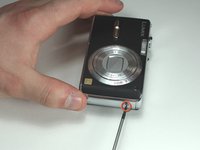
    1. Panasonic Lumix DMC-FX07 Back Panel Buttons Replacement, Back Cover: шаг 4, изображение 1 из 2 Panasonic Lumix DMC-FX07 Back Panel Buttons Replacement, Back Cover: шаг 4, изображение 2 из 2
      • Unscrew the small screws on the sides of the camera.

      • The screws on the left side(#00P, 4.7mm) are longer than the screw on the right side(#00P, 3.3mm).

      Спросите у FixBot

      Добавить комментарий

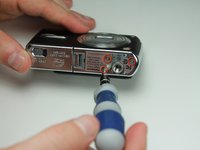
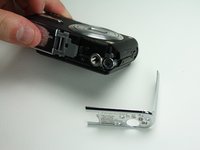
    2. Panasonic Lumix DMC-FX07 Back Panel Buttons Replacement: шаг 5, изображение 1 из 2 Panasonic Lumix DMC-FX07 Back Panel Buttons Replacement: шаг 5, изображение 2 из 2
      • Unscrew the three small screws on the bottom(#00P, 3.3mm).

      • The bottom will fall off.

      Спросите у FixBot

      Добавить комментарий

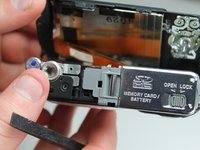
    3. Panasonic Lumix DMC-FX07 Back Panel Buttons Replacement: шаг 6, изображение 1 из 3 Panasonic Lumix DMC-FX07 Back Panel Buttons Replacement: шаг 6, изображение 2 из 3 Panasonic Lumix DMC-FX07 Back Panel Buttons Replacement: шаг 6, изображение 3 из 3
      • Lift up the bottom back cover by prying the bottom edge with the spudger.

      • Gently lift up the back cover with your hand from the bottom to the top.

      Спросите у FixBot

      Добавить комментарий

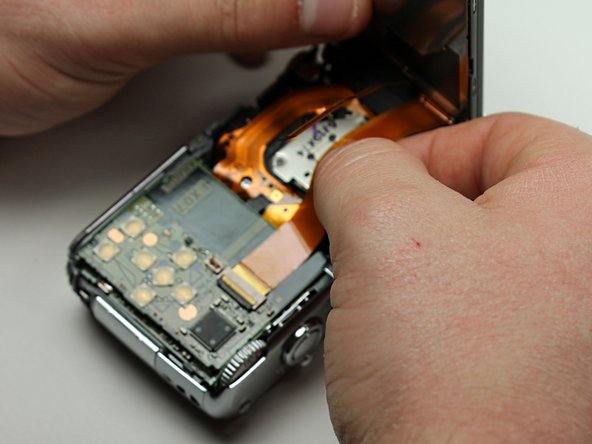
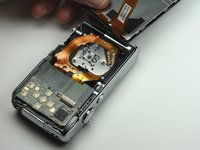
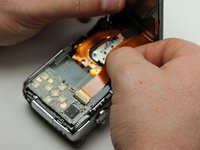
    4. Panasonic Lumix DMC-FX07 Back Panel Buttons Replacement: шаг 7, изображение 1 из 3 Panasonic Lumix DMC-FX07 Back Panel Buttons Replacement: шаг 7, изображение 2 из 3 Panasonic Lumix DMC-FX07 Back Panel Buttons Replacement: шаг 7, изображение 3 из 3
      • Lift the tabs on the ZIF connectors.

      • The ribbon cables should easily come out of the ZIF connectors.

      Спросите у FixBot

      Добавить комментарий

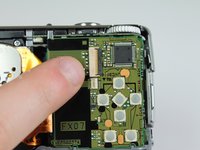
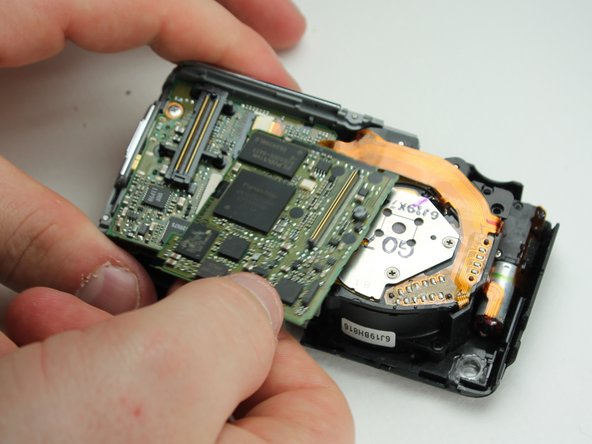
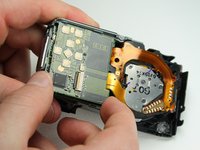
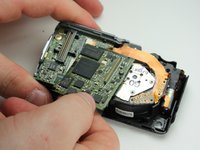
    1. Panasonic Lumix DMC-FX07 Back Panel Buttons Replacement, Back Panel Buttons: шаг 8, изображение 1 из 2 Panasonic Lumix DMC-FX07 Back Panel Buttons Replacement, Back Panel Buttons: шаг 8, изображение 2 из 2
      • Gently wiggle out the top motherboard.

      • The buttons are hardwired into this logic board.

      Спросите у FixBot

      Добавить комментарий

Заключение

To reassemble your device, follow these instructions in reverse order.

Отменить: Я не выполнил это руководство.

Еще один человек закончил это руководство.

Karissa

Участник с: 04/13/12

71 Репутация

Автор 8 руководств

Команда

Cal Poly, Team 6-23, Amido Spring 2012 Участник Cal Poly, Team 6-23, Amido Spring 2012

CPSU-AMIDO-S12S6G23

4 членов

Автор 40 руководств

0 Комментарии к руководству

Добавить комментарий

Статистика просмотров:

За последние 24 часов: 1

За последние 7 дней: 7

За последние 30 дней: 34

За всё время: 1,296