Введение
In this guide, you will learn how to replace the batteries in this device. Keep in mind that this device can also be powered by a wall outlet if you have the AC adapter cord.
Выберете то, что вам нужно
-
-
-
Open the battery compartment by pressing down on the small tab along the upper edge of battery cover.
 Спросите у FixBot
-
-
-
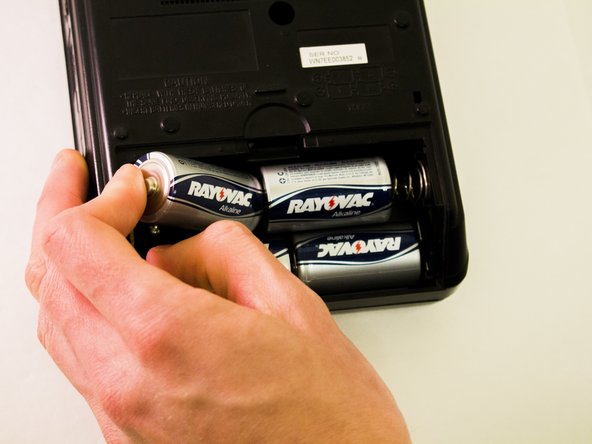
Remove the old batteries one at a time.
-
If batteries do not come out or are rusted, remove carefully with a prying tool. If rusty or dirty, clean compartment and contacts with a dry towel.
-
-
-
-
Insert the new working batteries in the order listed in the diagram on the back of the device.
-
-



Отменить: Я не выполнил это руководство.
3 человек успешно провели ремонт по этому руководству.

Команда

Eastern Washington University, Team 1-6, Plummer Spring 2015 Участник Eastern Washington University, Team 1-6, Plummer Spring 2015
EWU-PLUMMER-S15S1G6
4 членов
Автор 10 руководств
