Перейти к основному содержанию
Присоединяйся к сообществу ремонтников - Создай аккаунт

Pantech Matrix Keypad Replacement

Выберете то, что вам нужно

  1. Pantech Matrix Keypad Replacement, Phone Orientation: шаг 1, изображение 1 из 1
    • Place phone with screen side facing toward you.

    Спросите у FixBot

    Добавить комментарий

  2. Pantech Matrix Keypad Replacement, Phone Orientation: шаг 2, изображение 1 из 1
    • Flip phone over so screen side is now facing down.

    Спросите у FixBot

    Добавить комментарий

  3. Pantech Matrix Keypad Replacement, Remove Back Cover: шаг 3, изображение 1 из 2 Pantech Matrix Keypad Replacement, Remove Back Cover: шаг 3, изображение 2 из 2
    • Gently slide the backside phone cover off exposing the battery underneath.

    Спросите у FixBot

    Добавить комментарий

  4. Pantech Matrix Keypad Replacement, Lift Battery: шаг 4, изображение 1 из 1
    • Carefully lift the battery up from where the spudger is pointed.

    Спросите у FixBot

    Добавить комментарий

  5. Pantech Matrix Keypad Replacement, Remove Battery: шаг 5, изображение 1 из 1
    • Remove the battery from its dock.

    Спросите у FixBot

    Добавить комментарий

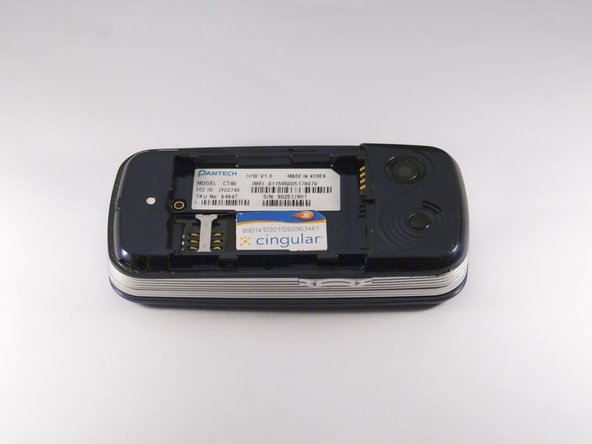
  6. Pantech Matrix Keypad Replacement, Slide SIM Card Out: шаг 6, изображение 1 из 3 Pantech Matrix Keypad Replacement, Slide SIM Card Out: шаг 6, изображение 2 из 3 Pantech Matrix Keypad Replacement, Slide SIM Card Out: шаг 6, изображение 3 из 3
    • Slide the SIM Card out of its dock.

    Спросите у FixBot

    Добавить комментарий

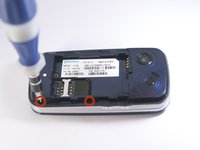
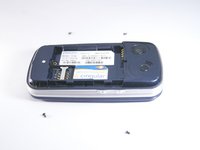
  7. Pantech Matrix Keypad Replacement, Remove Phone Screws: шаг 7, изображение 1 из 2 Pantech Matrix Keypad Replacement, Remove Phone Screws: шаг 7, изображение 2 из 2
    • Use a Phillips screwdriver to remove the four 2mm Phillips #000 screws from each corner of the device.

    Спросите у FixBot

    Добавить комментарий

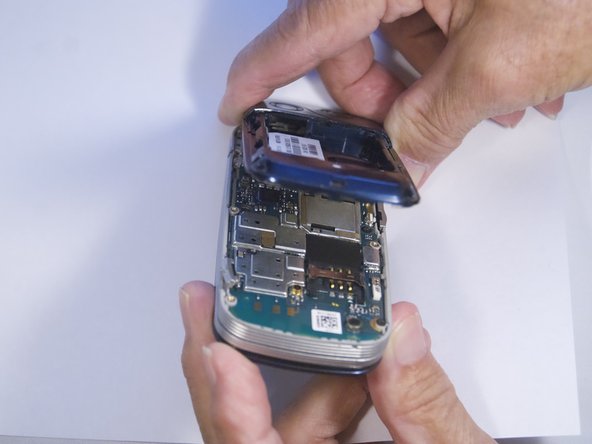
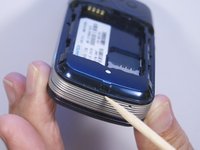
  8. Pantech Matrix Keypad Replacement, Remove Phone Casing: шаг 8, изображение 1 из 2 Pantech Matrix Keypad Replacement, Remove Phone Casing: шаг 8, изображение 2 из 2
    • Rotate the phone so the base is facing you.

    • Use spudger to separate phone casing and inside as shown.

    • Remove the casing carefully and set aside.

    Спросите у FixBot

    Добавить комментарий

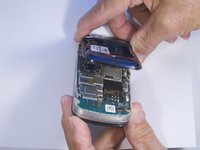
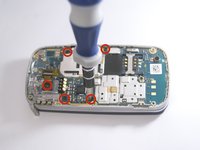
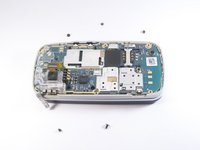
  9. Pantech Matrix Keypad Replacement, Remove Camera Screws: шаг 9, изображение 1 из 2 Pantech Matrix Keypad Replacement, Remove Camera Screws: шаг 9, изображение 2 из 2
    • Place phone with exposed motherboard facing you.

    • Use a Phillips screwdriver to remove the five 2mm Phillips #000 screws holding the camera in place.

    Спросите у FixBot

    Добавить комментарий

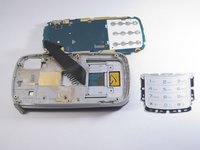
  10. Pantech Matrix Keypad Replacement, Expose Keypad: шаг 10, изображение 1 из 1
    • Carefully lift up the motherboard to expose the back of the keypad.

    Спросите у FixBot

    Добавить комментарий

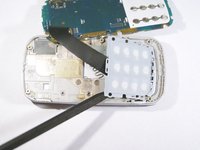
  11. Pantech Matrix Keypad Replacement, Remove Keypad: шаг 11, изображение 1 из 2 Pantech Matrix Keypad Replacement, Remove Keypad: шаг 11, изображение 2 из 2
    • Use spudger to gently pry the keypad away from the rest of the phone.

    Спросите у FixBot

    Добавить комментарий

Заключение

To reassemble your device, follow these instructions in reverse order.

Отменить: Я не выполнил это руководство.

Еще один человек закончил это руководство.

Zeel Patel

Участник с: 10/13/14

1 096 Репутация

Автор 9 руководств

0 Комментарии к руководству

Добавить комментарий

Статистика просмотров:

За последние 24 часов: 0

За последние 7 дней: 2

За последние 30 дней: 31

За всё время: 433