Перейти к основному содержанию
Присоединяйся к сообществу ремонтников - Создай аккаунт

Pebble Time Battery Replacement

Выберете то, что вам нужно

    1. Pebble Time Battery Replacement, Screen Cover: шаг 1, изображение 1 из 1
      • Lay the watch flat on your workstation.

      Спросите у FixBot
      Добавить комментарий

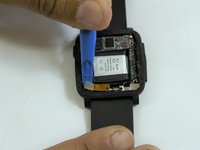
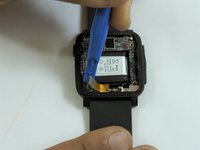
    2. Pebble Time Battery Replacement: шаг 2, изображение 1 из 2 Pebble Time Battery Replacement: шаг 2, изображение 2 из 2
      • Use the metal spudger to carefully pull apart the screen cover from the case.

      • Replace the metal spudger with a plastic opening tool to hold the cover open.

      Спросите у FixBot

      Добавить комментарий

    3. Pebble Time Battery Replacement: шаг 3, изображение 1 из 1
      • Use the metal spudger tool to carefully loosen the rest of the cover.

      Спросите у FixBot

      Добавить комментарий

    4. Pebble Time Battery Replacement: шаг 4, изображение 1 из 1
      • Carefully, pull apart the cover with the plastic opening tool.

      Спросите у FixBot

      Добавить комментарий

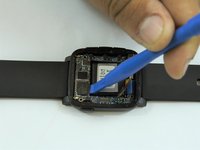
    1. Pebble Time Battery Replacement, Screen: шаг 5, изображение 1 из 1
      • Insert metal spudger into the side of the screen shown in the picture.

      Спросите у FixBot
      Добавить комментарий

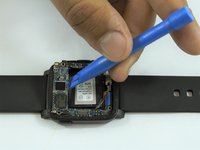
    2. Pebble Time Battery Replacement: шаг 6, изображение 1 из 1
      • Use the metal spudger to pry the screen up.

      Спросите у FixBot
      Добавить комментарий

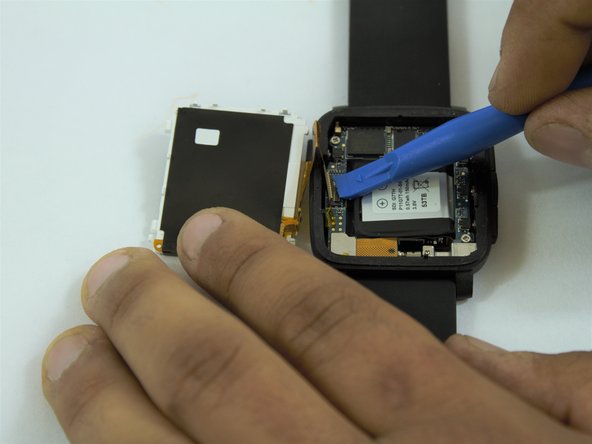
    3. Pebble Time Battery Replacement: шаг 7, изображение 1 из 3 Pebble Time Battery Replacement: шаг 7, изображение 2 из 3 Pebble Time Battery Replacement: шаг 7, изображение 3 из 3
      • Once screen is lifted, insert plastic opening tool between the screen connector and circuit board.

      • Disconnect the screen from the circuit board.

      Спросите у FixBot

      Добавить комментарий

    1. Pebble Time Battery Replacement, Circuit Board: шаг 8, изображение 1 из 1
      • Keep the watch flat on your workstation.

      Спросите у FixBot

      Добавить комментарий

    2. Pebble Time Battery Replacement: шаг 9, изображение 1 из 1
      • Locate the three screws on the circuit board.

      • Remove using the J000 Philips head screwdriver.

      Спросите у FixBot

      Добавить комментарий

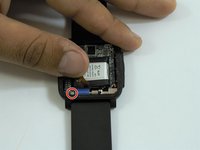
    3. Pebble Time Battery Replacement: шаг 10, изображение 1 из 3 Pebble Time Battery Replacement: шаг 10, изображение 2 из 3 Pebble Time Battery Replacement: шаг 10, изображение 3 из 3
      • Carefully disconnect the connector wire on the bottom left edge of the circuit board using a plastic opener tool.

      • Move apart the connector to expose the fourth screw.

      Спросите у FixBot

      Добавить комментарий

    4. Pebble Time Battery Replacement: шаг 11, изображение 1 из 1
      • Remove the final screw from the circuit board with a J000 Philips head screwdriver.

      Спросите у FixBot

      Добавить комментарий

    5. Pebble Time Battery Replacement: шаг 12, изображение 1 из 2 Pebble Time Battery Replacement: шаг 12, изображение 2 из 2
      • Turn the watch to the side and use the plastic opening tool to lift up the circuit board.

      • Remove the circuit board from the case.

      Спросите у FixBot

      Добавить комментарий

    1. Pebble Time Battery Replacement, Battery: шаг 13, изображение 1 из 1
      • After removing the circuit board, the battery is located in the middle of the case.

      Спросите у FixBot

      Добавить комментарий

    2. Pebble Time Battery Replacement: шаг 14, изображение 1 из 2 Pebble Time Battery Replacement: шаг 14, изображение 2 из 2
      • Locate the battery connector on the left side of the case.

      • Carefully disconnect the wire using a metal spudger.

      Спросите у FixBot

      Добавить комментарий

    3. Pebble Time Battery Replacement: шаг 15, изображение 1 из 2 Pebble Time Battery Replacement: шаг 15, изображение 2 из 2
      • After disconnecting the battery use the plastic opening tool to lift the battery off of the case.

      • The battery might be glued to the case.

      Спросите у FixBot

      Добавить комментарий

Заключение

To reassemble your device, follow these instructions in reverse order.

Отменить: Я не выполнил это руководство.

35 человек успешно провели ремонт по этому руководству.

Nicolas Hempe

Участник с: 02/15/17

1 516 Репутация

Автор 5 руководств

Команда

USF Tampa, Team 1-3, Sullivan Spring 2017 Участник USF Tampa, Team 1-3, Sullivan Spring 2017

USFT-SULLIVAN-S17S1G3

4 членов

Автор 10 руководств

12 Комментарии к руководству

Where did you purchase the replacement battery?

Dimas Caparros - Ответить Поделиться

Got mine on Amazon

kwojdak - Ответить Поделиться

What is everyone using for sticky tape to hold the bezel/crystal on that will ensure the pebble is still waterproof?

Shannon Oswald - Ответить Поделиться

Attempted this using RTV Silicon, and it is %#*@ difficult to not get it EVERYWHERE! I got some on my LCD, now I’m looking for another Pebble. Just use a little superglue on the outside and don’t figure on it being waterproof anymore - I guess.

Shannon Oswald - Ответить Поделиться

There’s a lot of replacement battery on internet. Just search “150mAh P11G7T-01-S01”.

Xie Yanbo - Ответить Поделиться

Добавить комментарий

Статистика просмотров:

За последние 24 часов: 9

За последние 7 дней: 45

За последние 30 дней: 188

За всё время: 27,760