Введение
Replacing the internal battery which regulates several functions in the computer, including the calendar.
-
-
-
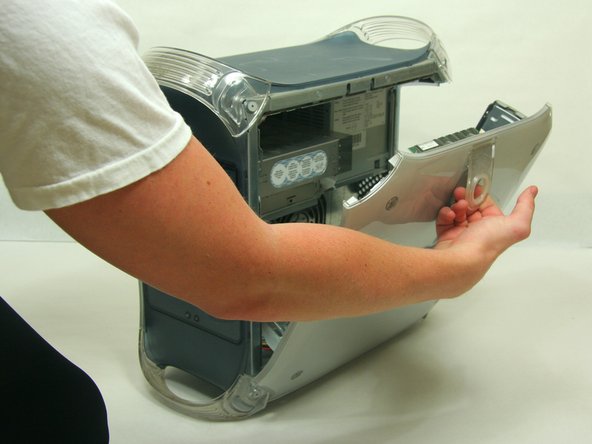
Pull on outer latch.
-
Lower door until it is level with your work surface.
 Спросите у FixBot
-
-
-
-
-
-
Locate the battery.
-
Remove and replace battery.
-
Push the PMU button once, and only once, to reset the power supply.
-
-



Отменить: Я не выполнил это руководство.
21 человек успешно провели ремонт по этому руководству.

Команда

Cal Poly, Team 13-24, Maness Winter 2010 Участник Cal Poly, Team 13-24, Maness Winter 2010
CPSU-MANESS-W10S13G24
4 членов
Автор 55 руководств
4 Комментарии к руководству
Nice simple post. You might make the battery number / size more obvious, for anxious nerds like me…
Thank you!
Not bad, but PMU button location is not explained… the button on the front to start it?
Hi
Will a 3V Lithium battery work or must it be 3.6V?
Please advise.
Rgds
Duard
The PMU reset button is inside the casing, on the same circuit board as the backup battery holder. See the second photo, it's a small silver square with a circular black button inset into its top and PMU Reset in tiny white lettering beside it. The photo shows it near to the battery holder but on my model the button is further away on the far corner of the circuit board. Look around for it. Insert the new battery then press the reset ONE time only.
