Перейти к основному содержанию
Присоединяйся к сообществу ремонтников - Создай аккаунт

Power Mac G5 CD-ROM Drive Replacement

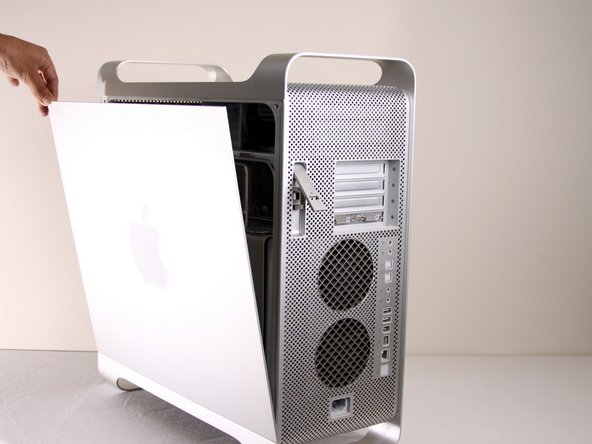
  1. Power Mac G5 CD-ROM Drive Replacement, Side Panel: шаг 1, изображение 1 из 1
    • To avoid electrocution, shut down the computer. Do not open the computer or attempt to install any items inside it while the computer is on.

    • To avoid being burned, wait at least 10 minutes to allow the computer's internal components to cool.

    Спросите у FixBot
  2. Power Mac G5 CD-ROM Drive Replacement: шаг 2, изображение 1 из 1
    • Remove all the cables, including the power cables before opening the unit.

    Спросите у FixBot
  3. Power Mac G5 CD-ROM Drive Replacement: шаг 3, изображение 1 из 2 Power Mac G5 CD-ROM Drive Replacement: шаг 3, изображение 2 из 2
    • Lift the tab to unlock the side panel.

    • The panel should fall out. If the panel does not fall out by itself pull a little from the edges.

    Спросите у FixBot
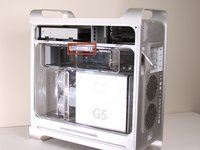
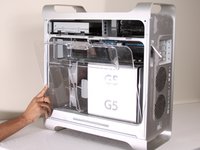
  4. Power Mac G5 CD-ROM Drive Replacement: шаг 4, изображение 1 из 3 Power Mac G5 CD-ROM Drive Replacement: шаг 4, изображение 2 из 3 Power Mac G5 CD-ROM Drive Replacement: шаг 4, изображение 3 из 3
    • Remove the air deflector (the clear plastic cover) by pulling on the handle.

    Спросите у FixBot
  5. Power Mac G5 CD-ROM Drive Replacement, CD-ROM Drive: шаг 5, изображение 1 из 1
    • Locate the CD-ROM Drive on the top left corner of desktop.

    Спросите у FixBot
  6. Power Mac G5 CD-ROM Drive Replacement: шаг 6, изображение 1 из 3 Power Mac G5 CD-ROM Drive Replacement: шаг 6, изображение 2 из 3 Power Mac G5 CD-ROM Drive Replacement: шаг 6, изображение 3 из 3
    • Pull and rotate latches to the left.

    Спросите у FixBot
  7. Power Mac G5 CD-ROM Drive Replacement: шаг 7, изображение 1 из 1
    • Wiggle and pull out the CD Drive.

    Спросите у FixBot
  8. Power Mac G5 CD-ROM Drive Replacement: шаг 8, изображение 1 из 2 Power Mac G5 CD-ROM Drive Replacement: шаг 8, изображение 2 из 2
    • Detach the first cable from the CD-ROM drive.

    • Detach the second cable from the CD-ROM drive.

    • On some models, the IDE cable is stuck to the top of the CD-ROM with foam tape. It is easier to unplug the IDE connector from the motherboard, and de-route the IDE cable as you remove the drive.

    Спросите у FixBot
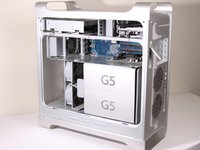
  9. Power Mac G5 CD-ROM Drive Replacement: шаг 9, изображение 1 из 1
    • After the CD-ROM drive is removed, the area should look like this.

    Спросите у FixBot
Заключение

To reassemble your device, follow these instructions in reverse order.

44 человек успешно провели ремонт по этому руководству.

Jessica Chaidez

Участник с: 01/13/10

8 061 Репутация

Автор 3 руководств

Команда

Cal Poly, Team 5-8, Forte Winter 2010 Участник Cal Poly, Team 5-8, Forte Winter 2010

CPSU-FORTE-W10S5G8

7 членов

Автор 30 руководств

2 Комментарии к руководству

Is it possible to use an IDE to SATA connector? I want to install my Pioneer BDR burner to potentially use the PMG5 for data disc burning only. Any thoughts?

nirv - Ответить Поделиться

Misleading title. I know how to unplug the drive, thank you very much.

I've replaced the original drive with a better one and the %#*@ tray is stuck because it's too high.

engineer2137 - Ответить Поделиться

Добавить комментарий

Статистика просмотров:

За последние 24 часов: 0

За последние 7 дней: 21

За последние 30 дней: 98

За всё время: 36,266