Введение
If your PowerA Spectra Infinity Enhanced (model number 1522360-01) isn't producing clear audio or no audio at all and/or your triggers are not taking inputs, use this guide to replace the motherboard.
You may need to replace the motherboard if you have broken triggers or audio port since they are soldered onto the motherboard. Please ensure that the controller is unplugged before disassembling.
Выберете то, что вам нужно
-
-
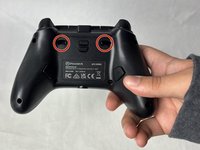
Remove the eight 10 mm screws from the back of the controller using a Phillips #0 screwdriver.
-
-
-
-
Unlock the trigger locks before removing the backplate.
-
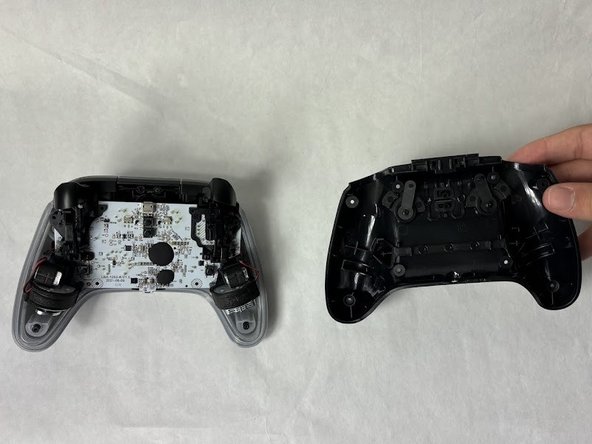
Use your fingers and carefully remove the backplate.
-
-
-
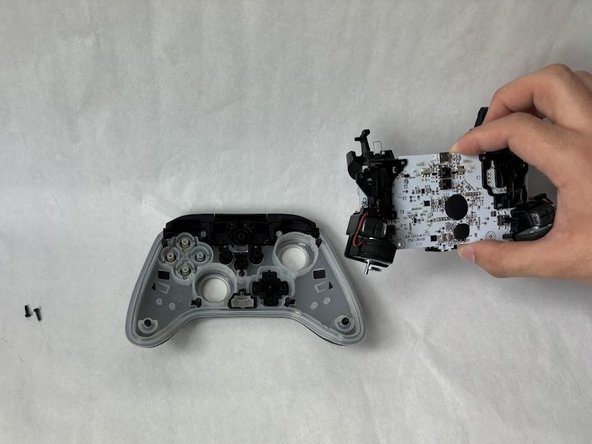
Remove the two 10 mm screws connecting the motherboard to the faceplate using a Phillips #0 screwdriver.
-
-
-
Use your hand to separate the motherboard from the face plate.
-


 Спросите у FixBot




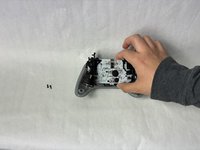
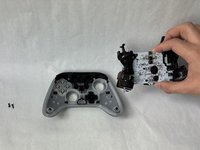
To reassemble your device, follow these instructions in reverse order.
Отменить: Я не выполнил это руководство.
Еще один человек закончил это руководство.

Команда

UMass Dartmouth, Team 6-5, Botvin Spring 2024 Участник UMass Dartmouth, Team 6-5, Botvin Spring 2024
UMASSD-BOTVIN-S24S6G5
3 членов
Автор 6 руководств
