Перейти к основному содержанию
Присоединяйся к сообществу ремонтников - Создай аккаунт

RCA CC310 Onboard Microphone Replacement

Выберете то, что вам нужно

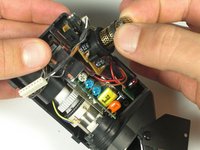
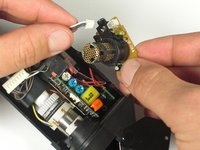
    1. RCA CC310 Onboard Microphone Replacement, Onboard Microphone: шаг 1, изображение 1 из 2 RCA CC310 Onboard Microphone Replacement, Onboard Microphone: шаг 1, изображение 2 из 2
      • Lift the metal flap and slide the viewfinder off to the right.

      Спросите у FixBot

      Добавить комментарий

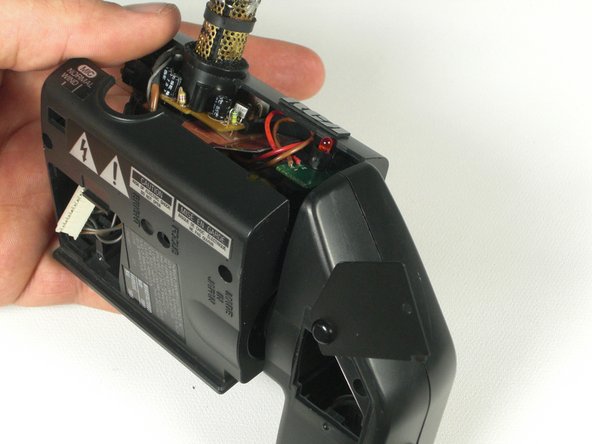
    2. RCA CC310 Onboard Microphone Replacement: шаг 2, изображение 1 из 3 RCA CC310 Onboard Microphone Replacement: шаг 2, изображение 2 из 3 RCA CC310 Onboard Microphone Replacement: шаг 2, изображение 3 из 3
      • Unscrew the 7.0mm ph#0 screw on the underside where the cable connects.

      • Lift the plastic where the cable is connected to the viewfinder.

      • Disconnect the cable inside by pulling it apart.

      Спросите у FixBot

      Добавить комментарий

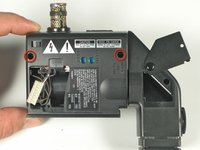
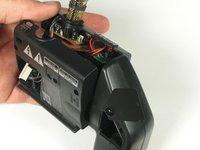
    3. RCA CC310 Onboard Microphone Replacement: шаг 3, изображение 1 из 2 RCA CC310 Onboard Microphone Replacement: шаг 3, изображение 2 из 2
      • Unscrew the two 7mm ph#0 screws on the underside of the viewfinder assembly.

      • Lift the viewfinder plastic assembly up.

      Спросите у FixBot

      Добавить комментарий

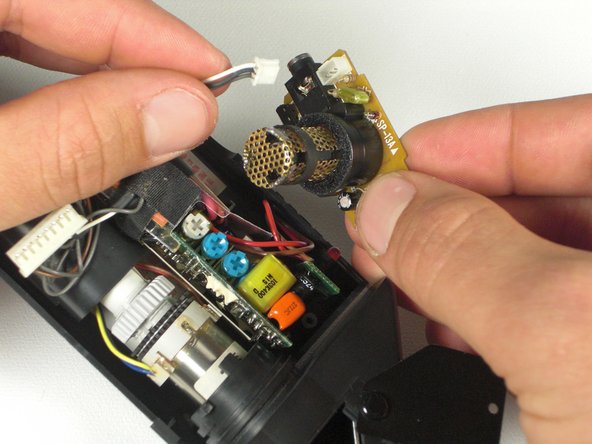
    4. RCA CC310 Onboard Microphone Replacement: шаг 4, изображение 1 из 2 RCA CC310 Onboard Microphone Replacement: шаг 4, изображение 2 из 2
      • Lift the microphone circuit board straight up.

      • Unclip the cable connected to the circuit board.

      Спросите у FixBot

      Добавить комментарий

    5. RCA CC310 Onboard Microphone Replacement: шаг 5, изображение 1 из 1
      • Turn the microphone circuit board over.

      • Unscrew the two Ph#0 screws holding the plastic housing on the circuit board.

      Спросите у FixBot

      Добавить комментарий

    6. RCA CC310 Onboard Microphone Replacement: шаг 6, изображение 1 из 1
      • Desolder the metal protective housing using a soldering iron.

      • Desolder the microphone and replace it.

      Спросите у FixBot

      Добавить комментарий

Заключение

To reassemble your device, follow these instructions in reverse order.

Отменить: Я не выполнил это руководство.

Еще один человек закончил это руководство.

Oliver Adams

Участник с: 01/19/11

629 Репутация

Автор 6 руководств

Команда

Cal Poly, Team 5-20, Amido Winter 2011 Участник Cal Poly, Team 5-20, Amido Winter 2011

CPSU-AMIDO-W11S5G20

4 членов

Автор 70 руководств

0 Комментарии к руководству

Добавить комментарий

Статистика просмотров:

За последние 24 часов: 0

За последние 7 дней: 3

За последние 30 дней: 28

За всё время: 1,309