Введение
In order to replace a broken front or rear camera, you will need to follow this guide. There are several steps and you will need to be careful when taking apart this device.
Выберете то, что вам нужно
-
-
-
Make sure the device is off to reduce the chance of an electrical shock. To turn off the device, press and hold the power button.
-
Use a Phillips #00 Screwdriver to unscrew the 4mm (5/32 in.) screws from the back cover of the tablet.
 Спросите у FixBot
-
-
-
Use a spudger to pry the back cover. Start from one edge of the back cover and slide across until the cover is lifted from the tablet body. Repeat for all edges.
-
-
-
Use a spudger to flip up the flap of the ZIF connector that holds the keyboard wire ribbon.
-
Remove the wire ribbon from clamp.
-
-
-
-
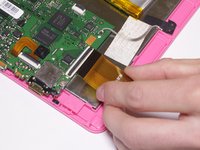
Attached to the motherboard you will see two orange ribbons connected to black tabs.
-
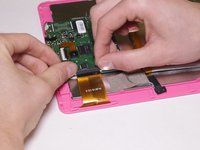
Using both hands, place your thumbs gently on the black tab attached to the top and gently lift it.
-
Proceed to slide the orange colored ribbon out from underneath until it is detached from the black tab.
-
-
-
Use a spudger to pry and slide underneath the battery to unstick it from the LCD metal plate. It may take a good amount of force to remove.
-
Try to decrease battery deformation by using a spudger rather than prying with your hands.
-
-
-
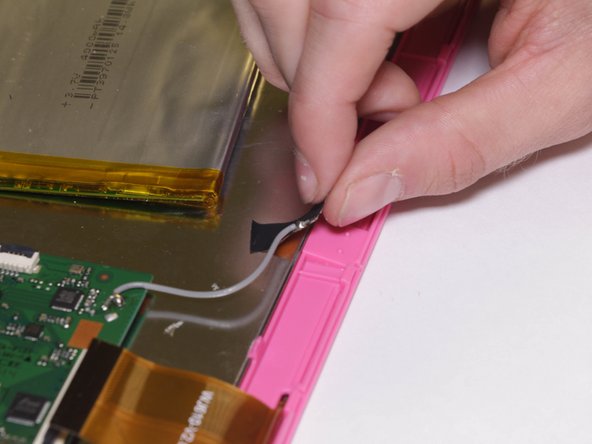
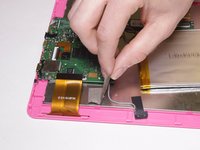
Gently remove the grey tape that's covering the grey colored wire until it is completely peeled off.
-
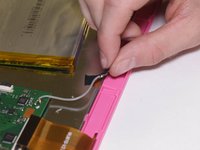
Peel off the black piece of tape to remove the antenna.
-
-
-
Unscrew three of the 4 mm screws on the motherboard using a Phillips #00 screwdriver.
-
After removing the screws, detach the motherboard from the rest of the tablet. Use a spudger to gently remove it, if necessary.
-
-
-
Locate the rear camera and use a prying tool to gently lift the rear camera off of the motherboard.
-
-
-
Detach the camera ribbon wire by lifting the tab and pulling the wire. This will leave you with the camera assembly.
-
-






To reassemble your device, follow these instructions in reverse order.
Отменить: Я не выполнил это руководство.
Еще один человек закончил это руководство.

Команда

UC Davis, Team 1-2, Oliver Fall 2016 Участник UC Davis, Team 1-2, Oliver Fall 2016
UCD-OLIVER-F16S1G2
5 членов
Автор 8 руководств
1 Комментарий к руководству
Where can I get the main board from RCT6203W46
