Введение
Screen and / or digitizer are broken but the rest of the phone is still fully functional.
Выберете то, что вам нужно
-
-
-
With the help of a silicone spatula or similar opening tool, press gently into the separation between housing and screen
-
Gently pry the frame away from the screen .
-
-
-
Disconnect the rest of all the connectors. (Image shows fingerprint scanner connector already removed)
-
-
-
First disconnect the connector for the fingerprint scanner
-
Then carefully pry the scanner (it is adhered to the board )
-
Preheating the scanner area with a hair dryer can help
-
-
-
Remove the plastic cover from the top of the phone
-
Gentle prying may be help to loosen it.
-
Remove the screw hidden under the cover.
-
-
-
-
Disconnect the ribbon cable
-
Remove the screw.
-
Carefully remove the circuit board
-
-
-
Remove the upper speaker
-
Caution: When removing the speaker, the two parts of the speaker can separate from each other. They are only held together by two very thin copper cables!
-
The best way to get to the bottom of the speaker and pry it out carefully is by using the direction of the red arrow.
-
-
-
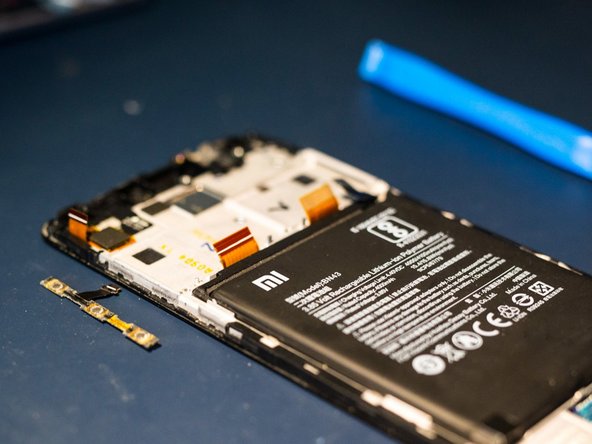
Peel off the two battery adhesive strips to remove the battery
-
Pull as flat as possible and rather slowly. Heating the display with a hair dryer makes the whole thing a little easier.
-
-
-
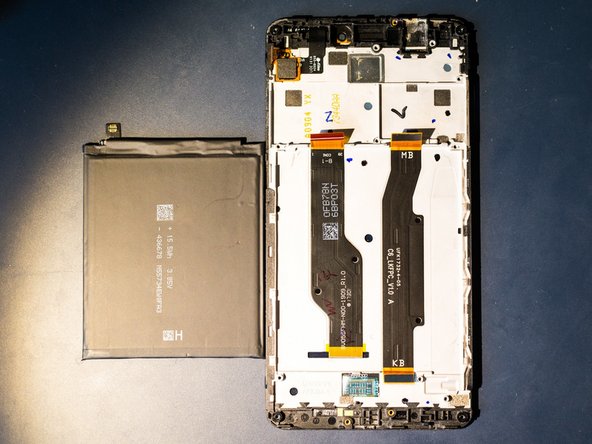
Disconnect the ribbon cable for the charging board. Keep it safe for later reuse.
-
-
-
Depending on the completeness of the replacement part, the LED lighting may also be removed
-
T o remove it, gently pry with some pointed tweezers or similar tool
-
-
-
For testing purposes, the button bar, the screen and the battery can be connected.
-
Attention! When doing so, there is an increased risk of damaging the connections or the battery. Be very careful!
-
A long press on the bottom button should start the phone
-
-
-
If previously removed, insert the LED bar (red circle)
-
Insert the charging board into proper position and tighten (blue circle)
-
-
-
Remove the blue protective strip from the corresponding adhesive surface. Insert the ribbon cable into the power supply
-
Press the cable flat onto the adhesive area
-
Ensure everything is properly aligned
-
-
-
Insert the motherboard
-
Use the metal pin and the plastic hook to check proper alignment.
-
-
-
Remove the cover from the two adhesive strips for the battery
-
Insert the battery and reconnect it.
-
-
-
Press the fingerprint scanner back into its position.
-
Press the display back into the housing. Done!
-


 Спросите у FixBot






Repeat the steps in reverse order to reassemble your device.
Отменить: Я не выполнил это руководство.
5 человек успешно провели ремонт по этому руководству.
Особая благодарность этим переводчикам:
100%


Эти переводчики помогают нам починить мир! Хотите внести свой вклад?
Начните переводить ›

3 Комментарии к руководству
There are major steps missing between step 14 and step 15. This is not a complete guide on screen replacement.
Hi Don, which steps are you missing between 14 and 15 ? Once all parts are removed from the old display one can try the test fit on the new display.
Watch and pray ,global warming.
