Перейти к основному содержанию
Присоединяйся к сообществу ремонтников - Создай аккаунт

Remington MB4040 Motor Replacement

Выберете то, что вам нужно

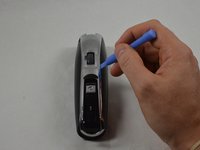
  1. Remington MB4040 Motor Replacement, Remove Blade Assembly: шаг 1, изображение 1 из 3 Remington MB4040 Motor Replacement, Remove Blade Assembly: шаг 1, изображение 2 из 3 Remington MB4040 Motor Replacement, Remove Blade Assembly: шаг 1, изображение 3 из 3
    • Press the black button below the blade to remove the blade.

    Спросите у FixBot

    Добавить комментарий

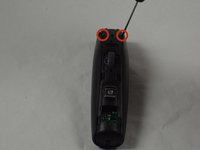
  2. Remington MB4040 Motor Replacement, Remove Back Cover Hardware: шаг 2, изображение 1 из 2 Remington MB4040 Motor Replacement, Remove Back Cover Hardware: шаг 2, изображение 2 из 2
    • Place the device so the back of the product is facing up.

    • Remove the two 11.0 mm PH00 screws from the black plastic housing at the bottom of the device.

    Спросите у FixBot

    Добавить комментарий

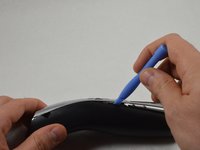
  3. Remington MB4040 Motor Replacement, Remove Front Cover Hardware: шаг 3, изображение 1 из 3 Remington MB4040 Motor Replacement, Remove Front Cover Hardware: шаг 3, изображение 2 из 3 Remington MB4040 Motor Replacement, Remove Front Cover Hardware: шаг 3, изображение 3 из 3
    • Remove the chrome plated plastic piece by using the plastic opening tool to pry it from the housing assembly.

    • Remove the small clear plastic piece that covers the zoom wheel numbers.

    Спросите у FixBot

    Добавить комментарий

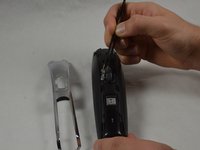
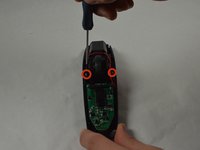
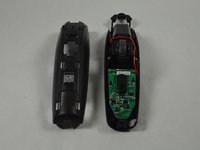
  4. Remington MB4040 Motor Replacement, Front Cover (cont.): шаг 4, изображение 1 из 2 Remington MB4040 Motor Replacement, Front Cover (cont.): шаг 4, изображение 2 из 2
    • Remove the two 16.0 mm PH00 screws from the front cover.

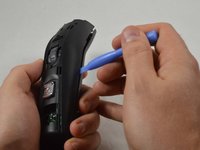
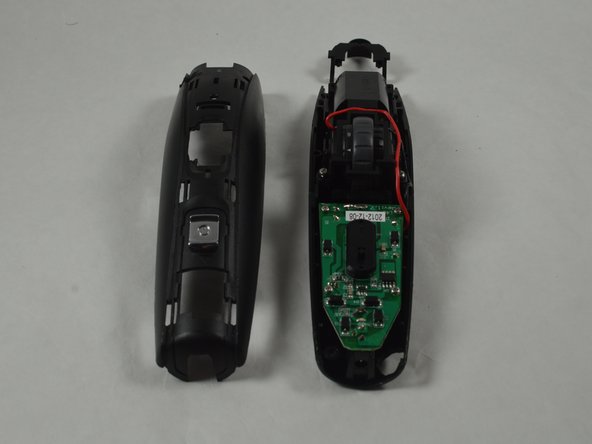
    • Use the blue plastic opening tool to pry apart the two halves of the device.

    Спросите у FixBot

    Добавить комментарий

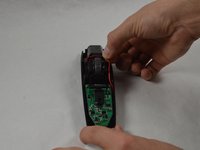
  5. Remington MB4040 Motor Replacement, Blade Button Removal: шаг 5, изображение 1 из 2 Remington MB4040 Motor Replacement, Blade Button Removal: шаг 5, изображение 2 из 2
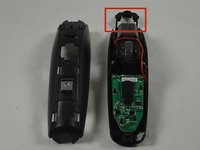
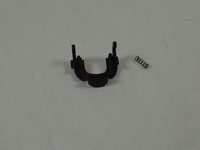
    • Remove the black blade button and the two 10.0 mm springs, which are sandwiched between the cover assembly halves.

    • The blade button is sandwiched between the halves and the two springs may fall out when the halves are separated.

    Спросите у FixBot

    Добавить комментарий

  6. Remington MB4040 Motor Replacement, Remove screws attaching the zoom wheel: шаг 6, изображение 1 из 2 Remington MB4040 Motor Replacement, Remove screws attaching the zoom wheel: шаг 6, изображение 2 из 2
    • Remove the two 11.0 mm PH00 screws that attach the zoom wheel to the plastic housing.

    Спросите у FixBot

    Добавить комментарий

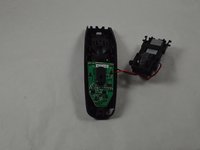
  7. Remington MB4040 Motor Replacement, Remove Zoom Wheel Assembly: шаг 7, изображение 1 из 3 Remington MB4040 Motor Replacement, Remove Zoom Wheel Assembly: шаг 7, изображение 2 из 3 Remington MB4040 Motor Replacement, Remove Zoom Wheel Assembly: шаг 7, изображение 3 из 3
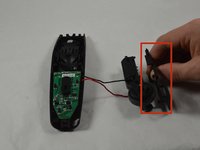
    • Remove zoom wheel assembly from housing using fingers.

    • Gently remove zoom wheel assembly because the red and black wires are attached and can easily be broken.

    • This assembly also houses the motor.

    • Remove the small black piece of plastic surrounding the zoom wheel. This will be referred to as the slider.

    • When reassembling, make sure the pins on the slider are aligned inside the grooves of the wheel.

    Спросите у FixBot

    Добавить комментарий

  8. Remington MB4040 Motor Replacement, Wheel removal: шаг 8, изображение 1 из 3 Remington MB4040 Motor Replacement, Wheel removal: шаг 8, изображение 2 из 3 Remington MB4040 Motor Replacement, Wheel removal: шаг 8, изображение 3 из 3
    Инструмент, используемый на этом этапе:
    Tweezers
    $4.99
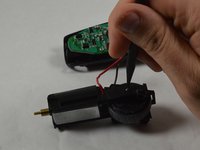
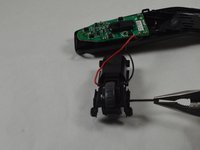
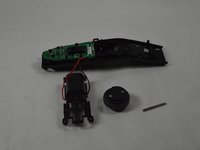
    • A pin holds the wheel in place. Using a spudger (preferable metal) and a pair of pliers or tweezers remove the pin to unseat the wheel.

    Спросите у FixBot

    Добавить комментарий

  9. Remington MB4040 Motor Replacement, Screw Removal: шаг 9, изображение 1 из 1
    • Remove two 3.0 mm PH00 screws from the plastic housing.

    Спросите у FixBot

    Добавить комментарий

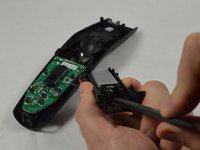
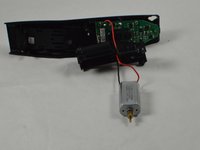
  10. Remington MB4040 Motor Replacement, Remove Motor: шаг 10, изображение 1 из 2 Remington MB4040 Motor Replacement, Remove Motor: шаг 10, изображение 2 из 2
    • Remove the motor by carefully prying on the back side of the motor with a spudger.

    Спросите у FixBot

    Добавить комментарий

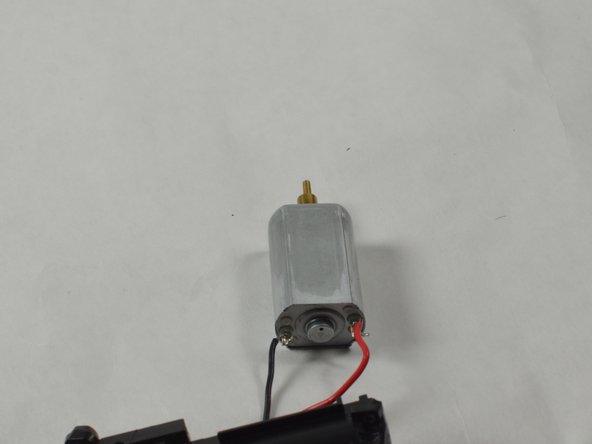
  11. Remington MB4040 Motor Replacement, Remove Wires: шаг 11, изображение 1 из 3 Remington MB4040 Motor Replacement, Remove Wires: шаг 11, изображение 2 из 3 Remington MB4040 Motor Replacement, Remove Wires: шаг 11, изображение 3 из 3
    • Remove the red and black wires from the motor.

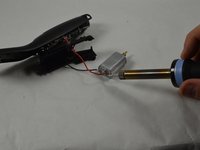
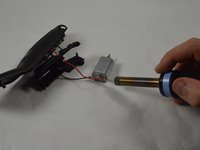
    • To install a new motor, the black and red wires must be soldered on.

    Спросите у FixBot

    Добавить комментарий

Заключение

To reassemble your device, follow these instructions in reverse order.

Отменить: Я не выполнил это руководство.

Cameron Carnahan

Участник с: 01/20/15

1 112 Репутация

Автор 6 руководств

Команда

USF Tampa, Team 1-5, Blackwell Winter 2015 Участник USF Tampa, Team 1-5, Blackwell Winter 2015

USFT-BLACKWELL-W15S1G5

3 членов

Автор 14 руководств

0 Комментарии к руководству

Добавить комментарий

Статистика просмотров:

За последние 24 часов: 2

За последние 7 дней: 9

За последние 30 дней: 43

За всё время: 3,643