Перейти к основному содержанию
Присоединяйся к сообществу ремонтников - Создай аккаунт

Ring Outdoor Security Cam Microphone Replacement

Выберете то, что вам нужно

    1. Ring Outdoor Security Cam Microphone Replacement, Microphone: шаг 1, изображение 1 из 1
      • Remove the six 6 mm Phillips #00 screws from the back on the device.

      Спросите у FixBot

      Добавить комментарий

    2. Ring Outdoor Security Cam Microphone Replacement: шаг 2, изображение 1 из 1
      • Pry off the aluminum plate using a plastic opening tool.

      Спросите у FixBot

      Добавить комментарий

    3. Ring Outdoor Security Cam Microphone Replacement: шаг 3, изображение 1 из 1
      • Use an opening tool to pry the back plate off of the device.

      Спросите у FixBot

      Добавить комментарий

    4. Ring Outdoor Security Cam Microphone Replacement: шаг 4, изображение 1 из 1
      • Disconnect the battery power leads using a plastic opening tool.

      Спросите у FixBot

      Добавить комментарий

    5. Ring Outdoor Security Cam Microphone Replacement: шаг 5, изображение 1 из 1
      • Use a plastic opening tool to loosen the adhesive holding the battery in place and remove the battery by hand.

      Спросите у FixBot

      Добавить комментарий

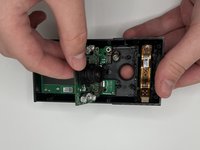
    6. Ring Outdoor Security Cam Microphone Replacement: шаг 6, изображение 1 из 1
      • Disconnect the ribbon cable carefully at the bottom of the device.

      • Remove the 3 silver 6 mm Phillips #00 screws from the motherboard.

      Спросите у FixBot

      Добавить комментарий

    7. Ring Outdoor Security Cam Microphone Replacement: шаг 7, изображение 1 из 1
      • Pull the top of the motherboard up and out of the device.

      Спросите у FixBot

      Добавить комментарий

    8. Ring Outdoor Security Cam Microphone Replacement: шаг 8, изображение 1 из 2 Ring Outdoor Security Cam Microphone Replacement: шаг 8, изображение 2 из 2
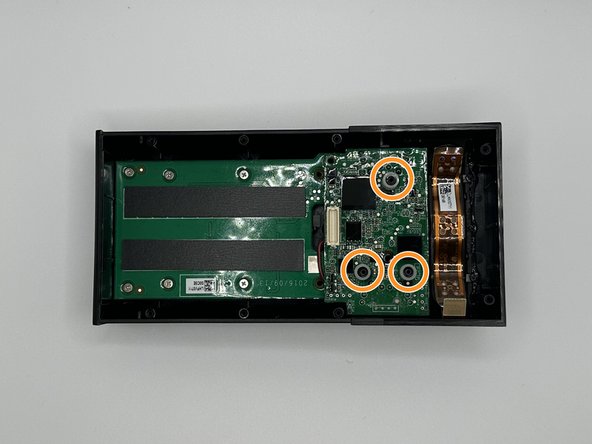
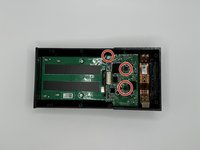
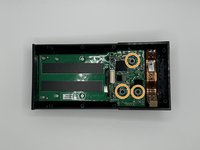
      • Remove the silver 5 mm Phillips #00 screw, and the two 10 mm Phillips #00 from the next motherboard.

      • Remove the 3 plastic spacers on the device.

      Спросите у FixBot

      Добавить комментарий

    9. Ring Outdoor Security Cam Microphone Replacement: шаг 9, изображение 1 из 3 Ring Outdoor Security Cam Microphone Replacement: шаг 9, изображение 2 из 3 Ring Outdoor Security Cam Microphone Replacement: шаг 9, изображение 3 из 3
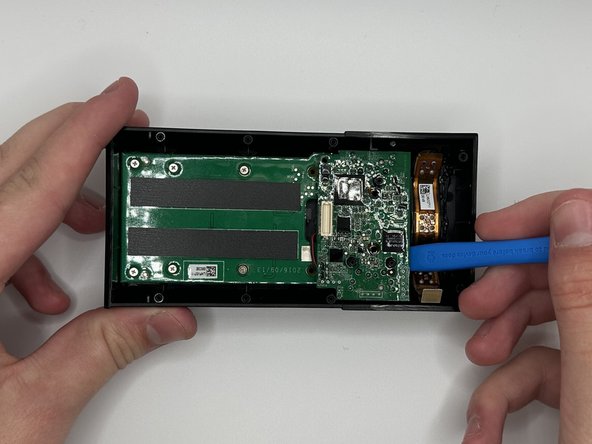
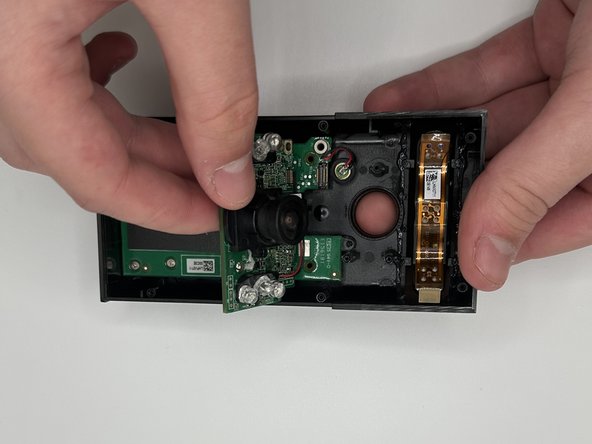
      • Pry the motherboard out with a plastic opening tool

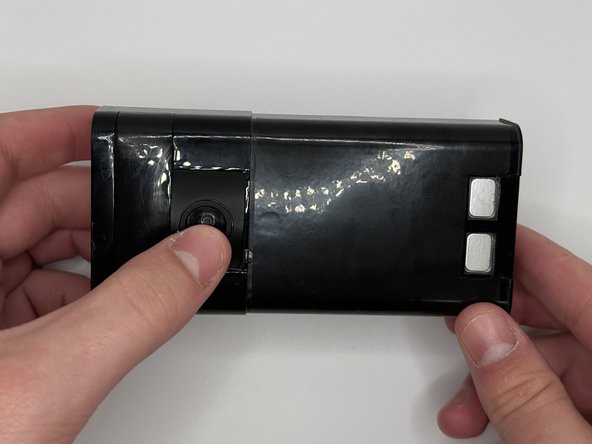
      • Flip the device over and then carefully press on the camera lens to remove the camera and the attached mother board from the device.

      Спросите у FixBot

      Добавить комментарий

    10. Ring Outdoor Security Cam Microphone Replacement: шаг 10, изображение 1 из 1
      • Remove the microphone.

      Спросите у FixBot

      Добавить комментарий

Заключение

To reassemble your device, follow these instructions in reverse order.

Отменить: Я не выполнил это руководство.

WilliamB22

Участник с: 09/13/23

968 Репутация

Автор 5 руководств

Команда

University of North Texas, Team 6-2, Kilpatrick Fall 2023 Участник University of North Texas, Team 6-2, Kilpatrick Fall 2023

UNT-KILPATRICK-F23S6G2

4 членов

Автор 15 руководств

1 Комментарий к руководству

Where can i get the replacement?

Sam - Ответить Поделиться

Добавить комментарий

Статистика просмотров:

За последние 24 часов: 0

За последние 7 дней: 7

За последние 30 дней: 40

За всё время: 797