Введение
The sender and receiver each contain an audio module chip that connect wirelessly for proper functioning of the Rocketfish RF-WHTIB-A system. An unresponsive sender during connection mode on the does not necessarily mean the device is entirely broken. It could indicate a problem with the wireless audio module chip. This guide will direct users step by step to replacing a faulty wireless audio module chip.
Выберете то, что вам нужно
-
-
-
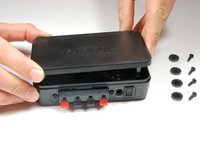
Remove the four rubber tabs from the bottom of the sender.
 Спросите у FixBot
-
-
-
Use a Phillips #1 screwdriver to unscrew the four 12 mm screws on the bottom of the device.
-
-
-
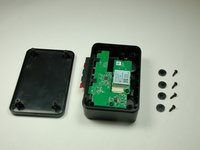
Flip the device over and remove the top casing from the sender.
-
-
-
-
-
Use a Phillips #1 screwdriver to unscrew the 10 mm screw, securing the wireless audio module chip.
-
-
-
-
Use a Phillips #1 screwdriver to unscrew the 10 mm screw, securing the motherboard.
-
-
-
Use a Phillips #1 screwdriver to unscrew the two 10 mm screws located on either side of the speakers.
-
Secure the front speaker input terminal to release the motherboard.
-
-
-
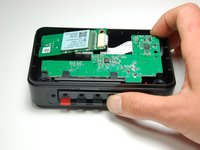
Using both thumbs, push the front speaker input terminal back towards the inside part of the device.
-
-
Инструмент, используемый на этом этапе:Tweezers$4.99
-
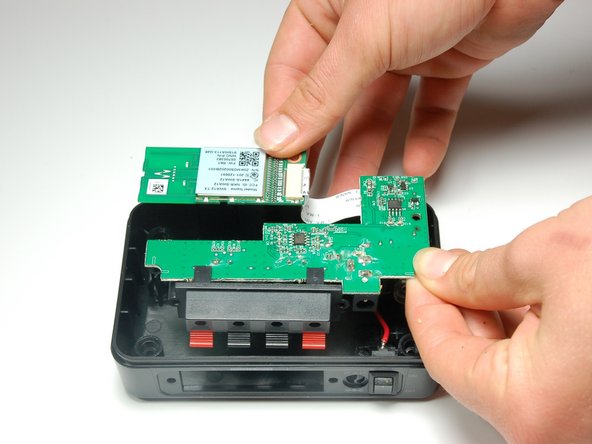
Gently slide the black retaining flap back, securing the ribbon wire gently away from the white bar.
-
-
-
Using your fingers, pull the ribbon wire out from the black retaining flap in order to completely disconnect the wireless audio module chip.
-
-




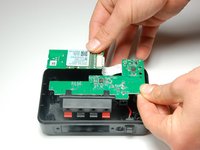


To install the new wireless module chip, follow these instructions in reverse order.
Once the sender has been put back together, plug in the device and initiate the connection mode between the sender and receiver to ensure the new wireless module chip has been properly assembled.

Команда

Baylor, Team 4-2, Williams Spring 2015 Участник Baylor, Team 4-2, Williams Spring 2015
BU-WILLIAMS-S15S4G2
3 членов
Автор 12 руководств
3 Комментарии к руководству
Does Rocketfish offer a replacement board?
“No Parts Required” is a joke . Where are the replacement boards available from?
I used the wrong ac adapter, which worked for a few weeks then the unit died and won't power on. Would anyone know what I should check out with the multi meter to see what's wrong and see if I can fix it? Thanks!
