Перейти к основному содержанию
Присоединяйся к сообществу ремонтников - Создай аккаунт

Samsung ATIV Book 4 Battery Replacement

Выберете то, что вам нужно

    1. Samsung ATIV Book 4 Battery Replacement, Battery: шаг 1, изображение 1 из 2 Samsung ATIV Book 4 Battery Replacement, Battery: шаг 1, изображение 2 из 2
      • Place the computer upside down.

      • Remove 2 rubber pads, by prying up on them.

      • There may be adhesive holding them down. If this is the case, the plastic opening tool may be needed to remove them.

      • Remove the seven 6.5mm screws on exterior of computer.

      Спросите у FixBot

      Добавить комментарий

    2. Samsung ATIV Book 4 Battery Replacement: шаг 2, изображение 1 из 2 Samsung ATIV Book 4 Battery Replacement: шаг 2, изображение 2 из 2
      • Remove the panel by sliding it down and lifting it away from the computer.

      • Remove the four 4.4mm screws that are underneath the panel.

      • Remove the two 6.5mm screws that were underneath the rubber pads.

      Спросите у FixBot

      Добавить комментарий

    3. Samsung ATIV Book 4 Battery Replacement: шаг 3, изображение 1 из 2 Samsung ATIV Book 4 Battery Replacement: шаг 3, изображение 2 из 2
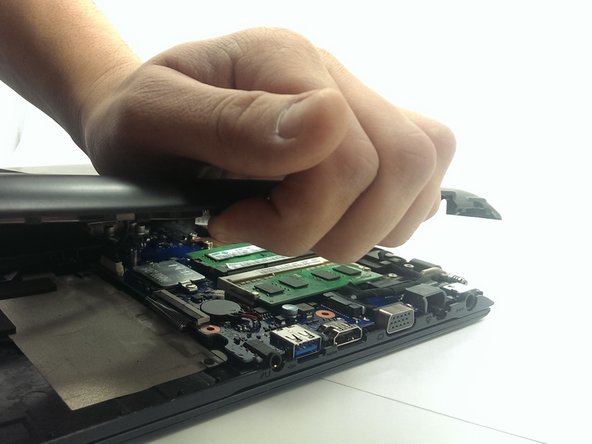
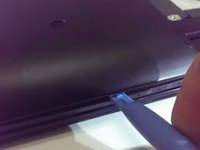
      • Using the plastic opening tool, pry plastic panel away from computer.

      • Start prying at one point and work your way around the entire computer until panel is free come computer.

      • Remove the panel from computer, once all tabs are broken free.

      Спросите у FixBot

      Добавить комментарий

    4. Samsung ATIV Book 4 Battery Replacement: шаг 4, изображение 1 из 1
      • Remove the four 3.5mm screws holding the battery.

      • Peel back the tape securing the wires to the battery.

      • Lift and remove the battery from its location.

      • Don't pull/tear the wires connected to battery harness.

      Спросите у FixBot

      Добавить комментарий

    5. Samsung ATIV Book 4 Battery Replacement: шаг 5, изображение 1 из 1
      • Disconnect the battery harness from computer.

      • Completely remove the battery and replace it.

      Спросите у FixBot

      Добавить комментарий

    6. Samsung ATIV Book 4 Battery Replacement: шаг 6, изображение 1 из 1
      • Plug battery harness back in.

      • Assure the wires are pointed up (towards you) then plugging back in, as shown.

      Спросите у FixBot

      Добавить комментарий

Заключение

To reassemble your device, follow these instructions in reverse order.

Отменить: Я не выполнил это руководство.

4 человек успешно провели ремонт по этому руководству.

Chad

Участник с: 03/17/15

443 Репутация

Автор 2 руководств

Команда

Michigan Tech, Team 1-7, Lauer Spring 2015 Участник Michigan Tech, Team 1-7, Lauer Spring 2015

MTU-LAUER-S15S1G7

2 членов

Автор 45 руководств

0 Комментарии к руководству

Добавить комментарий

Статистика просмотров:

За последние 24 часов: 0

За последние 7 дней: 7

За последние 30 дней: 46

За всё время: 10,667