Введение
Use the guide below to replace the battery for the Samsung Chromebook Pro.
Выберете то, что вам нужно
-
-
-
Remove the eight 30 mm screws from the edges of the case with the JIS J000 screw bit.
 Спросите у FixBot
-
-
-
Slide the plastic opening tool in a corner at a steep angle, and lift to remove the outer case.
-
-
-
-
Remove the four 30 mm screws surrounding the battery with the JIS J000 screw bit.
-
-
Инструмент, используемый на этом этапе:Tweezers$4.99
-
Lift the connecting wires to disconnect from the slot with the precision tweezers.
-
Lift battery to remove once the wire is disconnected.
-
-


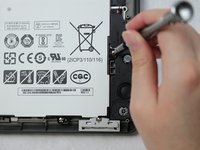
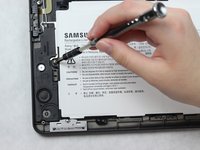


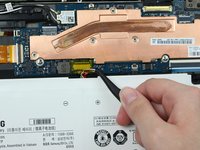
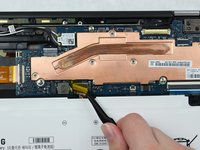
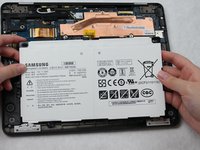
To reassemble your device, follow these instructions in reverse order.
Отменить: Я не выполнил это руководство.
4 человек успешно провели ремонт по этому руководству.

Команда

Sam Houston State, Team S15-G1, Blackburne Fall 2018 Участник Sam Houston State, Team S15-G1, Blackburne Fall 2018
SHSU-BLACKBURNE-F18S15G1
4 членов
Автор 15 руководств
1 Комментарий к руководству
How do I know which battery to order? Is there a specific part number?
