Перейти к основному содержанию
Присоединяйся к сообществу ремонтников - Создай аккаунт
Samsung Galaxy S III Front Panel Assembly Replacement

Выберете то, что вам нужно

Видеообзор

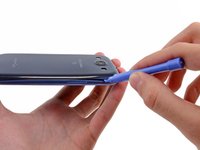
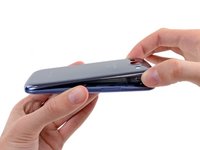
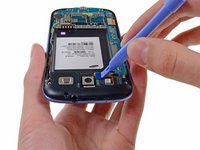
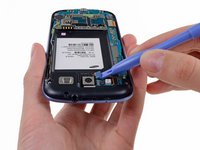
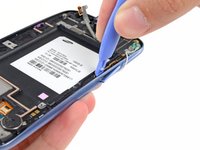
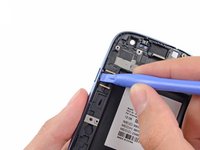
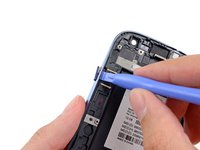
  1. Samsung Galaxy S III Front Panel Assembly Replacement, Rear Case: шаг 1, изображение 1 из 2 Samsung Galaxy S III Front Panel Assembly Replacement, Rear Case: шаг 1, изображение 2 из 2
    • The following four steps can be accomplished without a plastic opening tool. However, it's recommended to use a tool to best avoid breaking any clips along the perimeter of the rear case.

    • Insert a plastic opening tool or fingernail into the notch in the gap between the rear case and the rest of the phone, located at the top of the device.

    • Gently twist the opening tool to disconnect the clips securing the top of the rear case.

    Спросите у FixBot
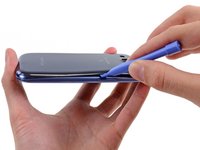
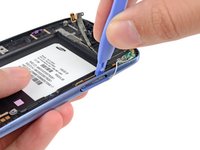
  2. Samsung Galaxy S III Front Panel Assembly Replacement: шаг 2, изображение 1 из 2 Samsung Galaxy S III Front Panel Assembly Replacement: шаг 2, изображение 2 из 2
    • Slide the plastic opening tool left along the top edge and repeat the twisting motion to widen the gap between the rear case and the phone.

    Спросите у FixBot
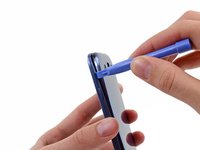
  3. Samsung Galaxy S III Front Panel Assembly Replacement: шаг 3, изображение 1 из 2 Samsung Galaxy S III Front Panel Assembly Replacement: шаг 3, изображение 2 из 2
    • Continue to move the plastic opening tool around the perimeter of the top left corner, gently prying up along the rear case.

    Спросите у FixBot
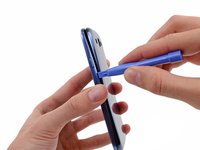
  4. Samsung Galaxy S III Front Panel Assembly Replacement: шаг 4, изображение 1 из 2 Samsung Galaxy S III Front Panel Assembly Replacement: шаг 4, изображение 2 из 2
    • Pry along the top right side, and continue prying down the right side of the rear case.

    Спросите у FixBot
  5. Samsung Galaxy S III Front Panel Assembly Replacement: шаг 5, изображение 1 из 2 Samsung Galaxy S III Front Panel Assembly Replacement: шаг 5, изображение 2 из 2
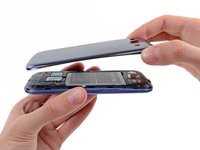
    • Lift up and remove the rear case from the phone.

    • You may need to peel the case up to separate it from any clips still holding it to the bottom of the phone.

    Спросите у FixBot
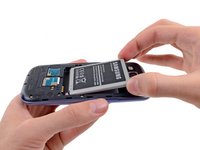
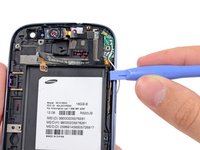
  6. Samsung Galaxy S III Front Panel Assembly Replacement, Battery: шаг 6, изображение 1 из 2 Samsung Galaxy S III Front Panel Assembly Replacement, Battery: шаг 6, изображение 2 из 2
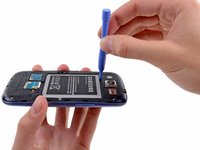
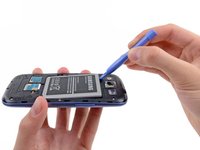
    • This step can be accomplished without the need of a plastic opening tool. Just use your finger if you want to.

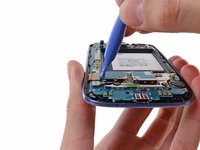
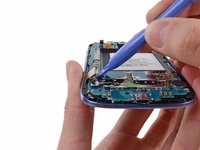
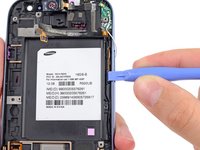
    • Wedge a plastic opening tool into the small notch above the battery.

    • Pry the battery up out of its recess.

    Спросите у FixBot
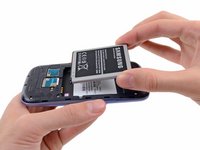
  7. Samsung Galaxy S III Front Panel Assembly Replacement: шаг 7, изображение 1 из 2 Samsung Galaxy S III Front Panel Assembly Replacement: шаг 7, изображение 2 из 2
    • Remove the battery.

    Спросите у FixBot
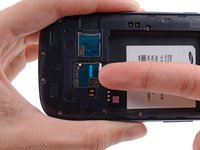
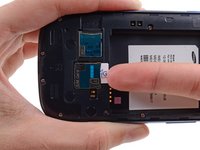
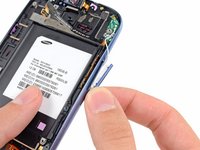
  8. Samsung Galaxy S III Front Panel Assembly Replacement, SIM Card: шаг 8, изображение 1 из 3 Samsung Galaxy S III Front Panel Assembly Replacement, SIM Card: шаг 8, изображение 2 из 3 Samsung Galaxy S III Front Panel Assembly Replacement, SIM Card: шаг 8, изображение 3 из 3
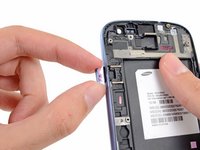
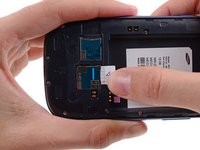
    • Using your fingernail, push the SIM card slightly deeper into its slot, until you hear a click.

    • After the click, release the card and it will pop out of its slot.

    • For reassembly, push the SIM card into the slot until it clicks in place.

    Спросите у FixBot
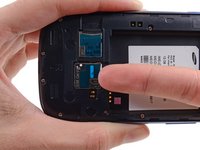
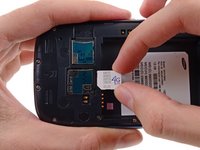
  9. Samsung Galaxy S III Front Panel Assembly Replacement: шаг 9, изображение 1 из 3 Samsung Galaxy S III Front Panel Assembly Replacement: шаг 9, изображение 2 из 3 Samsung Galaxy S III Front Panel Assembly Replacement: шаг 9, изображение 3 из 3
    • Use your thumb to slide enough of the SIM card out of its slot to grab ahold of it.

    • Grasp and remove the SIM card away from the phone.

    Спросите у FixBot
  10. Samsung Galaxy S III Front Panel Assembly Replacement, microSD Card: шаг 10, изображение 1 из 3 Samsung Galaxy S III Front Panel Assembly Replacement, microSD Card: шаг 10, изображение 2 из 3 Samsung Galaxy S III Front Panel Assembly Replacement, microSD Card: шаг 10, изображение 3 из 3
    • Using your fingernail, push the microSD card slightly deeper into its slot, until you hear a click.

    • After the click, release the card and it will pop out of its slot.

    • For reassembly, push the microSD card into the slot until it clicks in place.

    Спросите у FixBot
  11. Samsung Galaxy S III Front Panel Assembly Replacement: шаг 11, изображение 1 из 2 Samsung Galaxy S III Front Panel Assembly Replacement: шаг 11, изображение 2 из 2
    • Use your thumb to slide the microSD card out of the slot.

    • Remove the microSD card from the phone.

    Спросите у FixBot
  12. Samsung Galaxy S III Front Panel Assembly Replacement, Plastic Midframe: шаг 12, изображение 1 из 1
    • Remove the ten 4.0 mm Phillips screws securing the midframe to the front panel assembly.

    Спросите у FixBot
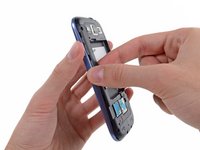
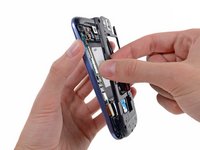
  13. Samsung Galaxy S III Front Panel Assembly Replacement: шаг 13, изображение 1 из 2 Samsung Galaxy S III Front Panel Assembly Replacement: шаг 13, изображение 2 из 2
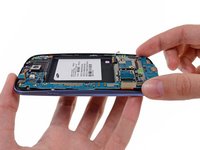
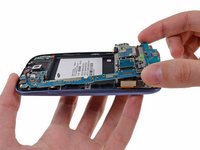
    • Grasp the left side of the plastic midframe with your thumb and forefinger and lift it away from the phone.

    • The midframe lightly snaps in place, and can be removed with very little force.

    Спросите у FixBot
  14. Samsung Galaxy S III Front Panel Assembly Replacement, Headphone Jack/Speaker Assembly: шаг 14, изображение 1 из 2 Samsung Galaxy S III Front Panel Assembly Replacement, Headphone Jack/Speaker Assembly: шаг 14, изображение 2 из 2
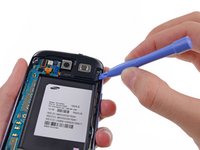
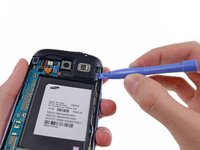
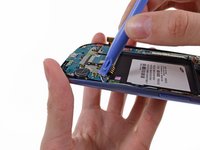
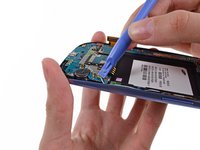
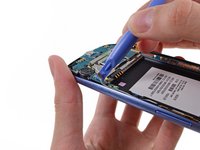
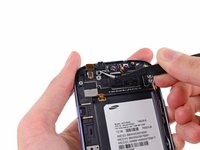
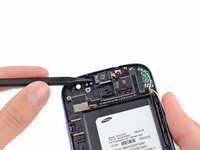
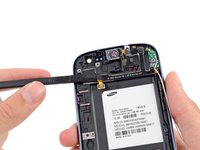
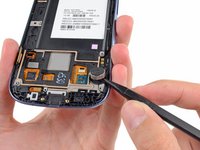
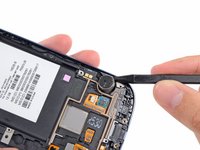
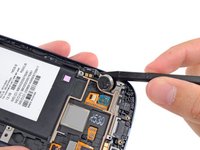
    • Use a plastic opening tool to pry the rear-facing camera connector up from its socket on the motherboard.

    • Make sure you are prying on the connector and not the socket, or you may damage the motherboard.

    Спросите у FixBot
  15. Samsung Galaxy S III Front Panel Assembly Replacement: шаг 15, изображение 1 из 2 Samsung Galaxy S III Front Panel Assembly Replacement: шаг 15, изображение 2 из 2
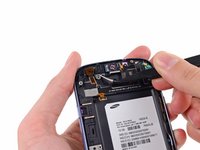
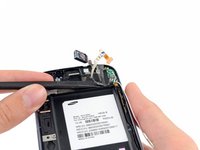
    • Insert a plastic opening tool outboard of the speaker portion of the headphone jack/speaker assembly.

    • Gently pry the headphone jack/speaker assembly up from the front assembly.

    Спросите у FixBot
  16. Samsung Galaxy S III Front Panel Assembly Replacement: шаг 16, изображение 1 из 1
    • Lift the headphone jack/speaker assembly out of the Galaxy S III.

    Спросите у FixBot
  17. Samsung Galaxy S III Front Panel Assembly Replacement, Motherboard Assembly: шаг 17, изображение 1 из 1
    • Use a plastic opening tool to pry the front-facing camera connector from its socket on the motherboard.

    • Do not try to remove the front-facing camera just yet. Its cable is still routed beneath the motherboard assembly to the ambient light sensor.

    Спросите у FixBot
  18. Samsung Galaxy S III Front Panel Assembly Replacement: шаг 18, изображение 1 из 2 Samsung Galaxy S III Front Panel Assembly Replacement: шаг 18, изображение 2 из 2
    • Disconnect the digitizer cable by gently prying its connector up from its socket on the motherboard.

    Спросите у FixBot
  19. Samsung Galaxy S III Front Panel Assembly Replacement: шаг 19, изображение 1 из 2 Samsung Galaxy S III Front Panel Assembly Replacement: шаг 19, изображение 2 из 2
    • Disconnect the display data cable from the motherboard.

    Спросите у FixBot
  20. Samsung Galaxy S III Front Panel Assembly Replacement: шаг 20, изображение 1 из 3 Samsung Galaxy S III Front Panel Assembly Replacement: шаг 20, изображение 2 из 3 Samsung Galaxy S III Front Panel Assembly Replacement: шаг 20, изображение 3 из 3
    • Pry the Wi-Fi antenna cable connector up from its socket on the motherboard.

    • Gently move the cable out of the way of the motherboard.

    Спросите у FixBot
  21. Samsung Galaxy S III Front Panel Assembly Replacement: шаг 21, изображение 1 из 1
    • Remove the single 3.0 mm Phillips screw securing the motherboard to the front panel assembly.

    Спросите у FixBot
  22. Samsung Galaxy S III Front Panel Assembly Replacement: шаг 22, изображение 1 из 2 Samsung Galaxy S III Front Panel Assembly Replacement: шаг 22, изображение 2 из 2
    • Carefully lift the bottom of the motherboard assembly away from the front panel assembly.

    • Remove the motherboard assembly from the front panel assembly, minding any cables that may snag on it.

    Спросите у FixBot
  23. Samsung Galaxy S III Front Panel Assembly Replacement, Front-Facing Camera: шаг 23, изображение 1 из 1
    • Remove the single 2.0 mm Phillips screw securing the front-facing camera bracket to the front panel.

    Спросите у FixBot
  24. Samsung Galaxy S III Front Panel Assembly Replacement: шаг 24, изображение 1 из 2 Samsung Galaxy S III Front Panel Assembly Replacement: шаг 24, изображение 2 из 2
    Инструмент, используемый на этом этапе:
    Tweezers
    $4.99
    • Use a pair of tweezers to lift the front-facing camera/ambient light sensor/rear microphone assembly out from its socket in the front panel assembly.

    Спросите у FixBot
  25. Samsung Galaxy S III Front Panel Assembly Replacement, Front Panel Assembly: шаг 25, изображение 1 из 2 Samsung Galaxy S III Front Panel Assembly Replacement, Front Panel Assembly: шаг 25, изображение 2 из 2
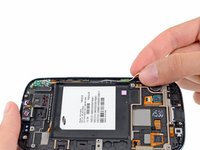
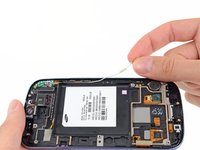
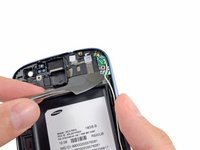
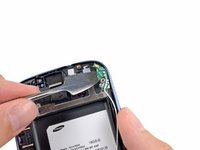
    • Peel the antenna cable up from its channel in the front panel assembly.

    • Do not completely remove the antenna cable, it is still connected to the antenna board.

    Спросите у FixBot
  26. Samsung Galaxy S III Front Panel Assembly Replacement: шаг 26, изображение 1 из 2 Samsung Galaxy S III Front Panel Assembly Replacement: шаг 26, изображение 2 из 2
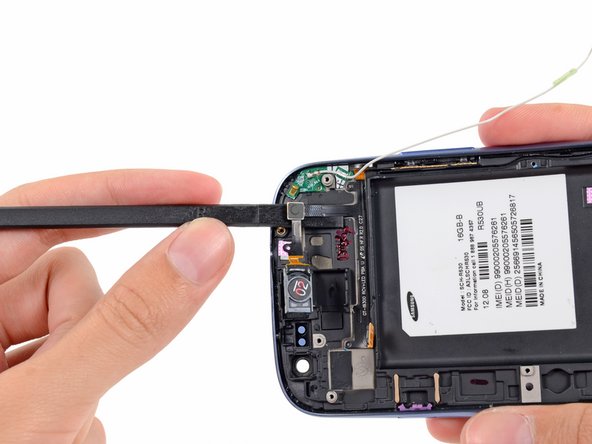
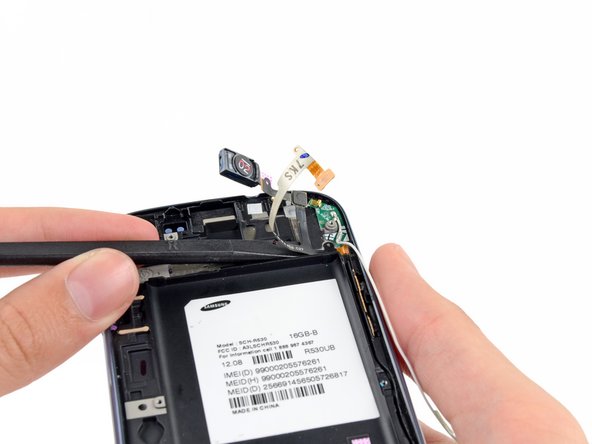
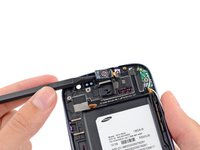
    • Wedge the tip of a spudger underneath the earpiece speaker and pry the earpiece speaker out of its recess in the front panel assembly.

    Спросите у FixBot
  27. Samsung Galaxy S III Front Panel Assembly Replacement: шаг 27, изображение 1 из 1
    • Use the flat edge of a spudger to peel the top portion of the earpiece/volume buttons/ambient light sensor ribbon cable from the front panel assembly.

    Спросите у FixBot
  28. Samsung Galaxy S III Front Panel Assembly Replacement: шаг 28, изображение 1 из 2 Samsung Galaxy S III Front Panel Assembly Replacement: шаг 28, изображение 2 из 2
    • Carefully wedge the flat edge of a spudger underneath the ambient light sensor.

    • Continue peeling the earpiece/volume buttons/ambient light sensor ribbon cable up off the front panel assembly.

    Спросите у FixBot
  29. Samsung Galaxy S III Front Panel Assembly Replacement: шаг 29, изображение 1 из 2 Samsung Galaxy S III Front Panel Assembly Replacement: шаг 29, изображение 2 из 2
    • Insert the flat edge of a spudger underneath the earpiece/volume buttons/ambient light sensor ribbon cable connector.

    • Gently run the spudger across to continue peeling the the earpiece/volume buttons/ambient light sensor ribbon cable from the front panel assembly.

    Спросите у FixBot
  30. Samsung Galaxy S III Front Panel Assembly Replacement: шаг 30, изображение 1 из 3 Samsung Galaxy S III Front Panel Assembly Replacement: шаг 30, изображение 2 из 3 Samsung Galaxy S III Front Panel Assembly Replacement: шаг 30, изображение 3 из 3
    • Insert a plastic opening tool in between the the buttons ribbon cable and the volume button.

    • Push the volume out of its recess in the front panel assembly.

    • Lift and remove the volume button out of the phone.

    Спросите у FixBot
  31. Samsung Galaxy S III Front Panel Assembly Replacement: шаг 31, изображение 1 из 2 Samsung Galaxy S III Front Panel Assembly Replacement: шаг 31, изображение 2 из 2
    • Wedge the flat edge of a plastic opening tool in between the the earpiece/buttons/ambient light sensor ribbon cable and run it down to loosen the adhesive securing the ribbon cable.

    Спросите у FixBot
  32. Samsung Galaxy S III Front Panel Assembly Replacement: шаг 32, изображение 1 из 1
    • Grasp and remove the earpiece/buttons/ambient light sensor ribbon cable out of the phone.

    Спросите у FixBot
  33. Samsung Galaxy S III Front Panel Assembly Replacement: шаг 33, изображение 1 из 3 Samsung Galaxy S III Front Panel Assembly Replacement: шаг 33, изображение 2 из 3 Samsung Galaxy S III Front Panel Assembly Replacement: шаг 33, изображение 3 из 3
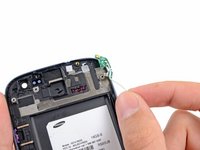
    • Use a metal spudger to carefully peel the antenna board off the front panel assembly.

    • Lift and remove the antenna board out of the phone.

    Спросите у FixBot
  34. Samsung Galaxy S III Front Panel Assembly Replacement: шаг 34, изображение 1 из 3 Samsung Galaxy S III Front Panel Assembly Replacement: шаг 34, изображение 2 из 3 Samsung Galaxy S III Front Panel Assembly Replacement: шаг 34, изображение 3 из 3
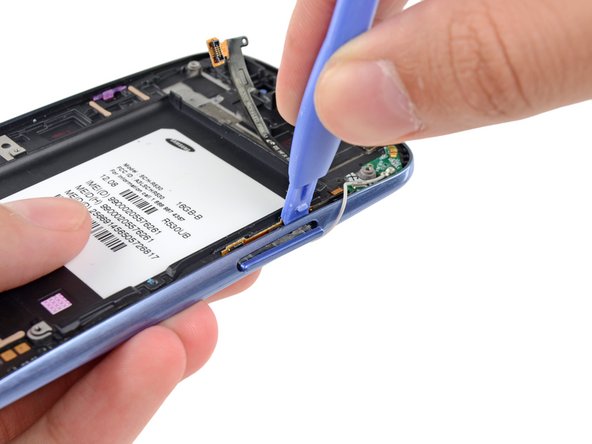
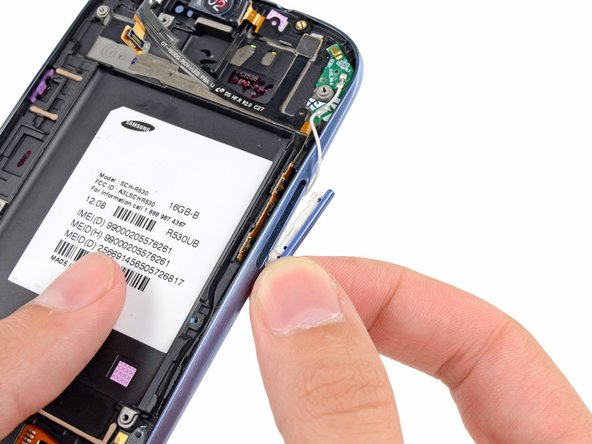
    • Push the power button out of its recess in the front panel assembly.

    • Remove the power button from the front panel assembly.

    Спросите у FixBot
  35. Samsung Galaxy S III Front Panel Assembly Replacement: шаг 35, изображение 1 из 2 Samsung Galaxy S III Front Panel Assembly Replacement: шаг 35, изображение 2 из 2
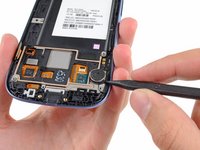
    • Use the tip of a spudger to pry the vibrator out of its recess in the front panel assembly.

    Спросите у FixBot
  36. Samsung Galaxy S III Front Panel Assembly Replacement: шаг 36, изображение 1 из 2 Samsung Galaxy S III Front Panel Assembly Replacement: шаг 36, изображение 2 из 2
    • Use the tip of a spudger to peel the vibrator assembly off the front panel assembly.

    Спросите у FixBot
  37. Samsung Galaxy S III Front Panel Assembly Replacement: шаг 37, изображение 1 из 1
    • Lift and remove the vibrator out of the front panel assembly.

    Спросите у FixBot
  38. Samsung Galaxy S III Front Panel Assembly Replacement: шаг 38, изображение 1 из 1
    • Front panel assembly remains.

    • If you are replacing the front panel assembly with a new one, don't forget to transfer all the parts you removed to your new front panel assembly.

    Спросите у FixBot
Заключение

To reassemble your device, follow these instructions in reverse order.

212 человек успешно провели ремонт по этому руководству.

14 Комментарии к руководству

Hi,

I wonder if this is guide to actually replace broken digitizer - if we have full Digitizer/LCD assembly?
Thanks

Akki S - Ответить Поделиться
I've just watched the video and... that was pure pleasure to watch repairer. She's professional and beautiful!

paczor - Ответить Поделиться

Thanks. This is the second time I've used this guide.

William Geisweit - Ответить Поделиться

And how Ill install thenew screen ?

Lea Efremov - Ответить Поделиться

Brilliant Step-By-Step guide. My phone needed new digitizer as just a black screen was showing when turned on, must have happened from a drop. I bought the digitizer screen combo from ebay and used this guide to dress across the components. Worked first time! There are a couple of other spongy or supportive rubber pieces around certain components that were in the original phone so I transferred those also, I guess they are there just to ensure tight connections etc. Absolute lifesaver!

James Lainchbury - Ответить Поделиться

Добавить комментарий

Статистика просмотров:

За последние 24 часов: 1

За последние 7 дней: 20

За последние 30 дней: 118

За всё время: 276,761