Этот перевод был сделан машиной и пока не проверен человеком. Говорите на этом языке? Просмотрите его.
Введение
Разбили или треснул экран? Воспользуйтесь этим простым руководством, чтобы быстро его заменить.
Выберете то, что вам нужно
-
-
-
Положите телефон экраном вниз. Убедитесь, что сторона с дисплеем не обращена к вам.
-
Найдите заднюю крышку и сдвиньте ее, чтобы открыть.
-
Извлеките аккумулятор.
 Спросите у FixBot
-
-
-
Выкрутите 7 винтов Phillips длиной 3,93 мм с маркировкой с помощью прецизионной отвертки Phillips #00.
-
-
-
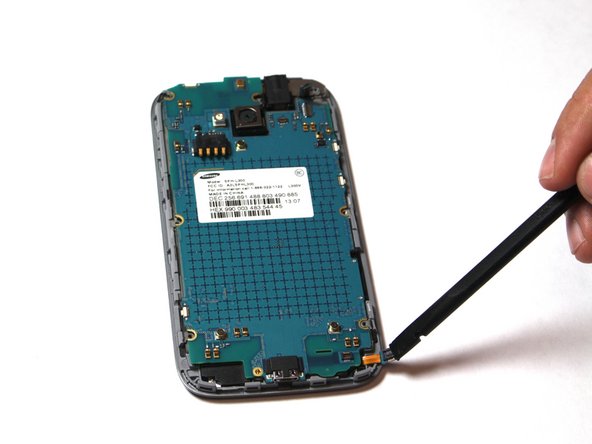
Используйте пластиковый медиатор, чтобы поддеть заднюю крышку.
-
Вставьте инструмент в слот для SD-карты и пройдитесь им по всему периметру телефона.
-
-
-
Открутите один винт Phillips длиной 3,93 мм, расположенный в центре нижней части корпуса телефона.
-
-
-
-
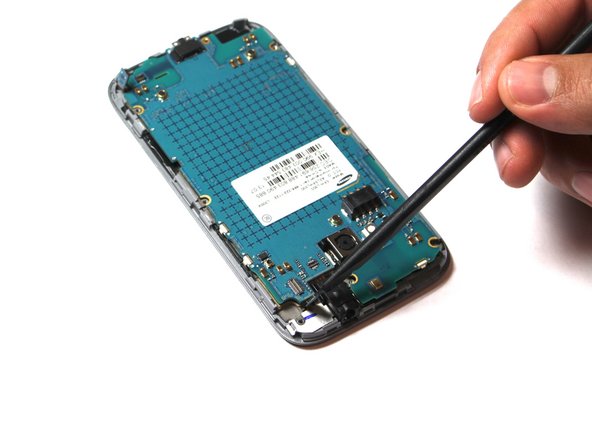
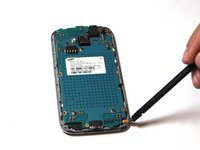
Осторожно отсоедините 3 промаркированных шлейфа. Чтобы снять их, подденьте шлейф инструментом и медленно потяните, чтобы не порвать.
-
-
-
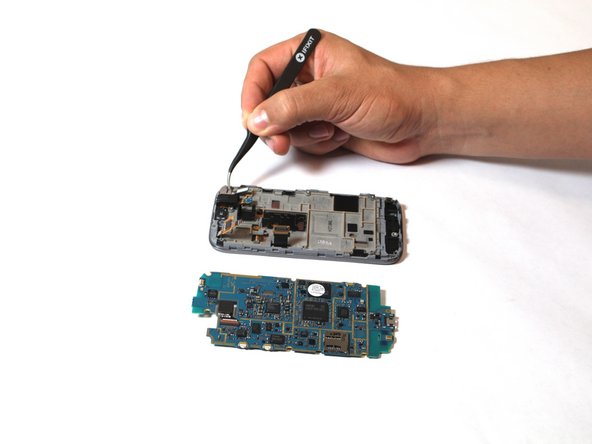
Потяните материнскую плату на себя и влево. Убедитесь, что материнская плата направлена ровно вверх, как показано на фотографии.
-
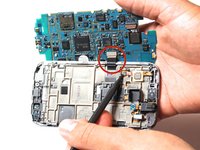
Поместите инструмент под отмеченный шлейф и аккуратно потяните, чтобы отсоединить его от материнской платы.
-
На этом этапе материнская плата должна быть полностью отсоединена от остальной части телефона.
-
-
-
Затем отсоедините обозначенный шлейф. Аккуратно потяните за черный фиксатор и с помощью инструмента извлеките шлейф.
-
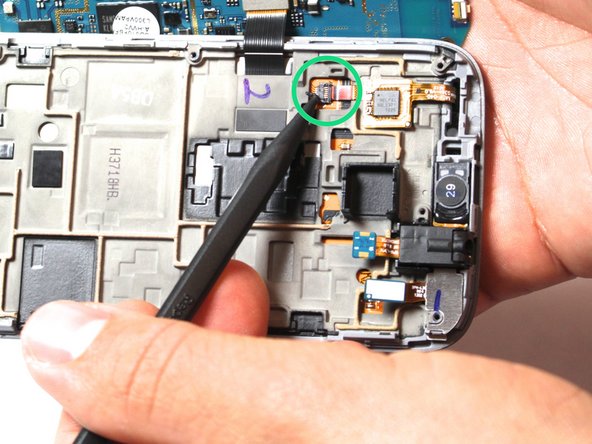
Отсоедините обозначенную микросхему дигитайзера, аккуратно поддев ее инструментом и потянув вверх и в сторону.
-
-
-
Нагревайте iOpener в микроволновой печи в течение одной минуты на максимальной мощности. Положите iOpener на устройство примерно на 90 секунд. Этот шаг необходим для размягчения клея под экраном дисплея. Будьте осторожны, клей очень липкий!
-
-
-
Прикрепите присоску к экрану. Следите за тем, чтобы не размещать присоску на трещинах.
-
-
-
Аккуратно потяните, чтобы отсоединить экран.
-
После отсоединения осторожно извлеките шлейф из указанного разъема. Теперь вы можете заменить треснувший экран на новый.
-
-






Для сборки устройства выполните эти действия в обратном порядке.
Отменить: Я не выполнил это руководство.
4 человек успешно провели ремонт по этому руководству.

Команда

USF Tampa, Team 15-3, Remmell Fall 2014 Участник USF Tampa, Team 15-3, Remmell Fall 2014
USFT-REMMELL-F14S15G3
4 членов
Автор 30 руководств
2 Комментарии к руководству
Info correct - replaced my screen no prob.
This phone doesn't have sim card slot?
