Введение
The watch contains a small, 300mAh lithium-ion battery. Though these batteries will generally last for years, they do have a limit to the number of times they can be charged. As the battery grows older and is charged repeatedly, it may become less and less able to hold a charge. When this happens, replace the battery.
Выберете то, что вам нужно
-
-
Lay the watch face-down on a flat, stable surface.
 Спросите у FixBot
-
-
-
Press the watchband down against the work surface.
-
Press the tip of a flathead screwdriver against the edge of the spring-loaded holding pin.
-
-
-
With the spring-loaded pin pressed in, the watch band should release easily.
-
Gently pull the band away from the body of the watch.
-
Repeat steps 2 and 3 for the opposite side.
-
-
-
With the watch laying face-down, locate the four screws. They are located on the back of the watch, at the four corners.
-
-
-
-
Using a Torx-T5 screwdriver, remove each of the four 4mm screws and set them aside.
-
-
-
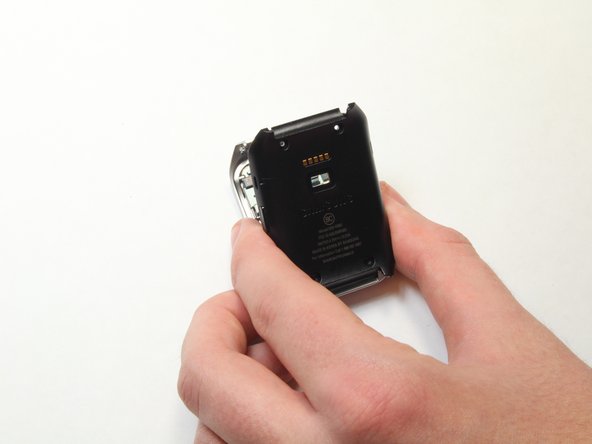
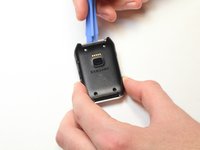
Gently work the plastic opening tool under the top edge of the watch’s back cover.
-
-
-
With the watch’s back cover pried loose, gently lift it away from the front half of the watch.
-
-
-
Lay both halves of the watch body assembly face down (with internal components facing up).
-
-
-
Locate the battery on the back half of the disassembled watch body. It is rectangular in shape and located just above the window for the heart monitor.
-
-
-
Locate the battery’s electrical contacts. They are located next to the heart rate monitor. They roughly form a “+” shape.
-
Using the plastic opening tool, gently pry the contacts away from the plastic channel in which they fit.
-
-
-
Gently work the plastic opening tool under the battery.
-
Using the plastic opening tool, gently pry the battery up.
-




To reassemble your device, follow these instructions in reverse order.
Отменить: Я не выполнил это руководство.
14 человек успешно провели ремонт по этому руководству.

Команда

USF Tampa, Team 1-7, Brown Fall 2014 Участник USF Tampa, Team 1-7, Brown Fall 2014
USFT-BROWN-F14S1G7
3 членов
Автор 7 руководств
7 Комментарии к руководству
Indicate the tools needed.
Indicate screw measurements to nearest mm.
This is neat and helpful, but where do I find a replacement battery?
Where can I purchase these batteries?
I purchased my battery on eBay.
