Перейти к основному содержанию
Присоединяйся к сообществу ремонтников - Создай аккаунт

Samsung Gear Live Heart Rate Monitor Replacement

Выберете то, что вам нужно

    1. Samsung Gear Live Heart Rate Monitor Replacement, Lay the watch face-down: шаг 1, изображение 1 из 1
      • Lay the watch face-down on a flat, stable surface.

      Спросите у FixBot

      Добавить комментарий

    2. Samsung Gear Live Heart Rate Monitor Replacement, Remove the holding pin: шаг 2, изображение 1 из 1
      • Press the watchband down against the work surface.

      • Press the tip of a flathead screwdriver against the edge of the spring-loaded holding pin.

      Спросите у FixBot

      Добавить комментарий

    3. Samsung Gear Live Heart Rate Monitor Replacement, Remove the watchband: шаг 3, изображение 1 из 1
      • With the spring-loaded pin pressed in, the watch band should release easily.

      • Gently pull the band away from the body of the watch.

      • Repeat steps 2 and 3 for the opposite side.

      Спросите у FixBot

      Добавить комментарий

    1. Samsung Gear Live Heart Rate Monitor Replacement, Locate the four screws: шаг 4, изображение 1 из 1
      • With the watch laying face-down, locate the four screws. They are located on the back of the watch, at the four corners.

      Спросите у FixBot

      Добавить комментарий

    2. Samsung Gear Live Heart Rate Monitor Replacement, Remove the 4 screws: шаг 5, изображение 1 из 1
      • Using a Torx-T5 screwdriver, remove each of the four 4mm screws and set them aside.

      Спросите у FixBot

      Добавить комментарий

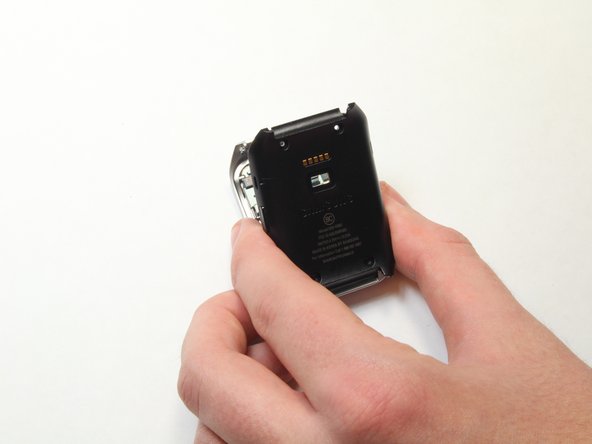
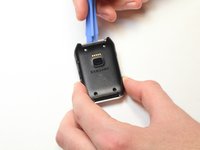
    3. Samsung Gear Live Heart Rate Monitor Replacement, Pry off the back of the watch.: шаг 6, изображение 1 из 1
      • Gently work the plastic opening tool under the top edge of the watch’s back cover.

      Спросите у FixBot

      Добавить комментарий

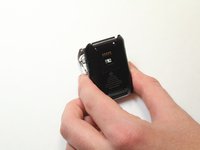
    4. Samsung Gear Live Heart Rate Monitor Replacement, Lift off the back cover: шаг 7, изображение 1 из 2 Samsung Gear Live Heart Rate Monitor Replacement, Lift off the back cover: шаг 7, изображение 2 из 2
      • With the watch’s back cover pried loose, gently lift it away from the front half of the watch.

      Спросите у FixBot

      Добавить комментарий

    5. Samsung Gear Live Heart Rate Monitor Replacement, Set both halves of the watch aside: шаг 8, изображение 1 из 1
      • Lay both halves of the watch body assembly face down (with internal components facing up).

      Спросите у FixBot

      Добавить комментарий

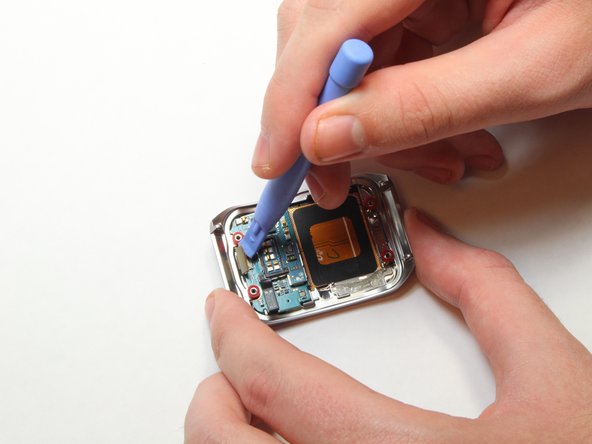
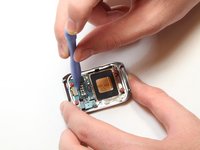
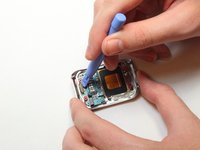
    1. Samsung Gear Live Heart Rate Monitor Replacement, Pry away the ribbon cable: шаг 9, изображение 1 из 2 Samsung Gear Live Heart Rate Monitor Replacement, Pry away the ribbon cable: шаг 9, изображение 2 из 2
      • Locate the ribbon cable connector near the edge of the watch's case.

      • Using the plastic opening tool, gently pry the connector from the motherboard

      Спросите у FixBot

      Добавить комментарий

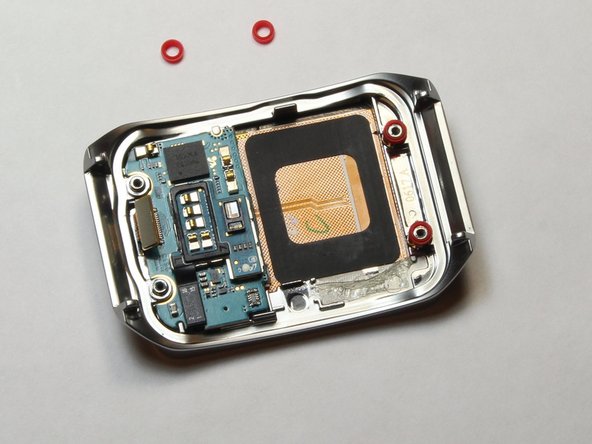
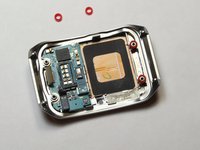
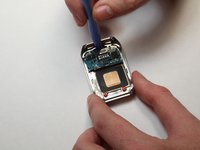
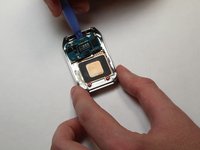
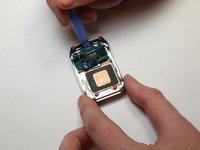
    2. Samsung Gear Live Heart Rate Monitor Replacement, Remove the red spacers: шаг 10, изображение 1 из 2 Samsung Gear Live Heart Rate Monitor Replacement, Remove the red spacers: шаг 10, изображение 2 из 2
      • Using the plastic opening tool, gently pry away the red spacers.

      • Set the spacers aside.

      Спросите у FixBot

      Добавить комментарий

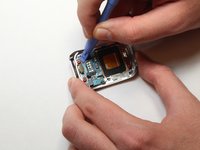
    3. Samsung Gear Live Heart Rate Monitor Replacement, Pry up the motherboard: шаг 11, изображение 1 из 3 Samsung Gear Live Heart Rate Monitor Replacement, Pry up the motherboard: шаг 11, изображение 2 из 3 Samsung Gear Live Heart Rate Monitor Replacement, Pry up the motherboard: шаг 11, изображение 3 из 3
      • Insert the end of the plastic opening tool under the motherboard.

      • Gently pry up the motherboard.

      Спросите у FixBot

      Добавить комментарий

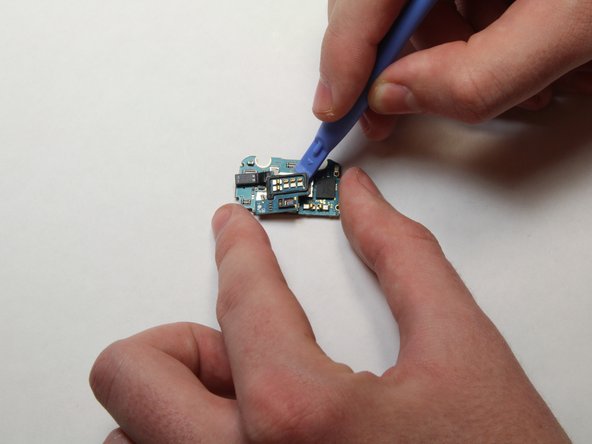
    1. Samsung Gear Live Heart Rate Monitor Replacement, Remove the heart rate sensor cable: шаг 12, изображение 1 из 2 Samsung Gear Live Heart Rate Monitor Replacement, Remove the heart rate sensor cable: шаг 12, изображение 2 из 2
      • Set the motherboard on a flat, stable surface.

      • Using the plastic opening tool, gently pry the heart rate sensor cable from the motherboard.

      Спросите у FixBot

      Добавить комментарий

    2. Samsung Gear Live Heart Rate Monitor Replacement, Pry up the heart rate sensor: шаг 13, изображение 1 из 3 Samsung Gear Live Heart Rate Monitor Replacement, Pry up the heart rate sensor: шаг 13, изображение 2 из 3 Samsung Gear Live Heart Rate Monitor Replacement, Pry up the heart rate sensor: шаг 13, изображение 3 из 3
      • Once the cable is disconnected, run the plastic opening tool under the heart rate sensor from all sides, gently prying up as you go along.

      Спросите у FixBot

      Добавить комментарий

Заключение

To reassemble your device, follow these instructions in reverse order.

Отменить: Я не выполнил это руководство.

3 человек успешно провели ремонт по этому руководству.

Keith Cooper

Участник с: 09/25/14

1 265 Репутация

Автор 6 руководств

Команда

USF Tampa, Team 1-7, Brown Fall 2014 Участник USF Tampa, Team 1-7, Brown Fall 2014

USFT-BROWN-F14S1G7

3 членов

Автор 7 руководств

1 Комментарий к руководству

Check all of your guides to make sure you've indicate the needed tools.

Dan Brown - Ответить Поделиться

Добавить комментарий

Статистика просмотров:

За последние 24 часов: 3

За последние 7 дней: 11

За последние 30 дней: 35

За всё время: 2,096