Перейти к основному содержанию
Присоединяйся к сообществу ремонтников - Создай аккаунт

Samsung HMX-F90 Record Button Replacement

Выберете то, что вам нужно

    1. Samsung HMX-F90 Record Button Replacement, Battery: шаг 1, изображение 1 из 3 Samsung HMX-F90 Record Button Replacement, Battery: шаг 1, изображение 2 из 3 Samsung HMX-F90 Record Button Replacement, Battery: шаг 1, изображение 3 из 3
      • Pull the release tab away from the battery.

      • Slide the battery towards the release tab and then pull the battery away from the camcorder.

      Спросите у FixBot

      Добавить комментарий

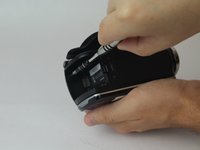
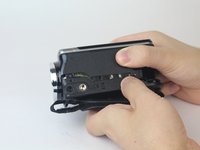
    1. Samsung HMX-F90 Record Button Replacement, Strap Side Outer Casing: шаг 2, изображение 1 из 2 Samsung HMX-F90 Record Button Replacement, Strap Side Outer Casing: шаг 2, изображение 2 из 2
      • Rotate the camcorder so that the strap side is facing you.

      • Locate and remove the three 4.5mm Phillips #00 screws around the hand strap.

      Спросите у FixBot

      Добавить комментарий

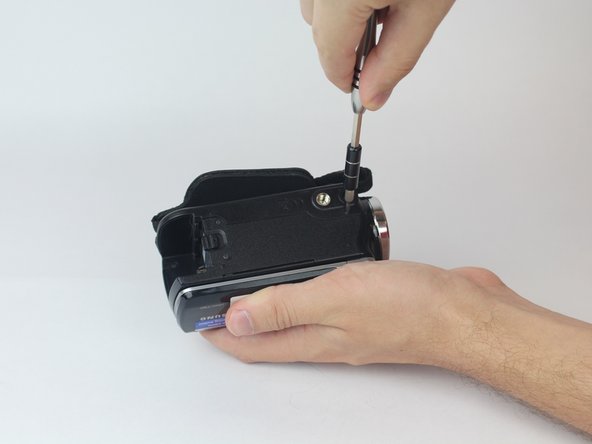
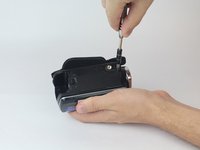
    2. Samsung HMX-F90 Record Button Replacement: шаг 3, изображение 1 из 2 Samsung HMX-F90 Record Button Replacement: шаг 3, изображение 2 из 2
      • Rotate the camcorder so that the battery slot is facing you.

      • Located in the top left corner of the battery slot, remove the 4.5mm Phillips #00 screw.

      Спросите у FixBot

      Добавить комментарий

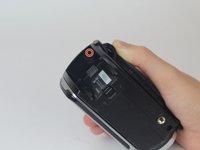
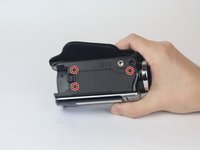
    3. Samsung HMX-F90 Record Button Replacement: шаг 4, изображение 1 из 2 Samsung HMX-F90 Record Button Replacement: шаг 4, изображение 2 из 2
      • Rotate the camcorder so you are looking at the bottom of the camcorder.

      • Locate and remove the last three 4.5mm Phillips #00 screws.

      Спросите у FixBot

      Добавить комментарий

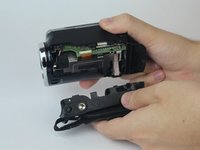
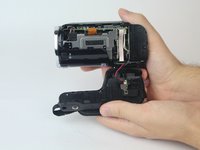
    4. Samsung HMX-F90 Record Button Replacement: шаг 5, изображение 1 из 3 Samsung HMX-F90 Record Button Replacement: шаг 5, изображение 2 из 3 Samsung HMX-F90 Record Button Replacement: шаг 5, изображение 3 из 3
      • With both hands, pull the side strap apart from the rest of the camcorder.

      Спросите у FixBot

      Добавить комментарий

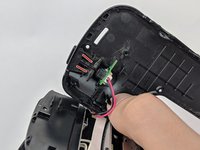
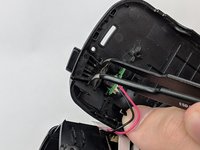
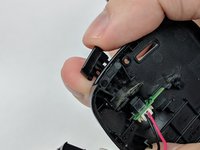
    1. Samsung HMX-F90 Record Button Replacement, Record Button: шаг 6, изображение 1 из 3 Samsung HMX-F90 Record Button Replacement, Record Button: шаг 6, изображение 2 из 3 Samsung HMX-F90 Record Button Replacement, Record Button: шаг 6, изображение 3 из 3
      Инструмент, используемый на этом этапе:
      Tweezers
      $4.99
      • Locate plastic clips of the record button.

      • With tweezers squeeze together the two plastic clips and push the button out.

      • Wiggle and pull the record button to remove completely.

      Спросите у FixBot

      Добавить комментарий

Заключение

To reassemble your device, follow these instructions in reverse order.

Отменить: Я не выполнил это руководство.

Amir Harb

Участник с: 09/26/17

705 Репутация

Автор 6 руководств

Команда

USF Tampa, Team S13-G1, Boczar Fall 2017 Участник USF Tampa, Team S13-G1, Boczar Fall 2017

USFT-BOCZAR-F17S13G1

4 членов

Автор 12 руководств

0 Комментарии к руководству

Добавить комментарий

Статистика просмотров:

За последние 24 часов: 0

За последние 7 дней: 5

За последние 30 дней: 22

За всё время: 661