Введение
How to remove & replace the phone's digitizer or front buttons
Выберете то, что вам нужно
-
-
Orient the phone with the screen facing downward.
-
Slide the panel away from the camera using your thumb. This will expose the battery.
 Спросите у FixBot
-
-
-
Insert the tip of the spudger on the left side of the battery.
-
Pry the battery out. It will pivot in the direction of the white arrow.
-
-
-
Remove the six 3.5 mm screws using a Phillips #000 screwdriver. Unscrew in a counterclockwise direction.
-
-
-
Gently pry around the edges with the spudger to remove back panel.
-
The side buttons will become loose and will fall out, so put these in a safe place.
-
-
-
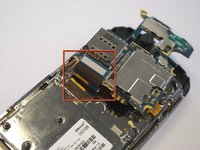
Gently remove the black wire to free the circuit board.
-
Remove the wire by gently prying up the gold terminator attached to the green circuit board.
-
-
-
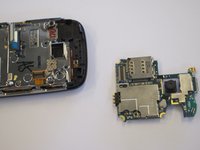
Gently tug the black and blue ribbon upwards to release the circuit board.
-
-
-
-
Remove the two base screws along the edge of the silver piece, where you just removed the black end piece.
-
The screws are 2.7mm in length.
-
The bottom black end cap will snap out.
-
-
-
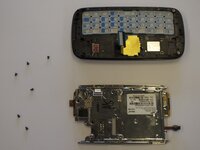
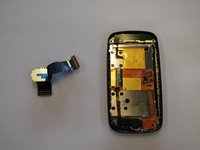
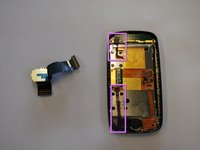
Remove the six 2.7 mm screws holding the silver plate on and set aside (fig. 1).
-
Separate the silver plate and phone frame (fig. 2).
-
-
-
The silver piece you are left with is the physical keyboard assembly.
-
-
-
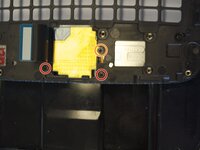
Remove the 3 screws holding down the flex cable.
-
The two screws on the black frame are 2.0 mm in length.
-
The top right screw that goes through the circle port on the flex cable is 2.3 mm.
-
Remove the keyboard slider frame. The flex cable should be exposed, but not free.
-
-
-
Slide the phone apart and remove the 3.5 mm screw on the top middle (fig. 1).
-
Remove the outer shell by prying the edges off with your fingers or a small screwdriver (fig. 2).
-
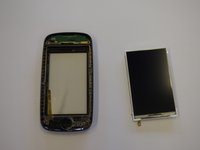
The device will now be in two pieces (fig. 3).
-
-
-
Lift the tab underneath the blue tape and gently pull the flex cable (fig. 1).
-
The flex cable will now be completely free (fig. 2).
-
-
-
Remove the 2.3 mm screw.
-
Lift the black tab at the end of the ribbon.
-
Gently pull the speaker and ribbon free.
-
-
-
Lift the remaining two tabs and free their respective ribbon cables.
-
Gently pry the screen away from the housing.
-
-
-
If replacing the front buttons, remove the assembly at the bottom of the front panel
-
The digitizer is now free to be pulled out from the front housing.
-






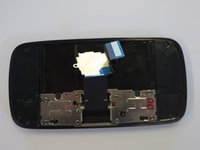


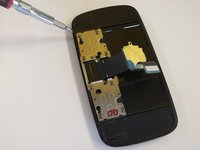
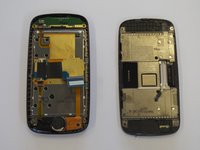


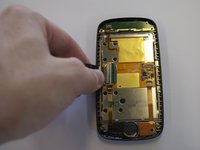



To reassemble your device, follow these instructions in reverse order.
Отменить: Я не выполнил это руководство.
3 человек успешно провели ремонт по этому руководству.

Команда

Cal Poly, Team 8-10, Regan Spring 2011 Участник Cal Poly, Team 8-10, Regan Spring 2011
CPSU-REGAN-S11S8G10
4 членов
Автор 45 руководств
