Этот перевод был сделан машиной и пока не проверен человеком. Говорите на этом языке? Просмотрите его.
Введение
Как снять и заменить клавиатуру телефона.
Выберете то, что вам нужно
-
-
-
Положите телефон экраном вниз.
-
Сдвиньте панель большим пальцем в сторону от камеры. Это откроет доступ к аккумулятору.
 Спросите у FixBot
-
-
-
Вставьте кончик лопатки (spudger) с левой стороны аккумулятора.
-
Подденьте аккумулятор. Он повернется в направлении белой стрелки.
-
-
-
-
-
Открутите шесть винтов длиной 3,5 мм с помощью отвертки Phillips #000. Откручивайте против часовой стрелки.
-
-
-
Аккуратно подденьте края с помощью пластиковой лопатки (spudger), чтобы снять заднюю панель.
-
Боковые кнопки могут ослабнуть и выпасть, поэтому положите их в надежное место.
-
-
-
-
-
-
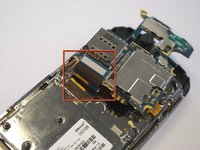
Аккуратно отсоедините черный провод, чтобы освободить плату.
-
Снимите провод, осторожно поддев золотистый наконечник, прикрепленный к зеленой плате.
-
-
-
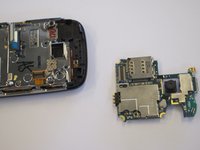
Аккуратно потяните черно-синий шлейф вверх, чтобы высвободить плату.
-
-
-
-
-
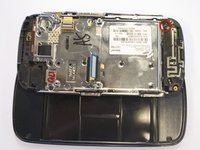
С помощью крестовой отвертки Phillips выкрутите шесть винтов длиной 3,5 мм.
-
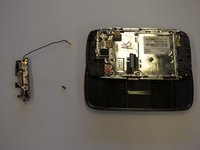
Узел антенны отщелкнется.
-
-
-
-
-
Открутите два винта основания вдоль края серебристой детали, где вы только что сняли черную торцевую накладку.
-
Длина винтов составляет 2,7 мм.
-
Нижняя черная торцевая накладка выщелкнется.
-
-
-
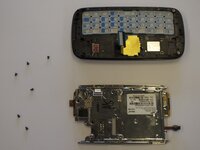
Открутите шесть винтов длиной 2,7 мм, удерживающих серебристую пластину, и отложите их в сторону (рис. 1).
-
Отделите серебристую пластину от корпуса телефона (рис. 2).
-
-
-
Серебристая деталь, которая осталась у вас в руках, — это блок физической клавиатуры.
-
-







Для сборки устройства выполните эти инструкции в обратном порядке.

Команда

Cal Poly, Team 8-10, Regan Spring 2011 Участник Cal Poly, Team 8-10, Regan Spring 2011
CPSU-REGAN-S11S8G10
4 членов
Автор 132 руководств
