Перейти к основному содержанию
Присоединяйся к сообществу ремонтников - Создай аккаунт

Samsung SCV-VLUUST50 Flash Bulb Replacement

Выберете то, что вам нужно

    1. Samsung SCV-VLUUST50 Flash Bulb Replacement, Cover: шаг 1, изображение 1 из 3 Samsung SCV-VLUUST50 Flash Bulb Replacement, Cover: шаг 1, изображение 2 из 3 Samsung SCV-VLUUST50 Flash Bulb Replacement, Cover: шаг 1, изображение 3 из 3
      • Unscrew all visible screws indicated by red circles with a #00 Phillips driver.

      • Slide memory card cover and unscrew hidden screw underneath with a #00 Phillips driver.

      Спросите у FixBot

      Добавить комментарий

    2. Samsung SCV-VLUUST50 Flash Bulb Replacement: шаг 2, изображение 1 из 3 Samsung SCV-VLUUST50 Flash Bulb Replacement: шаг 2, изображение 2 из 3 Samsung SCV-VLUUST50 Flash Bulb Replacement: шаг 2, изображение 3 из 3
      • Remove the flat side panel by applying gentle pressure toward the bottom of the camera.

      • Remove the corner panel by applying pressure away from the shutter button.

      • The memory card cover will come off with the corner panel.

      • Remove the top panel by applying gentle pressure away from the shutter button.

      Спросите у FixBot

      Добавить комментарий

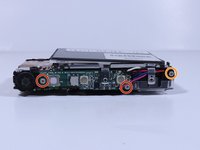
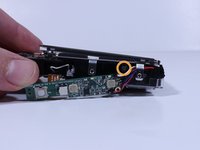
    3. Samsung SCV-VLUUST50 Flash Bulb Replacement: шаг 3, изображение 1 из 1
      • Remove screws beneath the top panel indicated by red circles with a #00 Phillips driver.

      Спросите у FixBot

      Добавить комментарий

    4. Samsung SCV-VLUUST50 Flash Bulb Replacement: шаг 4, изображение 1 из 2 Samsung SCV-VLUUST50 Flash Bulb Replacement: шаг 4, изображение 2 из 2
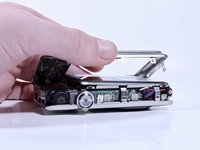
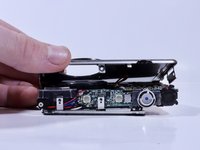
      • Remove the front and back covers by pulling them straight apart.

      Спросите у FixBot

      Добавить комментарий

    1. Samsung SCV-VLUUST50 Flash Bulb Replacement, Flash Bulb: шаг 5, изображение 1 из 2 Samsung SCV-VLUUST50 Flash Bulb Replacement, Flash Bulb: шаг 5, изображение 2 из 2
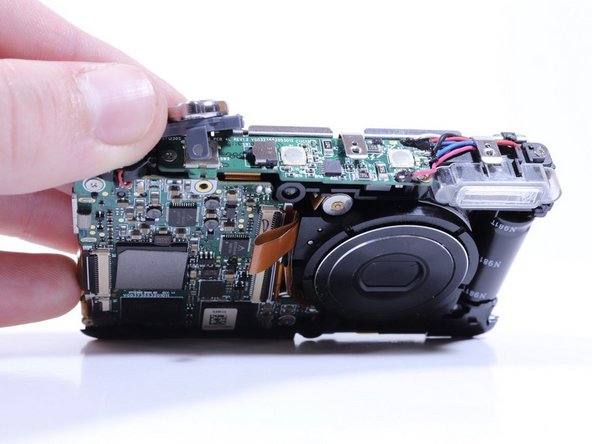
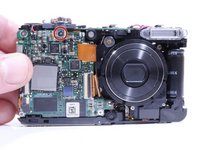
      • Remove the screw securing the shutter button to the camera frame.

      • Lift the shutter button to remove it.

      Спросите у FixBot

      Добавить комментарий

    2. Samsung SCV-VLUUST50 Flash Bulb Replacement: шаг 6, изображение 1 из 2 Samsung SCV-VLUUST50 Flash Bulb Replacement: шаг 6, изображение 2 из 2
      • Remove the screws from the circuitry with a Phillips #000 driver.

      • Remove the screw connecting the flash housing to the camera frame with the same driver.

      Спросите у FixBot

      Добавить комментарий

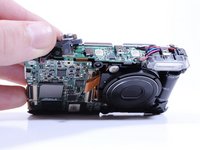
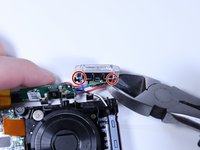
    3. Samsung SCV-VLUUST50 Flash Bulb Replacement: шаг 7, изображение 1 из 2 Samsung SCV-VLUUST50 Flash Bulb Replacement: шаг 7, изображение 2 из 2
      • Pull the flash housing away from the camera frame.

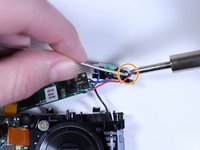
      • Cut the wires connecting the flash module to the circuitry.

      • Connect the new flash module to the circuitry with a soldering iron and electrical solder.

      Спросите у FixBot

      Добавить комментарий

Заключение

To reassemble your device, follow these instructions in reverse order.

Отменить: Я не выполнил это руководство.

Jade Withrow

Участник с: 02/08/18

255 Репутация

Автор 2 руководств

Команда

University of North Texas, Team S6-G2, Thomas Spring 2018 Участник University of North Texas, Team S6-G2, Thomas Spring 2018

UNT-THOMAS-S18S6G2

4 членов

Автор 12 руководств

0 Комментарии к руководству

Добавить комментарий

Статистика просмотров:

За последние 24 часов: 0

За последние 7 дней: 4

За последние 30 дней: 18

За всё время: 483