Перейти к основному содержанию
Присоединяйся к сообществу ремонтников - Создай аккаунт

Sansa e260R Memory Board Replacement

Выберете то, что вам нужно

    1. Sansa e260R Memory Board Replacement, Rear Case: шаг 1, изображение 1 из 1
      • Before disassembling the device, make sure it is powered off.

      • Remove the four 1.5mm screws on the back of the device.

      Спросите у FixBot

      Добавить комментарий

    2. Sansa e260R Memory Board Replacement: шаг 2, изображение 1 из 1
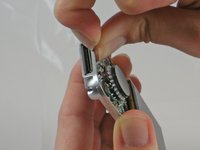
      • Using a plastic opening tool, lift the metal backing from the front of the device.

      Спросите у FixBot

      Добавить комментарий

    3. Sansa e260R Memory Board Replacement: шаг 3, изображение 1 из 1
      • Pull the rear panel off of the Sansa e260R.

      Спросите у FixBot

      Добавить комментарий

    1. Sansa e260R Memory Board Replacement, Battery: шаг 4, изображение 1 из 1
      • Grip the bottom of the battery with your thumb and forefinger and pull it away from the device.

      Спросите у FixBot

      Добавить комментарий

    1. Sansa e260R Memory Board Replacement, Front Panel: шаг 5, изображение 1 из 1
      • Remove the four 1.5mm screws on the inner casing of the device.

      • These screws are very small and hard to extract from the casing. It may be helpful to use a magnetic screwdriver.

      Спросите у FixBot

      Добавить комментарий

    2. Sansa e260R Memory Board Replacement: шаг 6, изображение 1 из 1
      • Flip the device so that the front is facing you.

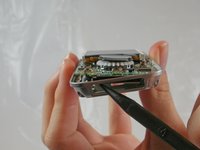
      • Slide a plastic opening tool between the plastic front cover and the metal back cover of the device.

      Спросите у FixBot

      Добавить комментарий

    3. Sansa e260R Memory Board Replacement: шаг 7, изображение 1 из 2 Sansa e260R Memory Board Replacement: шаг 7, изображение 2 из 2
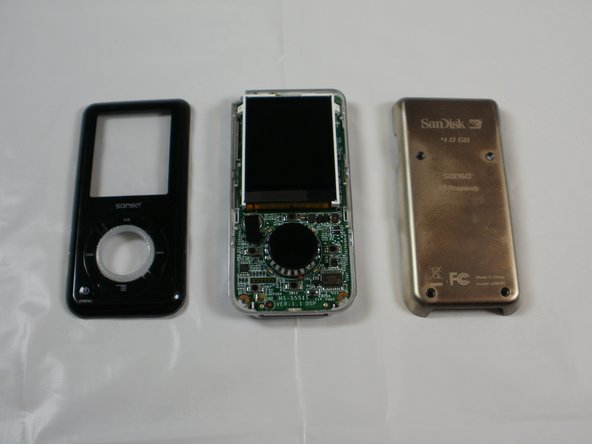
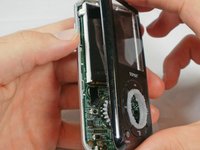
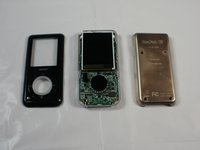
      • Pull the front cover away from the rest of the device.

      Спросите у FixBot

      Добавить комментарий

    1. Sansa e260R Memory Board Replacement, Memory Board: шаг 8, изображение 1 из 2 Sansa e260R Memory Board Replacement, Memory Board: шаг 8, изображение 2 из 2
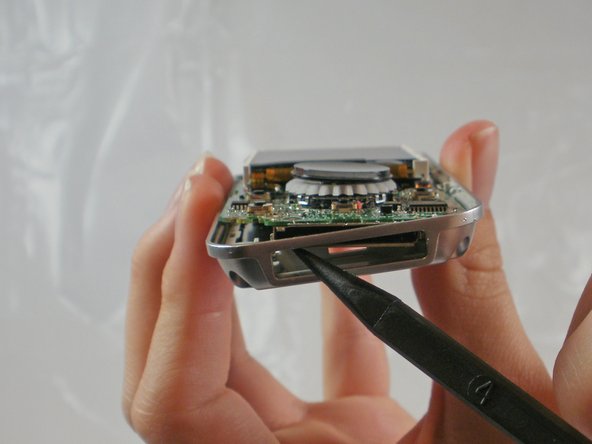
      • Near the charging port, pull the case away from the motherboard to create clearance to remove the motherboard.

      • Use the spudger to push the motherboard in and pop the metal edge of the charging port up and inside the plastic case.

      Спросите у FixBot

      Добавить комментарий

    2. Sansa e260R Memory Board Replacement: шаг 9, изображение 1 из 1
      • Pull the bottom of the motherboard up and then out.

      Спросите у FixBot

      Добавить комментарий

    3. Sansa e260R Memory Board Replacement: шаг 10, изображение 1 из 1
      • On the back of the motherboard, there is a rectangle of rubber.

      • Peel the rectangle off slowly.

      Спросите у FixBot

      Добавить комментарий

    4. Sansa e260R Memory Board Replacement: шаг 11, изображение 1 из 1
      • Under the rubber rectangle, there is a strip of black tape.

      • Peel the tape off about halfway so that it is no longer attached to the memory board.

      Спросите у FixBot

      Добавить комментарий

    5. Sansa e260R Memory Board Replacement: шаг 12, изображение 1 из 1
      • Carefully peel the memory board away from the rest of the motherboard

      Спросите у FixBot

      Добавить комментарий

Заключение

To reassemble your device, follow these instructions in reverse order.

Отменить: Я не выполнил это руководство.

6 человек успешно провели ремонт по этому руководству.

JenniferW

Участник с: 01/31/12

194 Репутация

Автор 2 руководств

Команда

Cal Poly, Team 8-15, Maness Winter 2012 Участник Cal Poly, Team 8-15, Maness Winter 2012

CPSU-MANESS-W12S8G15

5 членов

Автор 40 руководств

1 Комментарий к руководству

thanks a million for this. i accidentally erased the boot partition, bought another one on eBay with a defective audio channel and switched the memory board: eureka! i’m happy listening to my tunes again!

Admin User - Ответить Поделиться

Добавить комментарий

Статистика просмотров:

За последние 24 часов: 0

За последние 7 дней: 9

За последние 30 дней: 43

За всё время: 3,122