Перейти к основному содержанию
Присоединяйся к сообществу ремонтников - Создай аккаунт

Sanyo VPC-T850 Shutter Button Replacement

Выберете то, что вам нужно

    1. Sanyo VPC-T850 Shutter Button Replacement, Battery: шаг 1, изображение 1 из 1
      • Make sure the camera is powered off by pressing and holding the small, square button embedded in the top rim of the camera.

      Спросите у FixBot

      Добавить комментарий

    2. Sanyo VPC-T850 Shutter Button Replacement: шаг 2, изображение 1 из 1
      • Locate the hatch found on the bottom of the camera.

      • Open the hatch by gripping the small notch and sliding it outwards.

      Спросите у FixBot

      Добавить комментарий

    3. Sanyo VPC-T850 Shutter Button Replacement: шаг 3, изображение 1 из 1
      • Push the small, plastic arm out of the way to free the battery.

      • The battery is spring loaded and will pop out slightly when the arm is moved.

      Спросите у FixBot

      Добавить комментарий

    4. Sanyo VPC-T850 Shutter Button Replacement: шаг 4, изображение 1 из 1
      • Pull the battery out of the camera and close the hatch.

      • To reinsert, there is a triangle on the battery indicating which direction to slide it in.

      Спросите у FixBot

      Добавить комментарий

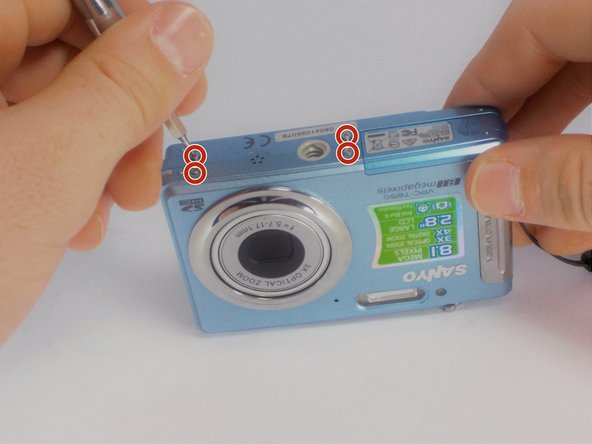
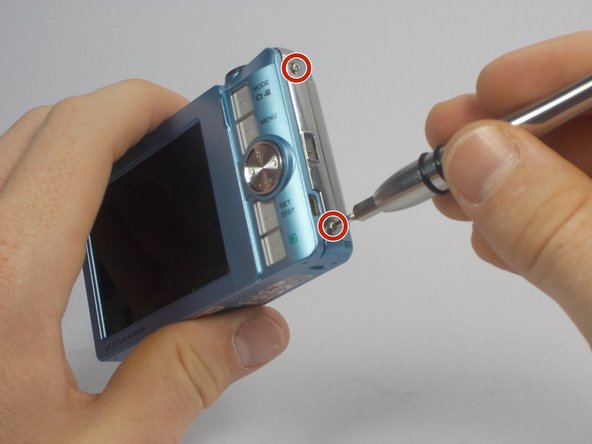
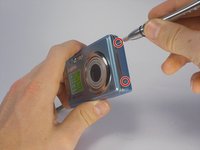
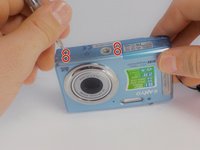
    1. Sanyo VPC-T850 Shutter Button Replacement, Outer Casing: шаг 5, изображение 1 из 3 Sanyo VPC-T850 Shutter Button Replacement, Outer Casing: шаг 5, изображение 2 из 3 Sanyo VPC-T850 Shutter Button Replacement, Outer Casing: шаг 5, изображение 3 из 3
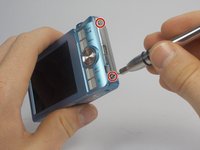
      • Using your Phillips #000 Screwdriver, remove the eight screws located around the sides and bottom of the camera.

      • Be sure to keep track of the side each screw comes from, as they come in different lengths.

      Спросите у FixBot

      Добавить комментарий

    2. Sanyo VPC-T850 Shutter Button Replacement: шаг 6, изображение 1 из 2 Sanyo VPC-T850 Shutter Button Replacement: шаг 6, изображение 2 из 2
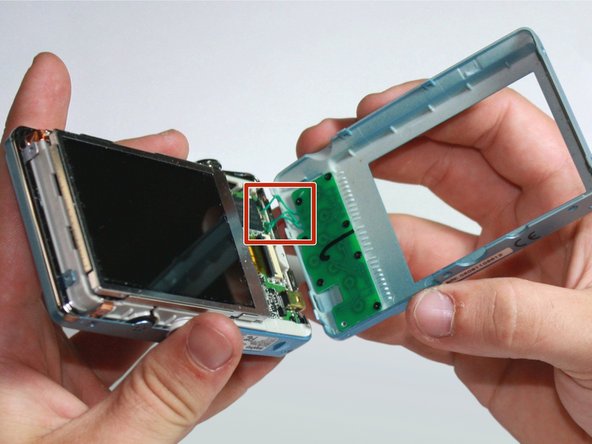
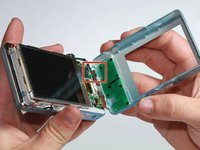
      • Orient the camera so the display is facing up.

      • Gently pull off the rear panel surrounding the display.

      • There are still three green wires connecting the panel to the rest of the camera.

      • Use your prying tool if you have difficulties removing the panel by hand.

      Спросите у FixBot

      Добавить комментарий

    3. Sanyo VPC-T850 Shutter Button Replacement: шаг 7, изображение 1 из 1
      • Remove the eight black screws connecting the keypad circuit board to the rear panel.

      Спросите у FixBot

      Добавить комментарий

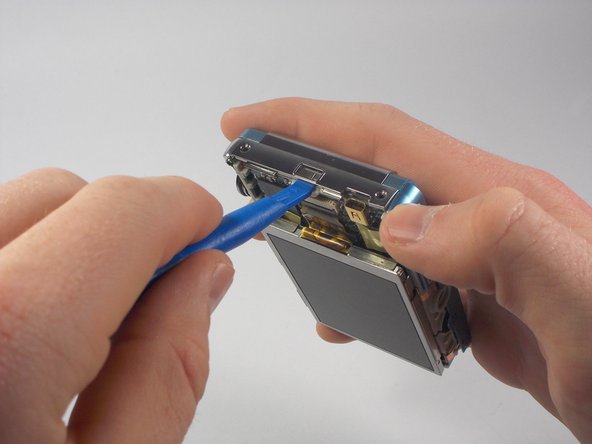
    4. Sanyo VPC-T850 Shutter Button Replacement: шаг 8, изображение 1 из 2 Sanyo VPC-T850 Shutter Button Replacement: шаг 8, изображение 2 из 2
      • With a plastic opening tool, gently remove the chrome framing on the left and right sides of the camera.

      Спросите у FixBot

      Добавить комментарий

    5. Sanyo VPC-T850 Shutter Button Replacement: шаг 9, изображение 1 из 1
      • Flip the camera over so the lens is facing up.

      • Gently lift up the front panel to remove it from the rest of the camera.

      • Use your plastic opening tool if you have difficulties removing the panel by hand.

      Спросите у FixBot

      Добавить комментарий

    1. Sanyo VPC-T850 Shutter Button Replacement, Shutter Button: шаг 10, изображение 1 из 1
      • Find the chrome framing located on the top of the camera.

      • The physical shutter button apparatus is directly attached to this frame.

      Спросите у FixBot

      Добавить комментарий

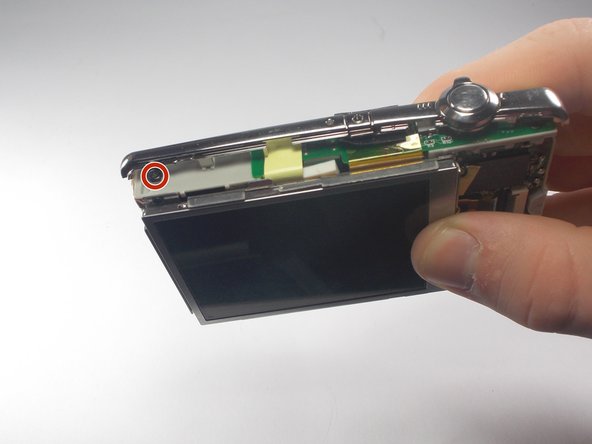
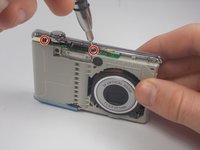
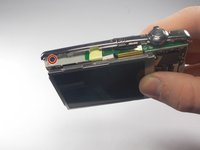
    2. Sanyo VPC-T850 Shutter Button Replacement: шаг 11, изображение 1 из 2 Sanyo VPC-T850 Shutter Button Replacement: шаг 11, изображение 2 из 2
      • Remove the three black screws connecting the chrome frame to the camera.

      • Three screws are located toward the front, with the remaining one above the display.

      Спросите у FixBot

      Добавить комментарий

    3. Sanyo VPC-T850 Shutter Button Replacement: шаг 12, изображение 1 из 1
      • Gently remove the loosened chrome frame and connected shutter button from the camera.

      Спросите у FixBot

      Добавить комментарий

Заключение

To reassemble your device, follow these instructions in reverse order.

Отменить: Я не выполнил это руководство.

James Robinson

Участник с: 10/27/15

459 Репутация

Автор 4 руководств

Команда

UMass Dartmouth, Team 5-5, Gulbrandsen Fall 2015 Участник UMass Dartmouth, Team 5-5, Gulbrandsen Fall 2015

UMASSD-GULBRANDSEN-F15S5G5

3 членов

Автор 10 руководств

0 Комментарии к руководству

Добавить комментарий

Статистика просмотров:

За последние 24 часов: 2

За последние 7 дней: 11

За последние 30 дней: 42

За всё время: 688