Введение
If there are problems with the camera recognizing the press of the shutter button, this guide will show you step-by-step instructions on how to remove the button in order to replace it.
Выберете то, что вам нужно
-
-
-
Make sure the camera is turned off by turning the switch to OFF.
 Спросите у FixBot
-
-
-
Flip the camera around to access the battery compartment.
-
Slide the battery compartment lock to the left to unlock it.
-
-
-
-
-
Turn the camera upside down and unscrew these two bottom 6 mm screws located on either side of the body by using the J00 head screw.
-
-
-
-
Turn the camera sideways.
-
Open the mini HDMI compartment and locate the two 6 mm screw underneath and another to the right of the compartment.
-
Unscrew using the J00 head screw.
-
-
-
Locate the two 4 mm screws within the battery compartment and unscrew them using the J00 screw head.
-
-
-
Bend the camera's screen forward to uncover two 3 mm screws below the eyepiece.
-
Locate them and unscrew them.
-
-
-
Use a plastic opening tool around the body of the camera to wedge the back cover off. Start from the bottom next to the battery compartment.
-
If necessary, lightly use your hand to pull the the back cover down to completely remove it.
-
-
-
-
-
Once the back cover is off, locate the flash of the camera and push it forward to open it
-
-
-
Hold the camera from the bottom and using a spudger, go around the top of the camera and separate the top plastic piece from the main body.
-
-
-
Hold the top of the camera away from the body.
-
Carefully turn it over to uncover the bottom of the shutter button.
-
-
-
Locate the two screws holding the shutter button and unscrew them.
-
-
Инструмент, используемый на этом этапе:Tweezers$4.99
-
Once the screws are out, use a pair of tweezers to pull out the circular metal piece under the shutter button.
-
-
-
Turn the top plastic piece back over.
-
Now you will be able to completely remove the camera's shutter button.
-
-


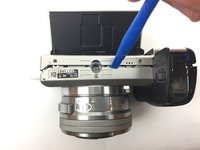
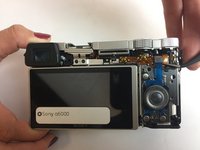


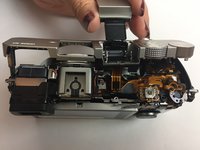
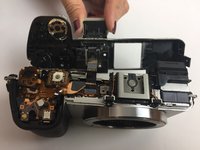


Now that the shutter button is removed, you will be able to replace it with a new piece. To reassemble your device, follow these instructions in reverse order.
Отменить: Я не выполнил это руководство.
7 человек успешно провели ремонт по этому руководству.

Команда

USF Tampa, Team 4-5, Passmore Fall 2016 Участник USF Tampa, Team 4-5, Passmore Fall 2016
USFT-PASSMORE-F16S4G5
3 членов
Автор 43 руководств
4 Комментарии к руководству
Check also https://www.youtube.com/watch?v=y3CCJtD0...
You don't need to remove the back cover (and don't try it because first, you need to remove the top cover...)
Where can i buy a replacement button?
You can find the flexible cable with the shutter button on aliexpress:
Thank you!
