Перейти к основному содержанию
Присоединяйся к сообществу ремонтников - Создай аккаунт

Sony BDP-BX520 Bluetooth Module Replacement

Выберете то, что вам нужно

    1. Sony BDP-BX520 Bluetooth Module Replacement, Disc Tray Cover: шаг 1, изображение 1 из 1
      • Plug in the Blu-Ray player, then press the power button, making sure the Blu-Ray player is powered on.

      • Press the eject button on either the top of the Blu-Ray player or on the remote to open the disc tray.

      Спросите у FixBot

      Добавить комментарий

    2. Sony BDP-BX520 Bluetooth Module Replacement: шаг 2, изображение 1 из 1
      • Grab the sides of the disc tray cover and carefully pull each side upwards, starting with the left side. This will unhook the cover from the tray.

      Спросите у FixBot

      Добавить комментарий

    3. Sony BDP-BX520 Bluetooth Module Replacement: шаг 3, изображение 1 из 1
      • Close the disc tray, then power off and unplug the Blu-Ray player.

      Спросите у FixBot

      Добавить комментарий

    1. Sony BDP-BX520 Bluetooth Module Replacement, Top Case: шаг 4, изображение 1 из 1
      • Locate the three 8 mm screws on the back of the Blu-Ray player.

      • Using the Phillips #2 screwdriver, unscrew each of the screws and set them aside.

      Спросите у FixBot

      Добавить комментарий

    2. Sony BDP-BX520 Bluetooth Module Replacement: шаг 5, изображение 1 из 2 Sony BDP-BX520 Bluetooth Module Replacement: шаг 5, изображение 2 из 2
      • Gently pull the top case back to remove it from the Blu-Ray player.

      Спросите у FixBot

      Добавить комментарий

    1. Sony BDP-BX520 Bluetooth Module Replacement, Front Panel: шаг 6, изображение 1 из 1
      • Insert the nylon or metal spudger under the clip on the side near the front of the device. Lift the clip so it is free from the device.

      • Lifting these clips may require you to hold one clip open while you move on to the next clip.

      Спросите у FixBot

      Добавить комментарий

    2. Sony BDP-BX520 Bluetooth Module Replacement: шаг 7, изображение 1 из 1
      • Flip device over so the bottom faces you.

      • Insert the nylon or metal spudger and lift the two clips on the bottom of the device.

      Спросите у FixBot

      Добавить комментарий

    3. Sony BDP-BX520 Bluetooth Module Replacement: шаг 8, изображение 1 из 1
      • Lift the clip on the opposite side of the device with the nylon or metal spudger.

      Спросите у FixBot

      Добавить комментарий

    4. Sony BDP-BX520 Bluetooth Module Replacement: шаг 9, изображение 1 из 2 Sony BDP-BX520 Bluetooth Module Replacement: шаг 9, изображение 2 из 2
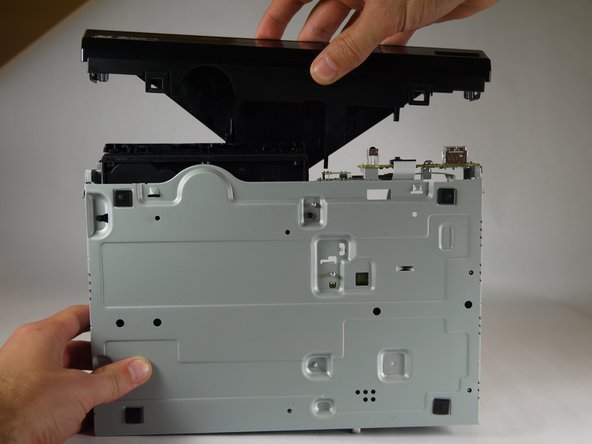
      • Grasp the front case firmly and lift from the rest of the device.

      • Lifting may require some force.

      Спросите у FixBot

      Добавить комментарий

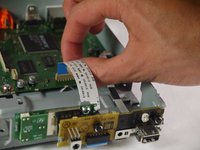
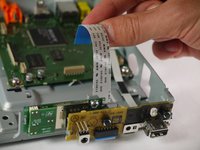
    1. Sony BDP-BX520 Bluetooth Module Replacement, Port Board: шаг 10, изображение 1 из 2 Sony BDP-BX520 Bluetooth Module Replacement, Port Board: шаг 10, изображение 2 из 2
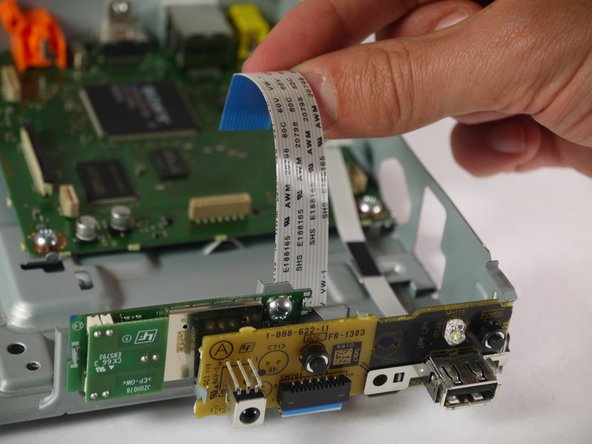
      • When handling circuit boards like the motherboard and port board, make sure to only touch them on the sides.

      • Locate the large ribbon cable connecting the port board to the motherboard.

      • Detach the cable from the motherboard by carefully pulling upward on the cable.

      Спросите у FixBot

      Добавить комментарий

    2. Sony BDP-BX520 Bluetooth Module Replacement: шаг 11, изображение 1 из 1
      • Using the Phillips #2 screwdriver, unscrew the silver, 8mm screw holding the board in place.

      Спросите у FixBot

      Добавить комментарий

    3. Sony BDP-BX520 Bluetooth Module Replacement: шаг 12, изображение 1 из 2 Sony BDP-BX520 Bluetooth Module Replacement: шаг 12, изображение 2 из 2
      • Using the nylon or metal spudger, carefully unclip the port board from the side of the player.

      Спросите у FixBot

      Добавить комментарий

    4. Sony BDP-BX520 Bluetooth Module Replacement: шаг 13, изображение 1 из 1
      • Carefully pull the port board free from the Blu-Ray player.

      Спросите у FixBot

      Добавить комментарий

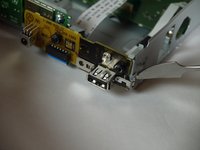
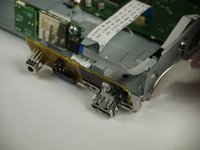
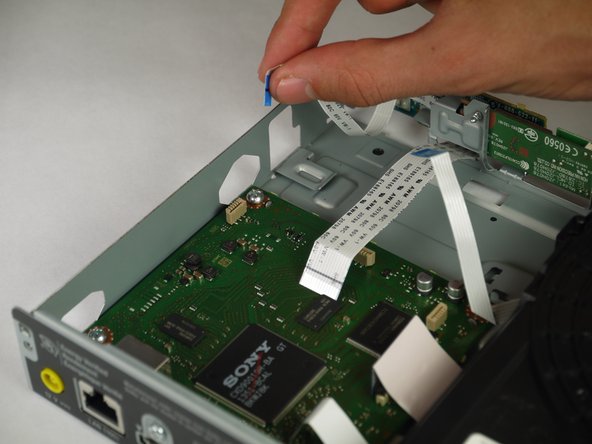
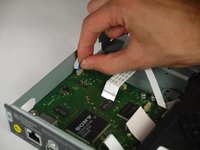
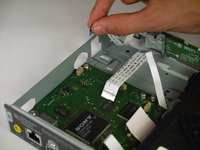
    1. Sony BDP-BX520 Bluetooth Module Replacement, Bluetooth Module: шаг 14, изображение 1 из 2 Sony BDP-BX520 Bluetooth Module Replacement, Bluetooth Module: шаг 14, изображение 2 из 2
      • Pull the small 5 pin ribbon cable out of its connector on the motherboard.

      Спросите у FixBot

      Добавить комментарий

    2. Sony BDP-BX520 Bluetooth Module Replacement: шаг 15, изображение 1 из 1
      • Using a Phillips #2 screwdriver, remove the silver 8 mm screw attaching the Bluetooth module to the front of the case.

      Спросите у FixBot

      Добавить комментарий

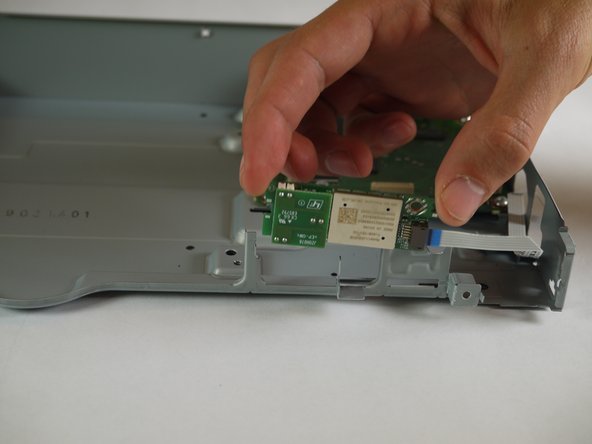
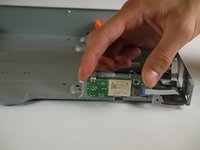
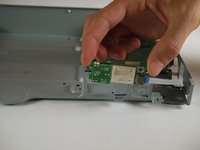
    3. Sony BDP-BX520 Bluetooth Module Replacement: шаг 16, изображение 1 из 2 Sony BDP-BX520 Bluetooth Module Replacement: шаг 16, изображение 2 из 2
      • Remove the Bluetooth module from the case.

      • Make sure to only touch the sides of the Bluetooth module when removing it from the case.

      Спросите у FixBot

      Добавить комментарий

Заключение

To reassemble your device, follow these instructions in reverse order.

Отменить: Я не выполнил это руководство.

Gregory Pellegrino

Участник с: 02/02/15

405 Репутация

Автор 2 руководств

Команда

Cal Poly, Team 8-41, Amido Winter 2015 Участник Cal Poly, Team 8-41, Amido Winter 2015

CPSU-AMIDO-W15S8G41

4 членов

Автор 16 руководств

0 Комментарии к руководству

Добавить комментарий

Статистика просмотров:

За последние 24 часов: 2

За последние 7 дней: 5

За последние 30 дней: 21

За всё время: 697