Перейти к основному содержанию
Присоединяйся к сообществу ремонтников - Создай аккаунт

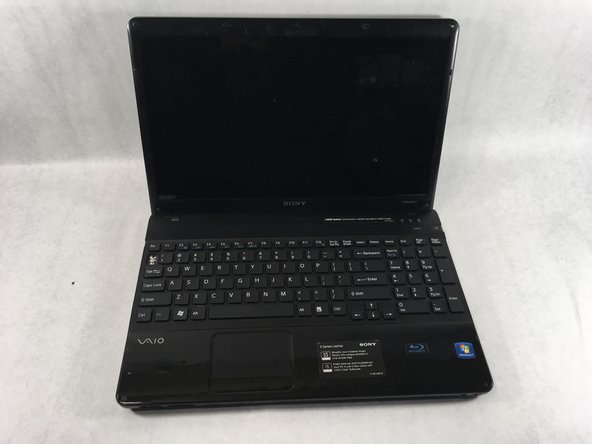
Sony VAIO VPCEE26FX Keyboard Replacement

Выберете то, что вам нужно

  1. Sony VAIO VPCEE26FX Keyboard Replacement, Battery: шаг 1, изображение 1 из 2 Sony VAIO VPCEE26FX Keyboard Replacement, Battery: шаг 1, изображение 2 из 2
    • Ensure that the laptop is powered off before disconnecting the battery.

    • Flip the laptop over so the underside of the laptop is facing up.

    Спросите у FixBot
  2. Sony VAIO VPCEE26FX Keyboard Replacement: шаг 2, изображение 1 из 2 Sony VAIO VPCEE26FX Keyboard Replacement: шаг 2, изображение 2 из 2
    • Slide the two tabs towards each other until the battery disconnects slightly from its position.

    • Carefully lift the battery out of its position away from the laptop.

    • The battery is not pictured here, since it is missing from this particular device.

    Спросите у FixBot
  3. Sony VAIO VPCEE26FX Keyboard Replacement, Keyboard: шаг 3, изображение 1 из 2 Sony VAIO VPCEE26FX Keyboard Replacement, Keyboard: шаг 3, изображение 2 из 2
    • Flip the laptop back over so it is face up.

    • Open up the laptop.

    Спросите у FixBot
  4. Sony VAIO VPCEE26FX Keyboard Replacement: шаг 4, изображение 1 из 1
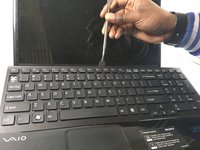
    • Using a plastic opening tool, pry along the seam between the keyboard and case to help in separating the two.

    • Continue to lift up gently using the plastic opening tool until the keyboard begins to separate from the case.

    Спросите у FixBot
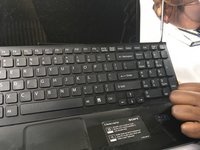
  5. Sony VAIO VPCEE26FX Keyboard Replacement: шаг 5, изображение 1 из 2 Sony VAIO VPCEE26FX Keyboard Replacement: шаг 5, изображение 2 из 2
    • Continue lifting up and moving down starting on the left side of the keyboard moving towards the right side of the computer.

    Спросите у FixBot
  6. Sony VAIO VPCEE26FX Keyboard Replacement: шаг 6, изображение 1 из 2 Sony VAIO VPCEE26FX Keyboard Replacement: шаг 6, изображение 2 из 2
    Инструмент, используемый на этом этапе:
    Tweezers
    $4.99
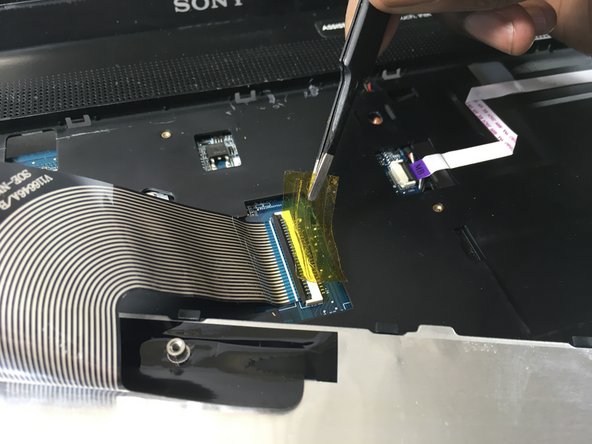
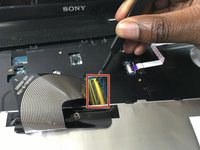
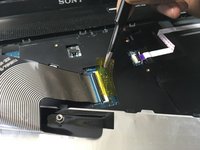
    • Carefully tilt the top of the keyboard towards you ensuring the ribbon cable is not under too much tension.

    • Use a pair of tweezers to help remove the plastic adhesive film covering the adapter/port for the ribbon cable.

    Спросите у FixBot
  7. Sony VAIO VPCEE26FX Keyboard Replacement: шаг 7, изображение 1 из 1
    Спросите у FixBot
  8. Sony VAIO VPCEE26FX Keyboard Replacement: шаг 8, изображение 1 из 1
    • Lift the keyboard up and away from the computer.

    Спросите у FixBot
Заключение

To reassemble your device, follow these instructions in reverse order.

Christopher Hover

Участник с: 03/21/19

679 Репутация

Автор 5 руководств

Команда

UMass Dartmouth, Team S2-G3, Bailey Spring 2019 Участник UMass Dartmouth, Team S2-G3, Bailey Spring 2019

UMASSD-BAILEY-S19S2G3

3 членов

Автор 10 руководств

0 Комментарии к руководству

Добавить комментарий

Статистика просмотров:

За последние 24 часов: 1

За последние 7 дней: 11

За последние 30 дней: 68

За всё время: 1,537