Перейти к основному содержанию
Присоединяйся к сообществу ремонтников - Создай аккаунт

Sony Xperia Z1 Compact Motherboard Replacement

Выберете то, что вам нужно

  1. Sony Xperia Z1 Compact Motherboard Replacement, Back Cover: шаг 1, изображение 1 из 1
    • Heat along the edges of the back cover using a heat gun to soften the glue.

  2. Sony Xperia Z1 Compact Motherboard Replacement: шаг 2, изображение 1 из 1
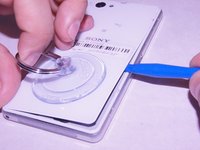
    • Attach the small suction cup to the back cover near the bottom of the phone.

    • Pull up on the suction cup and insert the plastic opening tool in between the back cover and the rest of the phone.

  3. Sony Xperia Z1 Compact Motherboard Replacement: шаг 3, изображение 1 из 2 Sony Xperia Z1 Compact Motherboard Replacement: шаг 3, изображение 2 из 2
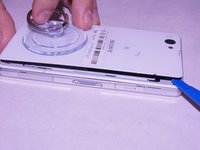
    • Move the spudger around the edge of the back cover to separate it from the black adhesive.

    • Separating the back cover from the rest of the phone ruins the adhesive which makes it no longer waterproof.

  4. Sony Xperia Z1 Compact Motherboard Replacement, Battery: шаг 4, изображение 1 из 2 Sony Xperia Z1 Compact Motherboard Replacement, Battery: шаг 4, изображение 2 из 2
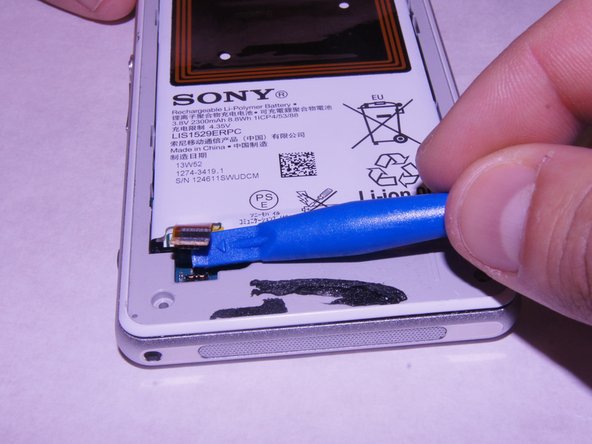
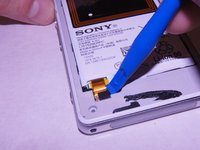
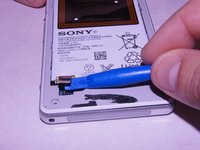
    • Carefully disconnect the battery from the logic board by using the plastic spudger as a lever.

  5. Sony Xperia Z1 Compact Motherboard Replacement: шаг 5, изображение 1 из 2 Sony Xperia Z1 Compact Motherboard Replacement: шаг 5, изображение 2 из 2
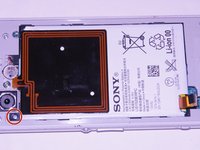
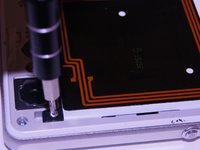
    • Remove the single 1 x 3.0 mm screw holding the battery in using the JIS #00 screwdriver.

  6. Sony Xperia Z1 Compact Motherboard Replacement: шаг 6, изображение 1 из 1
    • Pry the battery up from the ends using the plastic spudger until the battery pops out of the enclosure.

  7. Sony Xperia Z1 Compact Motherboard Replacement: шаг 7, изображение 1 из 1
    • Remove the battery from the device

  8. Sony Xperia Z1 Compact Motherboard Replacement, External Speaker: шаг 8, изображение 1 из 2 Sony Xperia Z1 Compact Motherboard Replacement, External Speaker: шаг 8, изображение 2 из 2
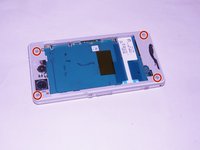
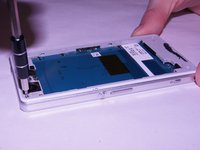
    • Unscrew the four screws on the corners of the back frame using the JIS #00 screwdriver.

  9. Sony Xperia Z1 Compact Motherboard Replacement: шаг 9, изображение 1 из 3 Sony Xperia Z1 Compact Motherboard Replacement: шаг 9, изображение 2 из 3 Sony Xperia Z1 Compact Motherboard Replacement: шаг 9, изображение 3 из 3
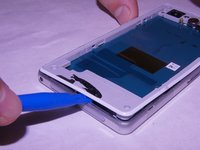
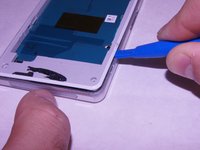
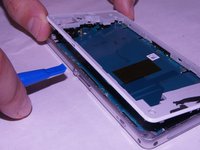
    • Wedge the plastic opening tool under the back frame. Move the plastic opening tool around the entire frame to separate it from the adhesive.

  10. Sony Xperia Z1 Compact Motherboard Replacement: шаг 10, изображение 1 из 1
    • Remove the back frame.

  11. Sony Xperia Z1 Compact Motherboard Replacement: шаг 11, изображение 1 из 2 Sony Xperia Z1 Compact Motherboard Replacement: шаг 11, изображение 2 из 2
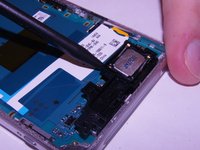
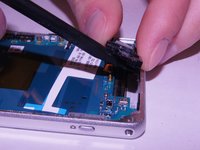
    • Wedge the spudger underneath the external speaker. Pull up on the external speaker using the spudger.

  12. Sony Xperia Z1 Compact Motherboard Replacement: шаг 12, изображение 1 из 2 Sony Xperia Z1 Compact Motherboard Replacement: шаг 12, изображение 2 из 2
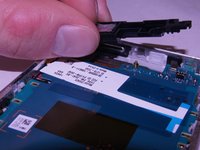
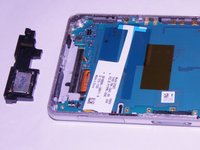
    • Remove the external speaker.

  13. Sony Xperia Z1 Compact Motherboard Replacement, Motherboard: шаг 13, изображение 1 из 2 Sony Xperia Z1 Compact Motherboard Replacement, Motherboard: шаг 13, изображение 2 из 2
    • Remove the square rubber gasket from the camera using the plastic spudger.

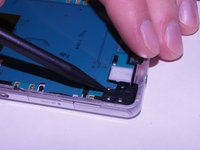
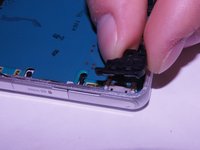
  14. Sony Xperia Z1 Compact Motherboard Replacement: шаг 14, изображение 1 из 2 Sony Xperia Z1 Compact Motherboard Replacement: шаг 14, изображение 2 из 2
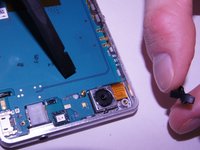
    • Remove the black plastic corner still holding in the motherboard.

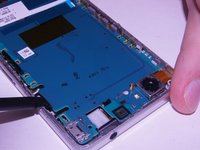
  15. Sony Xperia Z1 Compact Motherboard Replacement: шаг 15, изображение 1 из 3 Sony Xperia Z1 Compact Motherboard Replacement: шаг 15, изображение 2 из 3 Sony Xperia Z1 Compact Motherboard Replacement: шаг 15, изображение 3 из 3
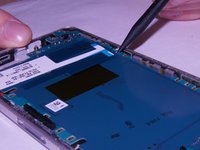
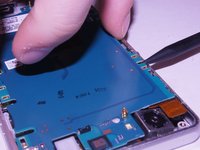
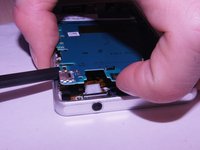
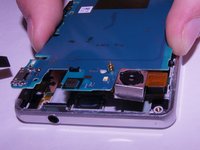
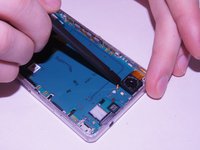
    • Carefully pry up on the four sides of the motherboard using the plastic spudger til it separates from the base of the phone.

  16. Sony Xperia Z1 Compact Motherboard Replacement: шаг 16, изображение 1 из 3 Sony Xperia Z1 Compact Motherboard Replacement: шаг 16, изображение 2 из 3 Sony Xperia Z1 Compact Motherboard Replacement: шаг 16, изображение 3 из 3
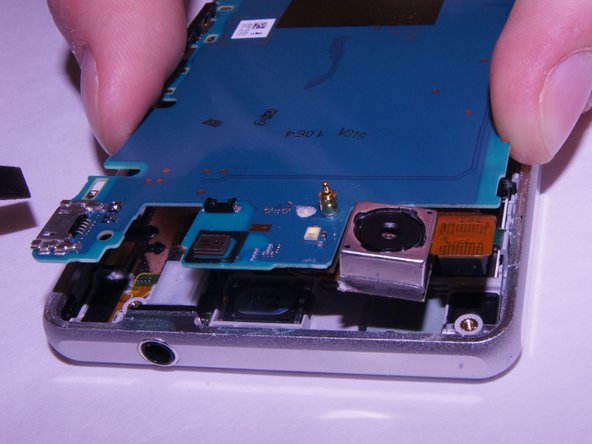
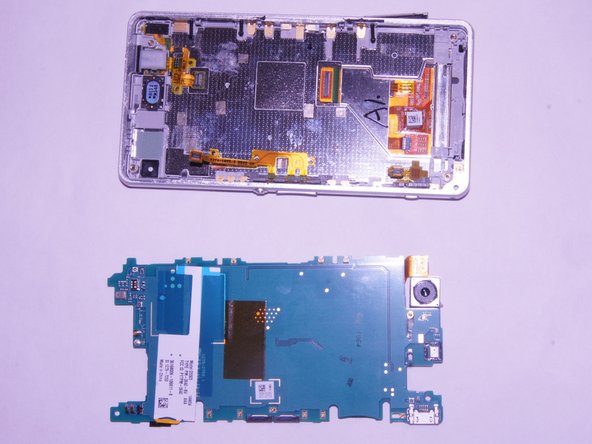
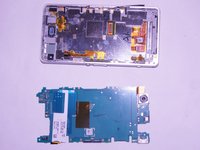
    • Remove the motherboard from the device.

    • There may be a small yellow adhesive underneath the motherboard still holding it in. Slide the tip of the spudger through it to sever it.

Заключение

To reassemble your device, follow these instructions in reverse order.

2 человек успешно провели ремонт по этому руководству.

Daniel Benjamin

Участник с: 09/21/17

261 Репутация

1 руководство автора

Команда

Washington State, Team S4-G1, Phelps-Hillen Fall 2017 Участник Washington State, Team S4-G1, Phelps-Hillen Fall 2017

WSU-PHELPS-HILLEN-F17S4G1

6 членов

Автор 9 руководств

1 Комментарий к руководству

hi

Recently i brought Xperia Z1 now i am facing charging problem.

i already change new to battery but it is charging 75 % only.

after charging 75% my phone screen continually on and off

please let me know how can i fix this problem.

malinduariyasingha - Ответить Поделиться
Добавить комментарий

Статистика просмотров:

За последние 24 часов: 2

За последние 7 дней: 19

За последние 30 дней: 74

За всё время: 4,056