Перейти к основному содержанию
Присоединяйся к сообществу ремонтников - Создай аккаунт

Sony Xperia Z2 Logic Board Replacement

Выберете то, что вам нужно

Видеообзор

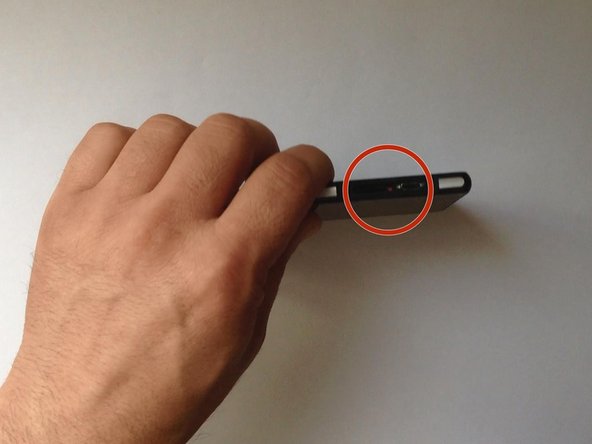
  1. Sony Xperia Z2 Logic Board Replacement, Rear / Battery Cover: шаг 1, изображение 1 из 3 Sony Xperia Z2 Logic Board Replacement, Rear / Battery Cover: шаг 1, изображение 2 из 3 Sony Xperia Z2 Logic Board Replacement, Rear / Battery Cover: шаг 1, изображение 3 из 3
    • Switch off the phone.

    • If you can't switch it off, you can use the OFF button near to the SIM card Tray.

    • Warm the Back Cover. You can use a hairdryer.

    • Be careful, the Back Cover is plastic.

    Спросите у FixBot
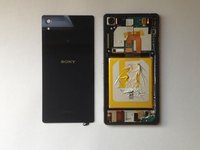
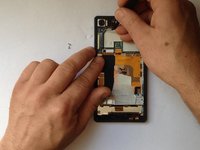
  2. Sony Xperia Z2 Logic Board Replacement: шаг 2, изображение 1 из 3 Sony Xperia Z2 Logic Board Replacement: шаг 2, изображение 2 из 3 Sony Xperia Z2 Logic Board Replacement: шаг 2, изображение 3 из 3
    • Use a small suction cup and plastic tools for separating the Rear panel.

    • There is Adhesive tape on the edges of the phone and some between the Battery and the Back Cover, as well. I found a small tab to pull just inside the top of the cover that removed the adhesive and released the back panel from the battery. Its that same style adhesive strip as used in the Iphone 5/5c/5s.

    Спросите у FixBot
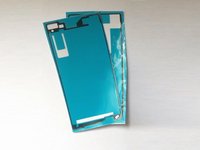
  3. Sony Xperia Z2 Logic Board Replacement: шаг 3, изображение 1 из 2 Sony Xperia Z2 Logic Board Replacement: шаг 3, изображение 2 из 2
    • Before installing the new cover, you must clean the phone from the old adhesive tape and install a new one (if your spare part has come without double sided adhesive tape).

    Спросите у FixBot
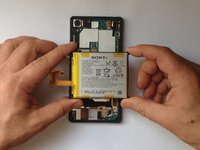
  4. Sony Xperia Z2 Logic Board Replacement, Battery: шаг 4, изображение 1 из 3 Sony Xperia Z2 Logic Board Replacement, Battery: шаг 4, изображение 2 из 3 Sony Xperia Z2 Logic Board Replacement, Battery: шаг 4, изображение 3 из 3
    Спросите у FixBot
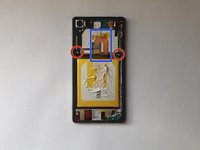
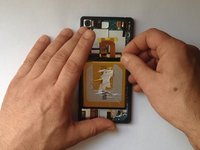
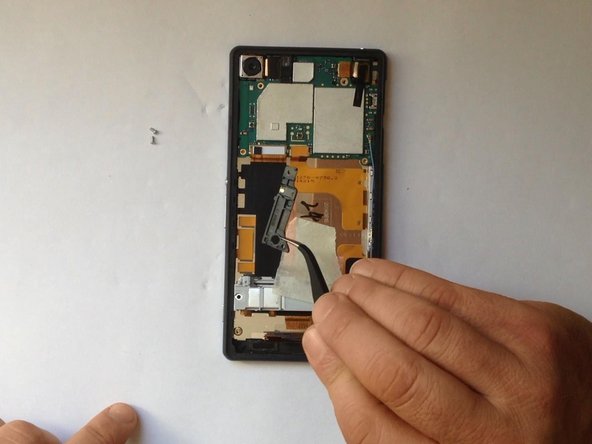
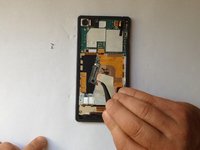
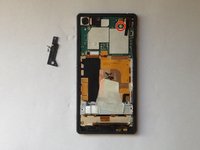
  5. Sony Xperia Z2 Logic Board Replacement, Wi-Fi Antenna: шаг 5, изображение 1 из 3 Sony Xperia Z2 Logic Board Replacement, Wi-Fi Antenna: шаг 5, изображение 2 из 3 Sony Xperia Z2 Logic Board Replacement, Wi-Fi Antenna: шаг 5, изображение 3 из 3
    • Unscrew the screw and remove the Wi-Fi Antenna.

    Спросите у FixBot
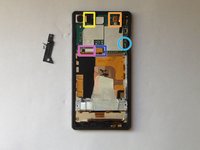
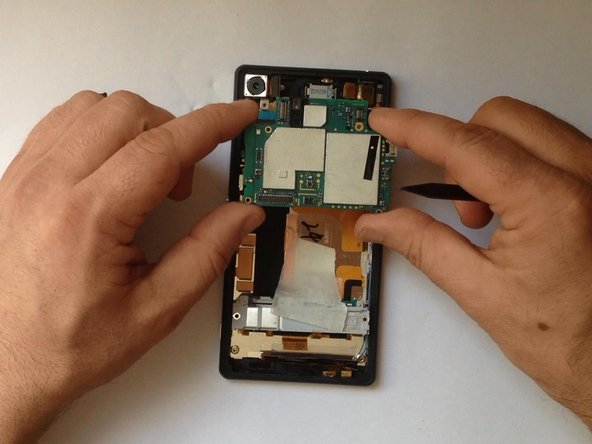
  6. Sony Xperia Z2 Logic Board Replacement, Logic Board: шаг 6, изображение 1 из 2 Sony Xperia Z2 Logic Board Replacement, Logic Board: шаг 6, изображение 2 из 2
    • Disconnect one by one:

    • Magnetic Charging Dock Flex Cable

    • Volume / Power Button and Microphone Flex Cable

    • Main Camera

    • Audio Jack and Light Sensor Flex cable

    • Coaxial Antenna Cable

    Спросите у FixBot
  7. Sony Xperia Z2 Logic Board Replacement: шаг 7, изображение 1 из 3 Sony Xperia Z2 Logic Board Replacement: шаг 7, изображение 2 из 3 Sony Xperia Z2 Logic Board Replacement: шаг 7, изображение 3 из 3
    Спросите у FixBot
Заключение

To reassemble your device, follow these instructions in reverse order.

19 человек успешно провели ремонт по этому руководству.

ZFix

Участник с: 12/09/13

197 189 Репутация

Автор 330 руководств

Команда

Master Techs Участник Master Techs

Community

333 членов

Автор 1 479 руководств

3 Комментарии к руководству

Hi

Do anyone knows where I can buy a logic board for Xperia Z2?

Johannes Stockinger - Ответить Поделиться
https://www.ebay.com/sch/i.html?_from=R4...

or I bought there

https://ru.aliexpress.com/wholesale?catI...

be careful to find cheaper price and for your model D6503 or D6563…

Alexander - Ответить Поделиться

Are you sure Phillips #00 is the correct size of screwdriver? I had difficulty getting one of the screws to turn (the screwdriver kept slipping), so I tried the other sizes in my iOpener Kit and found that the PH#000 seemed to fit them better, and that screw came straight out with it.

Edward Millen - Ответить Поделиться

Добавить комментарий

Статистика просмотров:

За последние 24 часов: 3

За последние 7 дней: 16

За последние 30 дней: 87

За всё время: 19,234