Перейти к основному содержанию
Присоединяйся к сообществу ремонтников - Создай аккаунт

Supersonic Matrix SC-91MID Back Cover Replacement

Выберете то, что вам нужно

  1. Supersonic Matrix SC-91MID Back Cover Replacement, Back Cover: шаг 1, изображение 1 из 1
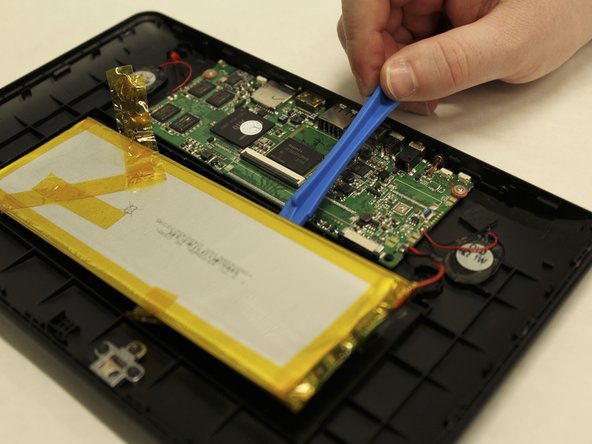
    • To begin, insert the plastic opening tool between the display and back cover and apply force until the back cover comes free from the device.

    Спросите у FixBot

    Добавить комментарий

  2. Supersonic Matrix SC-91MID Back Cover Replacement: шаг 2, изображение 1 из 3 Supersonic Matrix SC-91MID Back Cover Replacement: шаг 2, изображение 2 из 3 Supersonic Matrix SC-91MID Back Cover Replacement: шаг 2, изображение 3 из 3
    Инструмент, используемый на этом этапе:
    Tweezers
    $4.99
    • Carefully remove orange ribbons from the motherboard by opening the small plastic flaps and pulling with tweezers.

    • This will disconnect the front part of the tablet from the back entirely. Set it safely aside and continue

    Спросите у FixBot

    Добавить комментарий

  3. Supersonic Matrix SC-91MID Back Cover Replacement: шаг 3, изображение 1 из 2 Supersonic Matrix SC-91MID Back Cover Replacement: шаг 3, изображение 2 из 2
    • To remove the battery, use the plastic opening tool to pry one corner off of the battery and gently move the opening tool down to pull up one side of the battery.

    • The battery is glued down, so some force may be required to remove it from the back cover.

    Спросите у FixBot

    Добавить комментарий

  4. Supersonic Matrix SC-91MID Back Cover Replacement: шаг 4, изображение 1 из 2 Supersonic Matrix SC-91MID Back Cover Replacement: шаг 4, изображение 2 из 2
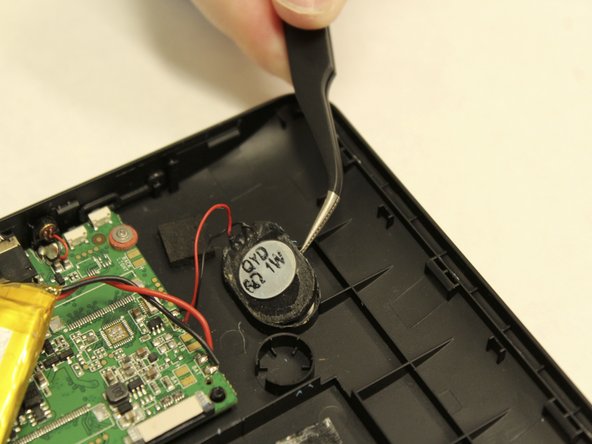
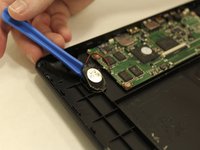
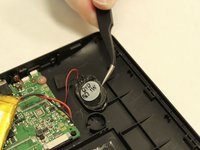
    • To remove the speakers, use the plastic opening tool to gently pry the speaker from the back cover, then use the tweezers to remove them fully.

    Спросите у FixBot

    Добавить комментарий

  5. Supersonic Matrix SC-91MID Back Cover Replacement: шаг 5, изображение 1 из 3 Supersonic Matrix SC-91MID Back Cover Replacement: шаг 5, изображение 2 из 3 Supersonic Matrix SC-91MID Back Cover Replacement: шаг 5, изображение 3 из 3
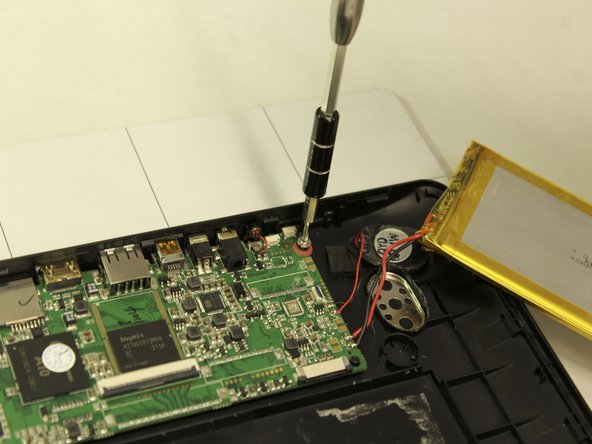
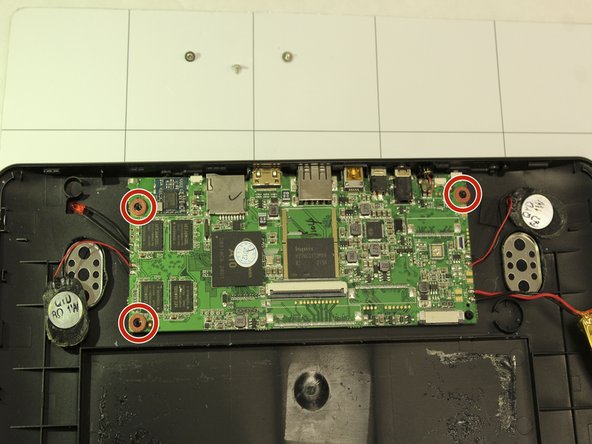
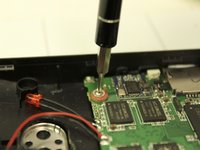
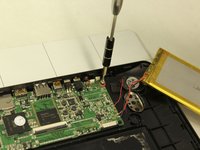
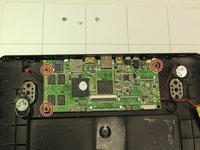
    • To remove the motherboard, start by unscrewing the three (3) small Phillips head screws using a 1.5 mm Phillips head (Phillips #000) screwdriver.

    • The small red washers must be kept along with the screws when reassembling the device, make sure you store them safely until reassembling.

    • The motherboard has soldered connections to the battery, speakers, and the charging indicator LED. Be careful when pulling the motherboard from the back cover because these parts will come along with it.

    Спросите у FixBot

    Добавить комментарий

Заключение

To reassemble your device, follow these instructions in reverse order.

Отменить: Я не выполнил это руководство.

Еще один человек закончил это руководство.

Michael Turner

Участник с: 03/31/18

121 Репутация

1 руководство автора

Команда

IUPUI, Team S1-G1, Wilson Spring 2018 Участник IUPUI, Team S1-G1, Wilson Spring 2018

IUPUI-WILSON-S18S1G1

5 членов

Автор 6 руководств

0 Комментарии к руководству

Добавить комментарий

Статистика просмотров:

За последние 24 часов: 3

За последние 7 дней: 5

За последние 30 дней: 35

За всё время: 422