Этот перевод был сделан машиной и пока не проверен человеком. Говорите на этом языке? Просмотрите его.
Введение
В этом руководстве показано, какие винты нужно открутить, как разобрать устройство и как отсоединить неисправный аккумулятор от внутренней электроники.
Выберете то, что вам нужно
-
-
-
Открутите семь винтов длиной 17,95 мм на боковой стороне устройства.
-
Открутите винт длиной 13,87 мм.
 Спросите у FixBot
-
-
-
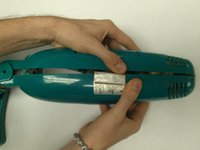
Найдите наклейку на задней стороне устройства. Возможно, она уже была удалена.
-
Если наклейка есть, отклейте её от любой из половинок устройства.
-
-
-
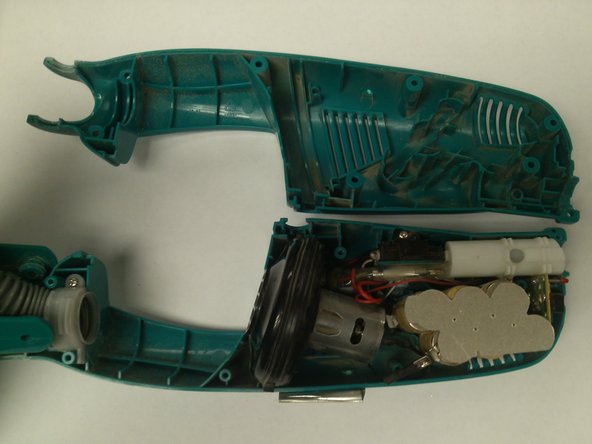
Крепко, но осторожно возьмитесь за каждую половину корпуса и разъедините их.
-
-
-
-
Снимите серебристую крышку аккумулятора с верхней части аккумулятора.
-
-
-
Приподнимите присоединенный аккумулятор из устройства и положите его на поверхность.
-
Снимите вторую серебристую крышку аккумулятора с нижней части внутренней стороны устройства.
-
-
-
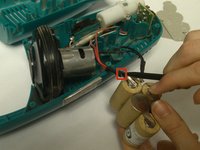
С помощью пластиковой лопатки (spudger) нажмите на фиксатор крепления черного провода.
-
Удерживая фиксатор нажатым, потяните черный провод в сторону от аккумулятора.
-
-
-
С помощью лопатки (spudger) надавите на фиксатор крепления красного провода.
-
Удерживая фиксатор нажатым, потяните красный провод в сторону от аккумулятора.
-
-




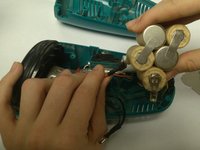
Для сборки устройства выполните эти инструкции в обратном порядке.
Отменить: Я не выполнил это руководство.
16 человек успешно провели ремонт по этому руководству.

Команду

USF Tampa, Team 10-3, Brown Fall 2014 Участник USF Tampa, Team 10-3, Brown Fall 2014
USFT-BROWN-F14S10G3
3 членов
Автор 60 руководств
12 Комментарии к руководству
This seems very easy. Will try amd make an update
This was helpful but my swiffer vacuum had a plastic chassis for the battery and I had to remove the circuit board as well to route the wires on my replacement battery as they were not is the same places as the factory battery.
Where do you purchase the batteries
Where do you purchase the batteries?
One place you can get the battery pack as shown is here; https://sweeperbattery.com/. The latest model (easier to install) battery in a case (6 cell - 7.2 volt) is also available from amazon.
