Перейти к основному содержанию
Присоединяйся к сообществу ремонтников - Создай аккаунт

Teenage Engineering OP-Z Expansion Module Replacement

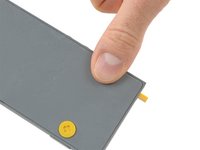
  1. Teenage Engineering OP-Z Expansion Module Replacement, Back Cover: шаг 1, изображение 1 из 3 Teenage Engineering OP-Z Expansion Module Replacement, Back Cover: шаг 1, изображение 2 из 3 Teenage Engineering OP-Z Expansion Module Replacement, Back Cover: шаг 1, изображение 3 из 3
    • Unlock the four rubber feet by turning them 90° counterclockwise using your thumb or finger tip.

    • There is a tiny mark on every foot facing the bottom edge of the OP-Z. After turning them they should face towards the short edge where the on/off switch is.

    Спросите у FixBot

    Добавить комментарий

  2. Teenage Engineering OP-Z Expansion Module Replacement: шаг 2, изображение 1 из 2 Teenage Engineering OP-Z Expansion Module Replacement: шаг 2, изображение 2 из 2
    • When turning the OP-Z over again the bottom plate should come off by itself (thanks gravity).

    • If the bottom plate won’t come off you might want to make sure every foot is rotated correctly and gently tug on one of them.

    Спросите у FixBot

    Добавить комментарий

  3. Teenage Engineering OP-Z Expansion Module Replacement: шаг 3, изображение 1 из 1
    • Remove the bottom plate including the rubber feet.

    Спросите у FixBot

    Добавить комментарий

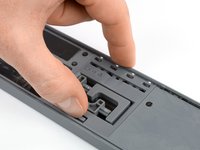
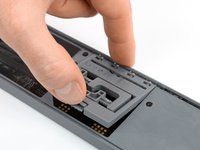
  4. Teenage Engineering OP-Z Expansion Module Replacement, Expansion Module: шаг 4, изображение 1 из 2 Teenage Engineering OP-Z Expansion Module Replacement, Expansion Module: шаг 4, изображение 2 из 2
    • Use your finger or a spudger to push up on the small tab on the bottom of the module.

    • Lift the module up and out of its recess bottom first.

    Спросите у FixBot

    Добавить комментарий

  5. Teenage Engineering OP-Z Expansion Module Replacement: шаг 5, изображение 1 из 1
    • Remove the module.

    • When inserting another module make sure you put it in outputs first. Then push down the bottom part for the tab to engage.

    Спросите у FixBot

    Добавить комментарий

Заключение

To reassemble your device, follow these instructions in reverse order.

Отменить: Я не выполнил это руководство.

Tobias Isakeit

Участник с: 03/31/14

134 031 Репутация

Автор 189 руководств

Команда

Tobias Isakeit - Repairability Engineer Участник Tobias Isakeit - Repairability Engineer

Business

1 член

Автор 1 151 руководств

0 Комментарии к руководству

Добавить комментарий

Статистика просмотров:

За последние 24 часов: 2

За последние 7 дней: 17

За последние 30 дней: 43

За всё время: 1,562