Перейти к основному содержанию
Присоединяйся к сообществу ремонтников - Создай аккаунт

Texas Instruments TI-92 Backup Battery Replacement

Выберете то, что вам нужно

    1. Texas Instruments TI-92 Backup Battery Replacement, Back Cover: шаг 1, изображение 1 из 3 Texas Instruments TI-92 Backup Battery Replacement, Back Cover: шаг 1, изображение 2 из 3 Texas Instruments TI-92 Backup Battery Replacement, Back Cover: шаг 1, изображение 3 из 3
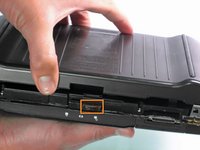
      • The first step to any repair operation is to remove the front cover.

      • Grab the back of the calculator with one hand and the cover with the other.

      • Pull the cover off from one of the sides for easy removal.

      Спросите у FixBot

      Добавить комментарий

    2. Texas Instruments TI-92 Backup Battery Replacement: шаг 2, изображение 1 из 2 Texas Instruments TI-92 Backup Battery Replacement: шаг 2, изображение 2 из 2
      • Orientate the calculator with the top facing towards you.

      • Slide the locking tab,found on the top part of the calculator, to the unlock position.

      Спросите у FixBot

      Добавить комментарий

    3. Texas Instruments TI-92 Backup Battery Replacement: шаг 3, изображение 1 из 2 Texas Instruments TI-92 Backup Battery Replacement: шаг 3, изображение 2 из 2
      • "Locking Tab"

      • To remove the back cover, slide the cover away from the locking tab towards the bottom of the calculator until the cover no longer slides.

      • Then with the front of the calculator facing down, pull up on the back cover.

      • The calculator should now be orientated with the front facing down, as shown in picture 2.

      Спросите у FixBot

      Добавить комментарий

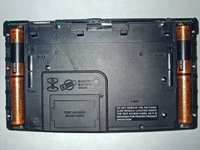
    1. Texas Instruments TI-92 Backup Battery Replacement, Backup Battery: шаг 4, изображение 1 из 1
      • Before removing the backup battery make sure your AA batteries are installed so that there is no loss of information.

      • Using a #00 Philip Screwdriver remove the 19mm screw located near the center of the back of the calculator on the panel with words "Test Access"

      Спросите у FixBot

      Добавить комментарий

    2. Texas Instruments TI-92 Backup Battery Replacement: шаг 5, изображение 1 из 1
      • Remove the screw and lift the panel to access battery.

      Спросите у FixBot

      Добавить комментарий

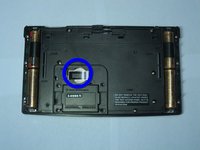
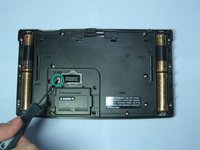
    3. Texas Instruments TI-92 Backup Battery Replacement: шаг 6, изображение 1 из 2 Texas Instruments TI-92 Backup Battery Replacement: шаг 6, изображение 2 из 2
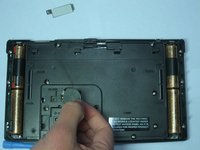
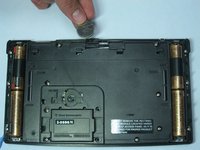
      • The backup battery can now be seen underneath a small metal cover held by a screw.

      • Using the same screwdriver, unscrew the 4.6mm screw located under the panel and left of the backup battery.

      Спросите у FixBot

      Добавить комментарий

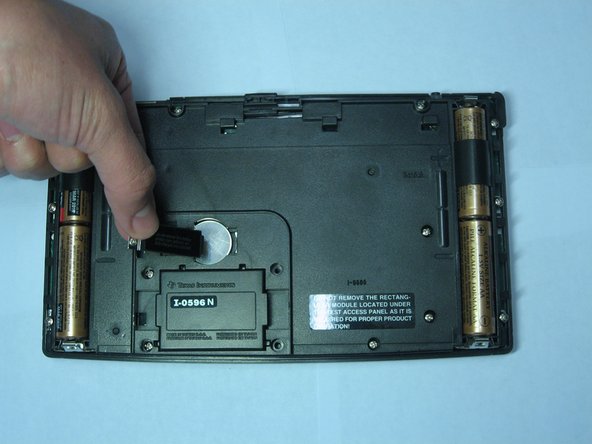
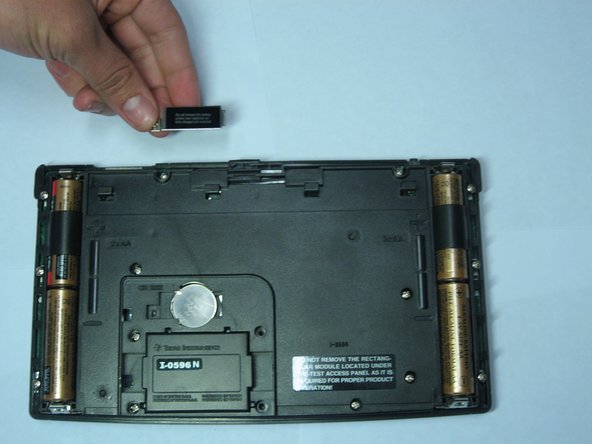
    4. Texas Instruments TI-92 Backup Battery Replacement: шаг 7, изображение 1 из 3 Texas Instruments TI-92 Backup Battery Replacement: шаг 7, изображение 2 из 3 Texas Instruments TI-92 Backup Battery Replacement: шаг 7, изображение 3 из 3
      • Remove the metal cover keeping the backup battery in place.

      Спросите у FixBot

      Добавить комментарий

    5. Texas Instruments TI-92 Backup Battery Replacement: шаг 8, изображение 1 из 2 Texas Instruments TI-92 Backup Battery Replacement: шаг 8, изображение 2 из 2
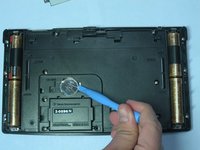
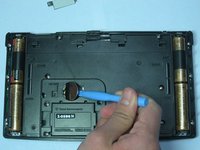
      • Use an Ipod Opening Tool or a similar tool to pull up on the right side of the backup battery.

      • The battery should pop out of position.

      Спросите у FixBot

      Добавить комментарий

    6. Texas Instruments TI-92 Backup Battery Replacement: шаг 9, изображение 1 из 2 Texas Instruments TI-92 Backup Battery Replacement: шаг 9, изображение 2 из 2
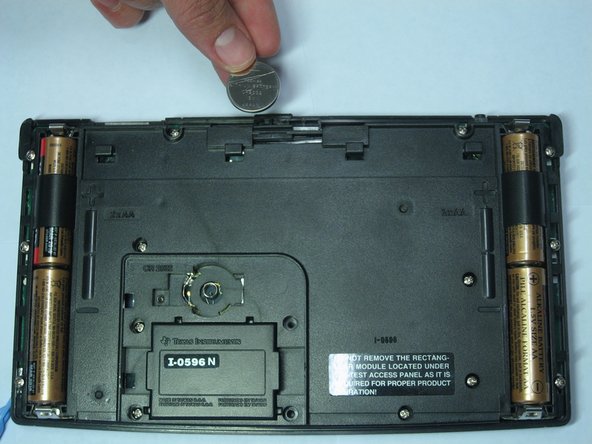
      • After the battery has been tilted out of its socket, simply remove it with your hands.

      Спросите у FixBot

      Добавить комментарий

Заключение

To reassemble your device, follow these instructions in reverse order.

Отменить: Я не выполнил это руководство.

2 человек успешно провели ремонт по этому руководству.

Daniel Maldonado

Участник с: 04/14/10

264 Репутация

Автор 9 руководств

Команда

Cal Poly, Team 15-51, Garner Spring 2010 Участник Cal Poly, Team 15-51, Garner Spring 2010

CPSU-GARNER-S10S15G51

5 членов

Автор 36 руководств

0 Комментарии к руководству

Добавить комментарий

Статистика просмотров:

За последние 24 часов: 2

За последние 7 дней: 11

За последние 30 дней: 60

За всё время: 5,903