Перейти к основному содержанию
Присоединяйся к сообществу ремонтников - Создай аккаунт

Toshiba HD-A2 Power Button Replacement

Выберете то, что вам нужно

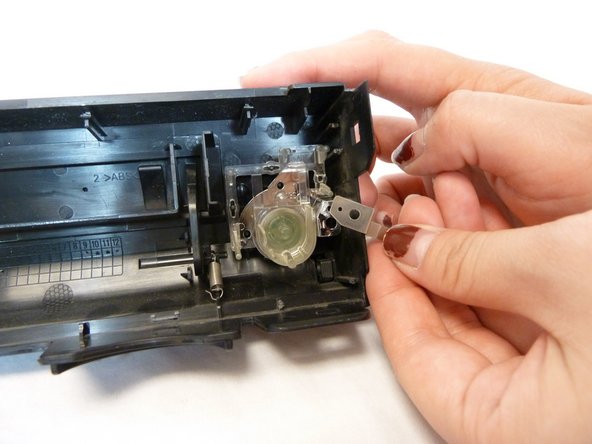
    1. Toshiba HD-A2 Power Button Replacement, Power Button: шаг 1, изображение 1 из 3 Toshiba HD-A2 Power Button Replacement, Power Button: шаг 1, изображение 2 из 3 Toshiba HD-A2 Power Button Replacement, Power Button: шаг 1, изображение 3 из 3
      • Using your hands, pop off the black console from each hinge surrounding the case.

      • There are a total of 7 hinges.

      Спросите у FixBot

      Добавить комментарий

    2. Toshiba HD-A2 Power Button Replacement: шаг 2, изображение 1 из 1
      • With the inside of the console facing up, the power button will be encased in clear plastic located on the right side of the console.

      Спросите у FixBot

      Добавить комментарий

    3. Toshiba HD-A2 Power Button Replacement: шаг 3, изображение 1 из 2 Toshiba HD-A2 Power Button Replacement: шаг 3, изображение 2 из 2
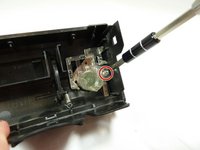
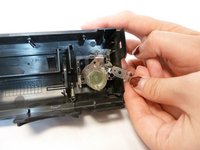
      • Use a Phillips #1 screwdriver to remove the single screw holding the power button to the console.

      • After taking out the screw, the small piece of metal underneath will come loose. Carefully place this part aside.

      Спросите у FixBot

      Добавить комментарий

    4. Toshiba HD-A2 Power Button Replacement: шаг 4, изображение 1 из 1
      • Using your fingers, gently pull out the power button. You can push it from the outside to help loosen it from its hinges.

      Спросите у FixBot

      Добавить комментарий

Заключение

To reassemble your device, follow these instructions in reverse order.

Отменить: Я не выполнил это руководство.

Nouriyah Saleh

Участник с: 10/22/18

800 Репутация

Автор 6 руководств

Команда

UC Davis, Team S11-G1, Lore Fall 2018 Участник UC Davis, Team S11-G1, Lore Fall 2018

UCD-LORE-F18S11G1

3 членов

Автор 12 руководств

0 Комментарии к руководству

Добавить комментарий

Статистика просмотров:

За последние 24 часов: 0

За последние 7 дней: 8

За последние 30 дней: 31

За всё время: 421