Перейти к основному содержанию
Присоединяйся к сообществу ремонтников - Создай аккаунт

UTStarcom CDM8945vw Keyboard Replacement

Выберете то, что вам нужно

  1. UTStarcom CDM8945vw Keyboard Replacement, Battery: шаг 1, изображение 1 из 1
    • Push the highlighted button in the direction in which the antenna is pointing. The battery will release and pop up.

    Спросите у FixBot

    Добавить комментарий

  2. UTStarcom CDM8945vw Keyboard Replacement: шаг 2, изображение 1 из 1
    • Remove the battery.

    Спросите у FixBot

    Добавить комментарий

  3. UTStarcom CDM8945vw Keyboard Replacement, Antenna: шаг 3, изображение 1 из 1
    • Identify the antenna. It is the extendable plastic component pictured here.

    Спросите у FixBot

    Добавить комментарий

  4. UTStarcom CDM8945vw Keyboard Replacement: шаг 4, изображение 1 из 1
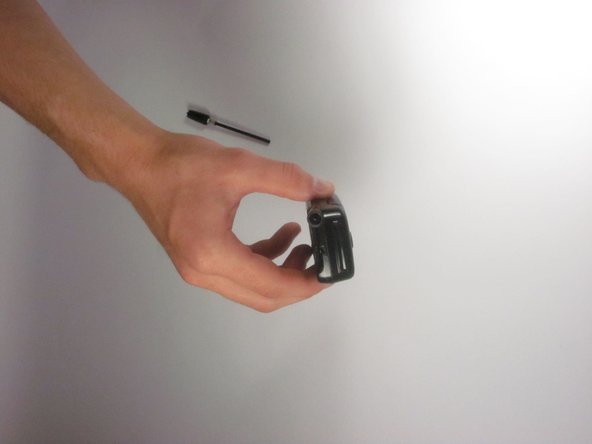
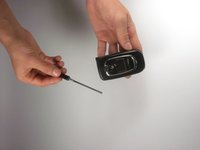
    • Twist the base in a counter-clockwise motion to unscrew the antenna.

    Спросите у FixBot

    Добавить комментарий

  5. UTStarcom CDM8945vw Keyboard Replacement: шаг 5, изображение 1 из 2 UTStarcom CDM8945vw Keyboard Replacement: шаг 5, изображение 2 из 2
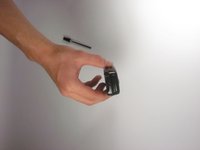
    • The antenna should slide right out of the phone when finished.

    Спросите у FixBot

    Добавить комментарий

  6. UTStarcom CDM8945vw Keyboard Replacement, Speaker: шаг 6, изображение 1 из 1
    • Remove the small rubber grommet using the plastic opening tool.

    Спросите у FixBot

    Добавить комментарий

  7. UTStarcom CDM8945vw Keyboard Replacement: шаг 7, изображение 1 из 1
    • Remove five screws using a Phillips #00 screwdriver.

    Спросите у FixBot

    Добавить комментарий

  8. UTStarcom CDM8945vw Keyboard Replacement: шаг 8, изображение 1 из 1
    • Use the plastic opening tool to separate the two pieces that form the outer case of the phone.

    • Prying the two pieces apart may be difficult. Carefully apply a moderate amount of pressure when attempting to separate the two pieces or else you will risk breaking them.

    Спросите у FixBot

    Добавить комментарий

  9. UTStarcom CDM8945vw Keyboard Replacement: шаг 9, изображение 1 из 1
    • Remove the back piece of the outer case.

    Спросите у FixBot

    Добавить комментарий

  10. UTStarcom CDM8945vw Keyboard Replacement: шаг 10, изображение 1 из 1
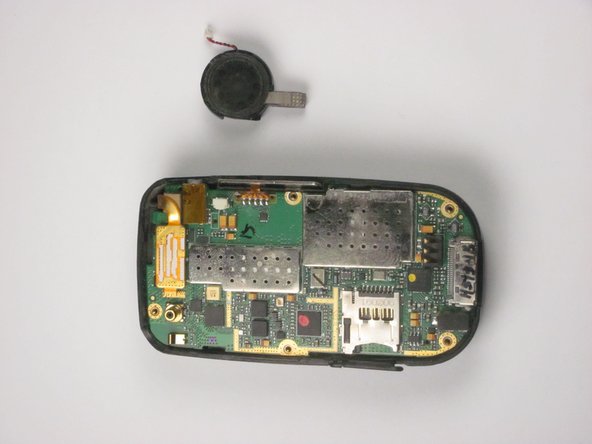
    • Remove the speaker using a plastic opening tool.

    • Apply a small amount of force when removing the broken speaker from the motherboard. If you apply a large amount of force, you may rip out the wires and damage the motherboard.

    Спросите у FixBot

    Добавить комментарий

  11. UTStarcom CDM8945vw Keyboard Replacement: шаг 11, изображение 1 из 2 UTStarcom CDM8945vw Keyboard Replacement: шаг 11, изображение 2 из 2
    Инструмент, используемый на этом этапе:
    Tweezers
    $4.99
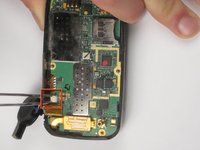
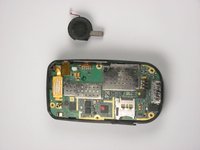
    • Remove the wire attached to the speaker from the motherboard using tweezers.

    • Apply a small amount of force when removing the wire from the motherboard. If you apply a large amount of force, you may rip out the wires and damage the motherboard.

    Спросите у FixBot

    Добавить комментарий

  12. UTStarcom CDM8945vw Keyboard Replacement, Logic Board: шаг 12, изображение 1 из 1
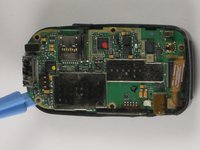
    • Detach the highlighted piece from the logic board using a plastic opening tool.

    Спросите у FixBot

    Добавить комментарий

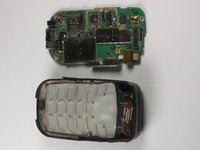
  13. UTStarcom CDM8945vw Keyboard Replacement: шаг 13, изображение 1 из 2 UTStarcom CDM8945vw Keyboard Replacement: шаг 13, изображение 2 из 2
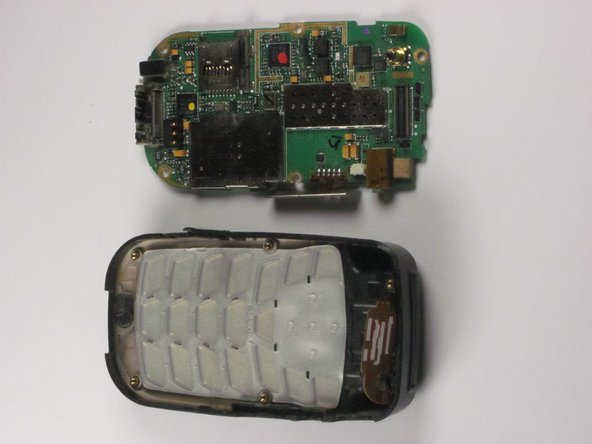
    • Remove the logic board from the anterior piece of the outer case using the plastic opening tool.

    Спросите у FixBot

    Добавить комментарий

  14. UTStarcom CDM8945vw Keyboard Replacement, Keyboard: шаг 14, изображение 1 из 1
    • Remove the keyboard.

    Спросите у FixBot

    Добавить комментарий

Заключение

To reassemble your device, follow these instructions in reverse order.

Отменить: Я не выполнил это руководство.

Bryon Hazlewood

Участник с: 10/03/12

1 Репутация

Автор 2 руководств

Команда

Cal Poly, Team 24-26, Regan Fall 2012 Участник Cal Poly, Team 24-26, Regan Fall 2012

CPSU-REGAN-F12S24G26

4 членов

Автор 10 руководств

0 Комментарии к руководству

Добавить комментарий

Статистика просмотров:

За последние 24 часов: 0

За последние 7 дней: 3

За последние 30 дней: 23

За всё время: 493