Перейти к основному содержанию
Присоединяйся к сообществу ремонтников - Создай аккаунт

Unnecto Drone M Digitizer Replacement

Выберете то, что вам нужно

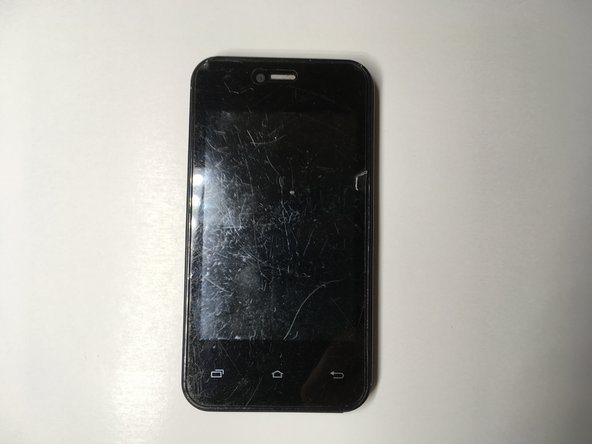
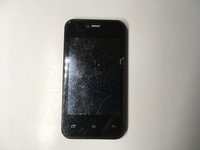
    1. Unnecto Drone M Digitizer Replacement, Unnecto Drone M Disassembly: шаг 1, изображение 1 из 2 Unnecto Drone M Digitizer Replacement, Unnecto Drone M Disassembly: шаг 1, изображение 2 из 2
      • Place the phone facedown on a cleared work area

      • Remove the back case by applying moderate force to the indentation in the lower left corner of the case.

      Спросите у FixBot

      Добавить комментарий

    2. Unnecto Drone M Digitizer Replacement: шаг 2, изображение 1 из 1
      • Grip the top right corner of the battery.

      • Remove the battery by pulling it outwards.

      Спросите у FixBot

      Добавить комментарий

    3. Unnecto Drone M Digitizer Replacement: шаг 3, изображение 1 из 1
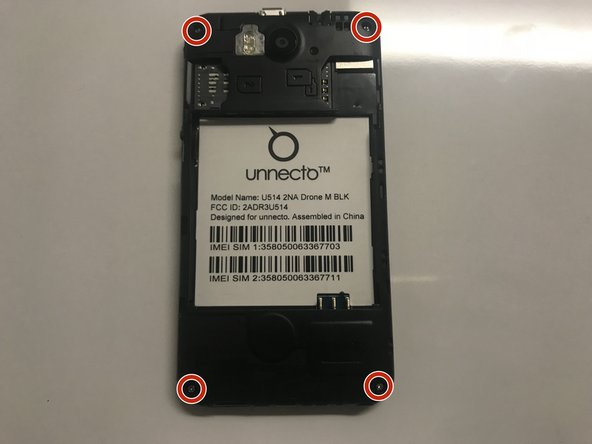
      • Remove the four screws on the back of the phone using a Philips 000 screwdriver

      Спросите у FixBot

      Добавить комментарий

    4. Unnecto Drone M Digitizer Replacement: шаг 4, изображение 1 из 1
      • Separate the frame evenly using a plastic opening tool.

      • Be careful, as the frame is thin and can break easily.

      Спросите у FixBot

      Добавить комментарий

    5. Unnecto Drone M Digitizer Replacement: шаг 5, изображение 1 из 2 Unnecto Drone M Digitizer Replacement: шаг 5, изображение 2 из 2
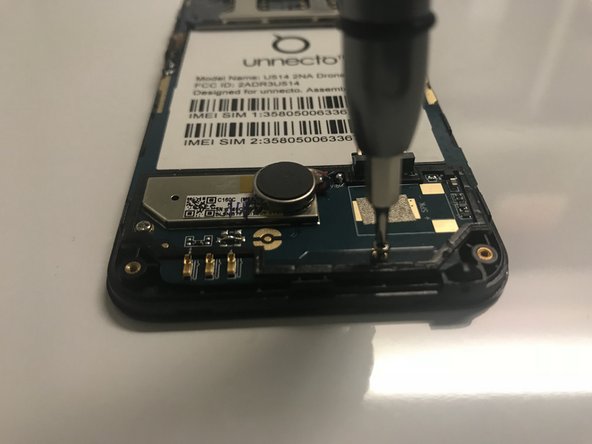
      • Use a Phillips #000 screwdriver to remove the four screws that secure the motherboard.

      Спросите у FixBot

      Добавить комментарий

    6. Unnecto Drone M Digitizer Replacement: шаг 6, изображение 1 из 1
      Инструмент, используемый на этом этапе:
      Tweezers
      $4.99
      • Disconnect the ribbon cable from the motherboard using rounded, spade-tipped tweezers.

      Спросите у FixBot

      Добавить комментарий

    7. Unnecto Drone M Digitizer Replacement: шаг 7, изображение 1 из 1
      • Peel the white circuit on left side of the frame by inserting fine-tipped tweezers between it and the frame.

      • The white circuit is flimsy and securely glued to the frame.

      Спросите у FixBot

      Добавить комментарий

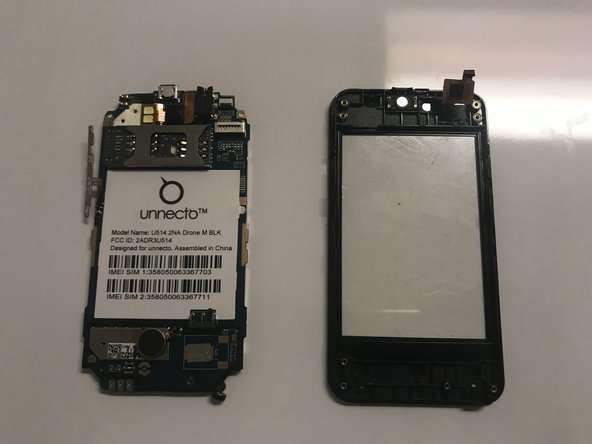
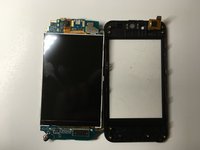
    8. Unnecto Drone M Digitizer Replacement: шаг 8, изображение 1 из 2 Unnecto Drone M Digitizer Replacement: шаг 8, изображение 2 из 2
      • Set aside the circuit board from the screen protector.

      Спросите у FixBot

      Добавить комментарий

    1. Unnecto Drone M Digitizer Replacement, Digitizer: шаг 9, изображение 1 из 2 Unnecto Drone M Digitizer Replacement, Digitizer: шаг 9, изображение 2 из 2
      • Replace the old plastic screen with the new one.

      • Reassemble the phone by following the steps in reverse order.

      Спросите у FixBot

      Добавить комментарий

Заключение

To reassemble your device, follow these instructions in reverse order.

Отменить: Я не выполнил это руководство.

John Stavrianopoulos

Участник с: 02/08/18

181 Репутация

Автор 2 руководств

Команда

University of North Texas, Team S6-G4, Thomas Spring 2018 Участник University of North Texas, Team S6-G4, Thomas Spring 2018

UNT-THOMAS-S18S6G4

4 членов

Автор 35 руководств

0 Комментарии к руководству

Добавить комментарий

Статистика просмотров:

За последние 24 часов: 1

За последние 7 дней: 5

За последние 30 дней: 24

За всё время: 543