Перейти к основному содержанию
Присоединяйся к сообществу ремонтников - Создай аккаунт

VTech InnoTab 2s Back Panel Replacement

Выберете то, что вам нужно

  1. VTech InnoTab 2s Back Panel Replacement, Back Panel: шаг 1, изображение 1 из 1
    • Turn your device to where the back panel is facing you.

    Спросите у FixBot

    Добавить комментарий

  2. VTech InnoTab 2s Back Panel Replacement: шаг 2, изображение 1 из 2 VTech InnoTab 2s Back Panel Replacement: шаг 2, изображение 2 из 2
    • Lift the Leg all the way up and twist the bottom to remove.

    • Once the bottom part pops out the whole leg should just come off.

    • Remove any game cartridge from the device.

    Спросите у FixBot

    Добавить комментарий

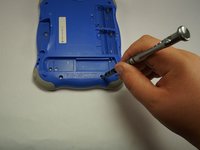
  3. VTech InnoTab 2s Back Panel Replacement: шаг 3, изображение 1 из 3 VTech InnoTab 2s Back Panel Replacement: шаг 3, изображение 2 из 3 VTech InnoTab 2s Back Panel Replacement: шаг 3, изображение 3 из 3
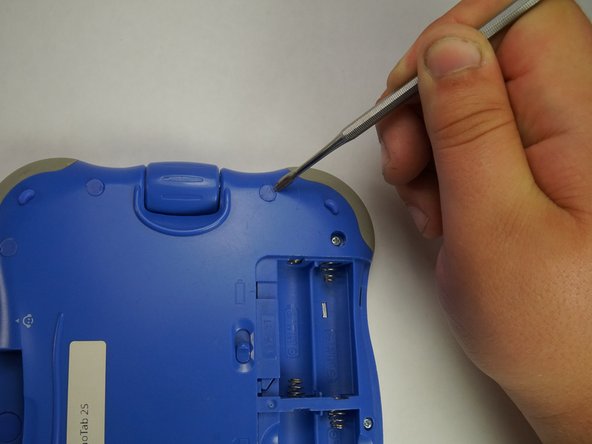
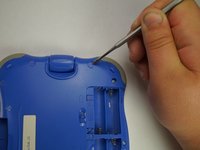
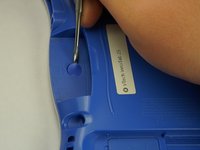
    • Remove all of the plastic tabs on the device. These are covering screws that will need to be removed.

    • These covers are made of hard plastic so they may be difficult to remove.

    • There is a special tab in the cartridge cover that is made of rubber, make sure to not break this tab.

    Спросите у FixBot

    Добавить комментарий

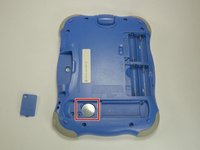
  4. VTech InnoTab 2s Back Panel Replacement: шаг 4, изображение 1 из 2 VTech InnoTab 2s Back Panel Replacement: шаг 4, изображение 2 из 2
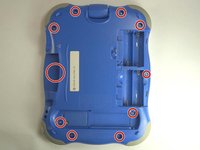
    • Remove all nine screws from the back of the device using a J0 bit.

    • Remove the small battery.

    Спросите у FixBot

    Добавить комментарий

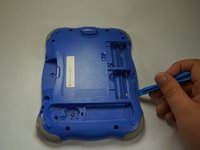
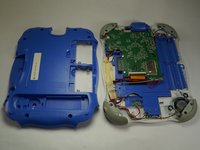
  5. VTech InnoTab 2s Back Panel Replacement: шаг 5, изображение 1 из 2 VTech InnoTab 2s Back Panel Replacement: шаг 5, изображение 2 из 2
    • Using a plastic opening tool, detach the backplate from the front piece.

    • Do not use excessive force. Double check that you removed all the screws if the panel is not coming off easily.

    • Once the backplate has been removed, you will have access to the circuit board.

    Спросите у FixBot

    Добавить комментарий

Заключение

To reassemble your device, follow these instructions in reverse order.

Отменить: Я не выполнил это руководство.

Еще один человек закончил это руководство.

Ricardo Espinosa

Участник с: 10/06/16

221 Репутация

Автор 2 руководств

Команда

USF Tampa, Team 5-1, Lacy Fall 2016 Участник USF Tampa, Team 5-1, Lacy Fall 2016

USFT-LACY-F16S5G1

4 членов

Автор 12 руководств

0 Комментарии к руководству

Добавить комментарий

Статистика просмотров:

За последние 24 часов: 0

За последние 7 дней: 6

За последние 30 дней: 36

За всё время: 580