Перейти к основному содержанию
Присоединяйся к сообществу ремонтников - Создай аккаунт

VTech InnoTab Max Battery Replacement

Выберете то, что вам нужно

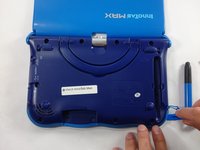
  1. VTech InnoTab Max Battery Replacement, Cover: шаг 1, изображение 1 из 3 VTech InnoTab Max Battery Replacement, Cover: шаг 1, изображение 2 из 3 VTech InnoTab Max Battery Replacement, Cover: шаг 1, изображение 3 из 3
    • Remove all screw caps from the back panel using a metal spudger.

    Спросите у FixBot

    Добавить комментарий

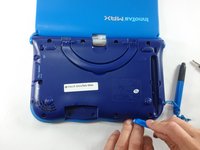
  2. VTech InnoTab Max Battery Replacement: шаг 2, изображение 1 из 3 VTech InnoTab Max Battery Replacement: шаг 2, изображение 2 из 3 VTech InnoTab Max Battery Replacement: шаг 2, изображение 3 из 3
    • Next remove all of the now uncovered screws.

    • If there is a cartridge in the device make sure to remove it.

    Спросите у FixBot

    Добавить комментарий

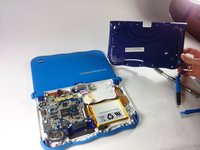
  3. VTech InnoTab Max Battery Replacement: шаг 3, изображение 1 из 2 VTech InnoTab Max Battery Replacement: шаг 3, изображение 2 из 2
    • Now that all of the screws have been removed, pry the back cover off using a plastic opening tool.

    Спросите у FixBot

    Добавить комментарий

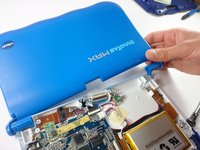
  4. VTech InnoTab Max Battery Replacement: шаг 4, изображение 1 из 2 VTech InnoTab Max Battery Replacement: шаг 4, изображение 2 из 2
    • Here you can see the back cover has been fully removed and you can now access the front cover.

    • To remove the front cover, remove the springs holding the pictured brackets in place, then pull it away.

    Спросите у FixBot

    Добавить комментарий

  5. VTech InnoTab Max Battery Replacement, Battery: шаг 5, изображение 1 из 1
    • Once the back cover is removed the battery will be located in the bottom right as you can see in the image to the right.

    Спросите у FixBot

    Добавить комментарий

  6. VTech InnoTab Max Battery Replacement: шаг 6, изображение 1 из 3 VTech InnoTab Max Battery Replacement: шаг 6, изображение 2 из 3 VTech InnoTab Max Battery Replacement: шаг 6, изображение 3 из 3
    Инструмент, используемый на этом этапе:
    Plastic Cards
    $2.99
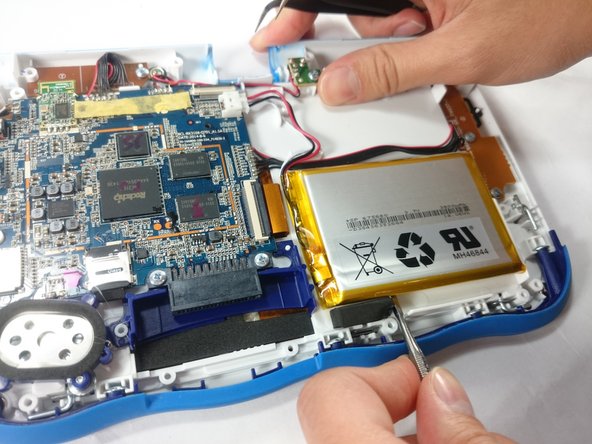
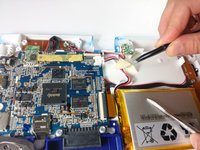
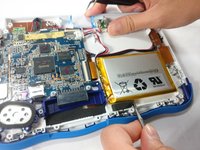
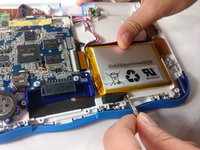
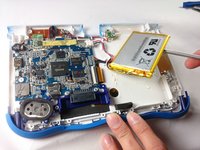
    • Remove the tape holding down the wires, and carefully pry the battery off of the base of the device.

    • Pry carefully to avoid damaging the battery. The battery may start to bend slightly, this is normal and not a cause for concern.

    • It is best to use a plastic card or nylon spudger to remove the battery. Metal tools can puncture a battery, potentially causing a fire.

    Спросите у FixBot

    Добавить комментарий

  7. VTech InnoTab Max Battery Replacement: шаг 7, изображение 1 из 3 VTech InnoTab Max Battery Replacement: шаг 7, изображение 2 из 3 VTech InnoTab Max Battery Replacement: шаг 7, изображение 3 из 3
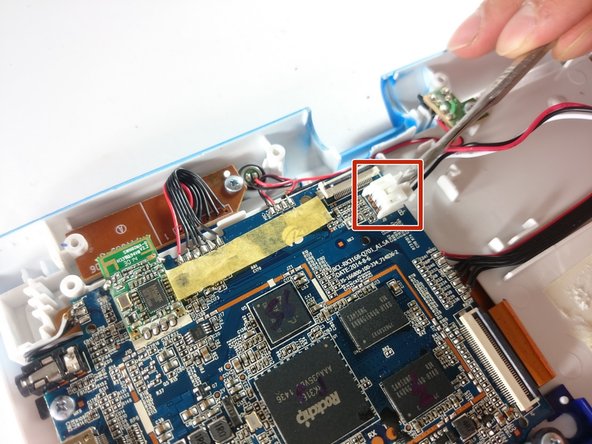
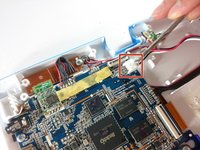
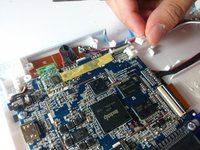
    • Now that the battery is free to be moved, unplug the wire connecting the battery to the motherboard.

    Спросите у FixBot

    Добавить комментарий

  8. VTech InnoTab Max Battery Replacement: шаг 8, изображение 1 из 1
    • The battery is now fully disconnected.

    Спросите у FixBot

    Добавить комментарий

Заключение

To reassemble your device, follow these instructions in reverse order.

Отменить: Я не выполнил это руководство.

8 человек успешно провели ремонт по этому руководству.

Jacob Schioppo

Участник с: 02/15/17

594 Репутация

Автор 4 руководств

Команда

USF Tampa, Team S5-G5, Lacy Spring 2017 Участник USF Tampa, Team S5-G5, Lacy Spring 2017

USFT-LACY-S17S5G5

3 членов

Автор 10 руководств

10 Комментарии к руководству

Thank you for the useful guide!

Which battery (exact specs) can be used as a replacement?

kermit - Ответить Поделиться

Where can we purchase a replacement battery

Frank Godon - Ответить Поделиться

Where can we buy a replacement battery

Frank Godon - Ответить Поделиться

Nice of you to show this, but I can not find that particular battery anywhere. Not even the China website.

Let us know where we can get the battery.

Donald Josefczyk - Ответить Поделиться

Since it seems like a replacement battery cannot be purchased anywhere, can the battery be bypassed to still use it plugged in? I know it defeats the purpose of a tablet, but it would be nice to still use it. Anyone have suggestions?

ktmm - Ответить Поделиться

Добавить комментарий

Статистика просмотров:

За последние 24 часов: 2

За последние 7 дней: 18

За последние 30 дней: 63

За всё время: 15,742