Перейти к основному содержанию
Присоединяйся к сообществу ремонтников - Создай аккаунт

VTech Learning Tunes Karaoke Power Button Replacement

Выберете то, что вам нужно

    1. VTech Learning Tunes Karaoke Power Button Replacement, Power Button: шаг 1, изображение 1 из 1
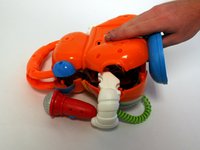
      • To remove the battery door, loosen the 4mm screw using a Flathead screwdriver.

      • A coin can also be used to loosen the screw

      Спросите у FixBot

      Добавить комментарий

    2. VTech Learning Tunes Karaoke Power Button Replacement: шаг 2, изображение 1 из 2 VTech Learning Tunes Karaoke Power Button Replacement: шаг 2, изображение 2 из 2
      • Remove the battery door and take out the batteries.

      Спросите у FixBot

      Добавить комментарий

    3. VTech Learning Tunes Karaoke Power Button Replacement: шаг 3, изображение 1 из 1
      • Remove the six 9.5 mm Phillips #2 screws.

      • Remove the six 6.0 mm Phillips #2 screws.

      Спросите у FixBot

      Добавить комментарий

    4. VTech Learning Tunes Karaoke Power Button Replacement: шаг 4, изображение 1 из 2 VTech Learning Tunes Karaoke Power Button Replacement: шаг 4, изображение 2 из 2
      • Gently pull up on the rear panel.

      • Be careful to not pull on the wire connections.

      • Gently place the back panel underneath the top panel with the tops facing each other, as shown in the picture.

      Спросите у FixBot

      Добавить комментарий

    5. VTech Learning Tunes Karaoke Power Button Replacement: шаг 5, изображение 1 из 1
      • Remove four 7.9 mm screws from the mode selector and voice selector trays.

      Спросите у FixBot

      Добавить комментарий

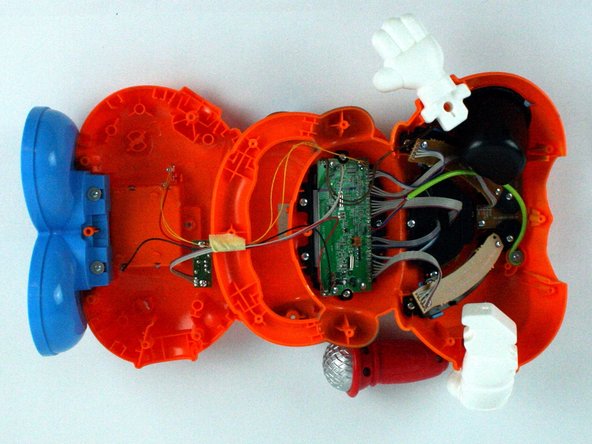
    6. VTech Learning Tunes Karaoke Power Button Replacement: шаг 6, изображение 1 из 1
      • Remove the two 5.6 mm screws from the power button board.

      Спросите у FixBot

      Добавить комментарий

    7. VTech Learning Tunes Karaoke Power Button Replacement: шаг 7, изображение 1 из 1
      • Carefully move the power button board out of the way.

      • From here you can replace the button.

      Спросите у FixBot

      Добавить комментарий

Заключение

To reassemble your device, follow these instructions in reverse order.

Отменить: Я не выполнил это руководство.

Gamuchirai Chifamba

Участник с: 02/09/16

249 Репутация

Автор 2 руководств

Команда

USF Tampa, Team 7-2, Cheng Spring 2016 Участник USF Tampa, Team 7-2, Cheng Spring 2016

USFT-CHENG-S16S7G2

4 членов

Автор 20 руководств

0 Комментарии к руководству

Добавить комментарий

Статистика просмотров:

За последние 24 часов: 0

За последние 7 дней: 7

За последние 30 дней: 24

За всё время: 732