Перейти к основному содержанию
Присоединяйся к сообществу ремонтников - Создай аккаунт

Verizon Ellipsis 10 Camera Replacement

Выберете то, что вам нужно

  1. Verizon Ellipsis 10 Camera Replacement, Back Cover: шаг 1, изображение 1 из 1
    • Open the SD/SIM card cover to start prying off the back cover.

    Спросите у FixBot

    Добавить комментарий

  2. Verizon Ellipsis 10 Camera Replacement: шаг 2, изображение 1 из 1
    • Start using the iFixit Opening Tool in the SD/SIM area to release the clips holding the back panel on.

    Спросите у FixBot

    Добавить комментарий

  3. Verizon Ellipsis 10 Camera Replacement: шаг 3, изображение 1 из 1
    • Follow along the edge of the device to undo all of the retaining clips.

    Спросите у FixBot

    Добавить комментарий

  4. Verizon Ellipsis 10 Camera Replacement: шаг 4, изображение 1 из 1
    • Once all the clips are undone, the back panel should come off with little effort.

    Спросите у FixBot

    Добавить комментарий

  5. Verizon Ellipsis 10 Camera Replacement, Battery: шаг 5, изображение 1 из 1
    • Remove the bottom piece of tape securing the battery making sure you are not peeling up anything else in the process.

    Спросите у FixBot

    Добавить комментарий

  6. Verizon Ellipsis 10 Camera Replacement: шаг 6, изображение 1 из 1
    • Remove the top piece of tape using an iFixit opening tool.

    Спросите у FixBot

    Добавить комментарий

  7. Verizon Ellipsis 10 Camera Replacement: шаг 7, изображение 1 из 1
    • Once you have a hold on the tape, carefully remove it making sure you aren’t damaging the battery in the process.

    Спросите у FixBot

    Добавить комментарий

  8. Verizon Ellipsis 10 Camera Replacement: шаг 8, изображение 1 из 1
    • Unplug the battery power connector by sliding the white plastic plug down away from the board.

    Спросите у FixBot

    Добавить комментарий

  9. Verizon Ellipsis 10 Camera Replacement: шаг 9, изображение 1 из 1
    • The battery should be free to come out of the device. Make sure not to bend or damage the battery.

    Спросите у FixBot

    Добавить комментарий

  10. Verizon Ellipsis 10 Camera Replacement, Camera: шаг 10, изображение 1 из 1
    • Remove 4 M1.5 screws holding in the labeled LTE module.

    Спросите у FixBot

    Добавить комментарий

  11. Verizon Ellipsis 10 Camera Replacement: шаг 11, изображение 1 из 1
    • Use a nylon spudger to pry up the module.

    • It's held in with some clips so there will be a little bit of resistance.

    Спросите у FixBot

    Добавить комментарий

  12. Verizon Ellipsis 10 Camera Replacement: шаг 12, изображение 1 из 2 Verizon Ellipsis 10 Camera Replacement: шаг 12, изображение 2 из 2
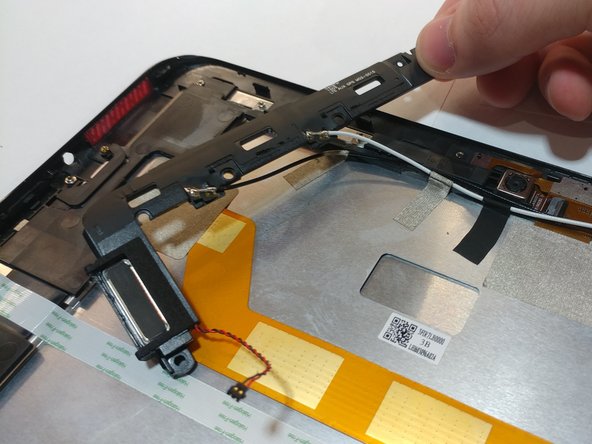
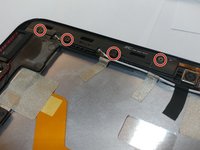
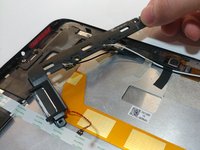
    • Remove the 4 M1.5 screws holding in the labeled auxiliary LTE/GPS module.

    • The module should come up with a little resistance.

    Спросите у FixBot

    Добавить комментарий

  13. Verizon Ellipsis 10 Camera Replacement: шаг 13, изображение 1 из 1
    Инструмент, используемый на этом этапе:
    Tweezers
    $4.99
    • Use a pair of tweezers to lift up the front camera off its locating post.

    Спросите у FixBot

    Добавить комментарий

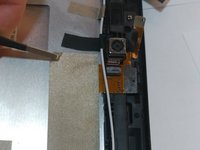
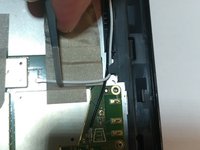
  14. Verizon Ellipsis 10 Camera Replacement: шаг 14, изображение 1 из 2 Verizon Ellipsis 10 Camera Replacement: шаг 14, изображение 2 из 2
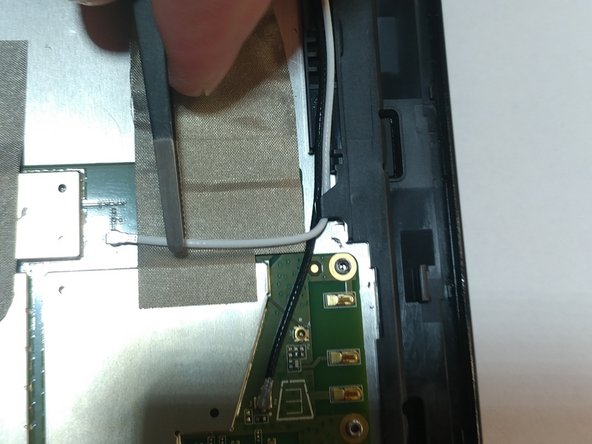
    • Remove the non-conductive tape covering the camera ribbon cable.

    • You may need to remove the white antenna cable to remove the tape.

    Спросите у FixBot

    Добавить комментарий

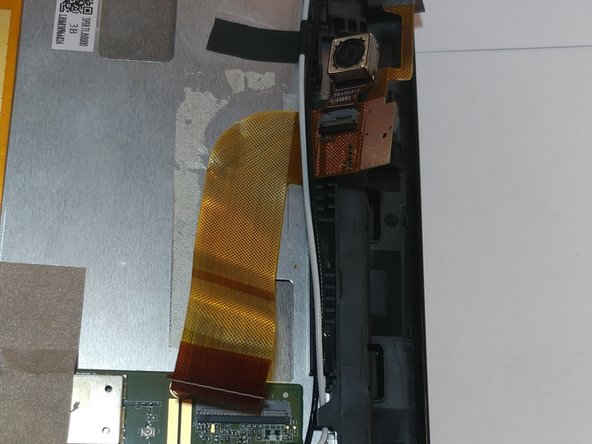
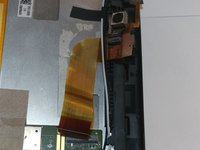
  15. Verizon Ellipsis 10 Camera Replacement: шаг 15, изображение 1 из 1
    • Carefully unplug the ribbon cable from the motherboard.

    Спросите у FixBot

    Добавить комментарий

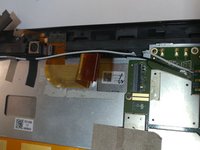
  16. Verizon Ellipsis 10 Camera Replacement: шаг 16, изображение 1 из 2 Verizon Ellipsis 10 Camera Replacement: шаг 16, изображение 2 из 2
    • Peel up the ribbon cable carefully as it is glued to the device.

    • After having peeled up the cable, the cameras should be free to come out of the device.

    Спросите у FixBot

    Добавить комментарий

Заключение

To reassemble your device, follow these instructions in reverse order.

Отменить: Я не выполнил это руководство.

Еще один человек закончил это руководство.

Mary Duran

Участник с: 04/03/19

606 Репутация

Автор 4 руководств

Команда

0 Комментарии к руководству

Добавить комментарий

Статистика просмотров:

За последние 24 часов: 1

За последние 7 дней: 2

За последние 30 дней: 26

За всё время: 295