Перейти к основному содержанию
Присоединяйся к сообществу ремонтников - Создай аккаунт

Wintec Filemate Clear 7" Charging Pin Replacement

    1. Wintec Filemate Clear 7" Charging Pin Replacement, Remove the Backplate: шаг 1, изображение 1 из 1
      • Locate the four corners of the backplate.

      Спросите у FixBot

      Добавить комментарий

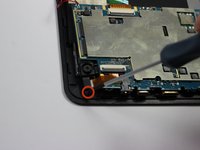
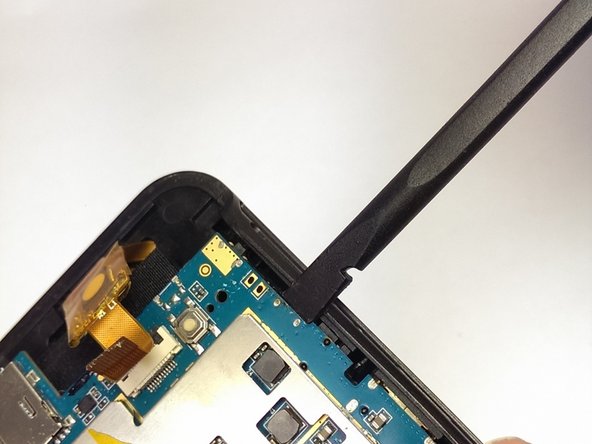
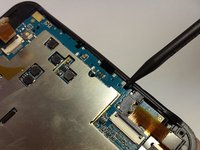
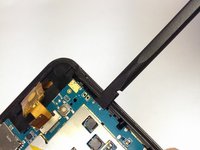
    2. Wintec Filemate Clear 7" Charging Pin Replacement: шаг 2, изображение 1 из 2 Wintec Filemate Clear 7" Charging Pin Replacement: шаг 2, изображение 2 из 2
      • Pry off the backplate by inserting a spudger or plastic opening tool into each corner and popping them open.

      Спросите у FixBot

      Добавить комментарий

    1. Wintec Filemate Clear 7" Charging Pin Replacement, Remove the Battery: шаг 3, изображение 1 из 1
      • Un-stick the battery from the motherboard assembly with the plastic opening tool.

      Спросите у FixBot

      Добавить комментарий

    2. Wintec Filemate Clear 7" Charging Pin Replacement: шаг 4, изображение 1 из 1
      Инструмент, используемый на этом этапе:
      Tweezers
      $4.99
      • Desolder the battery wires from the motherboard.

      • The tweezers pictured point to the two solder joints.

      Спросите у FixBot

      Добавить комментарий

    3. Wintec Filemate Clear 7" Charging Pin Replacement: шаг 5, изображение 1 из 1
      • Fully remove the battery from the device.

      Спросите у FixBot

      Добавить комментарий

    1. Wintec Filemate Clear 7" Charging Pin Replacement, Motherboard: шаг 6, изображение 1 из 1
      • Locate each of the motherboard's 4 mm screws.

      Спросите у FixBot

      Добавить комментарий

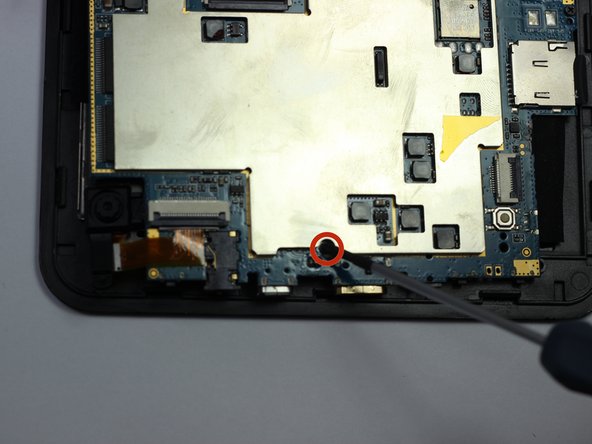
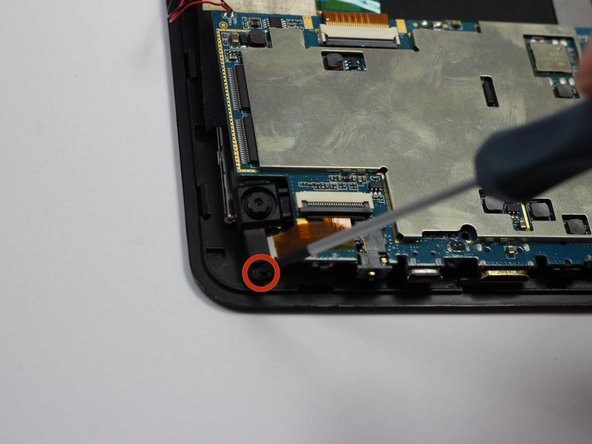
    2. Wintec Filemate Clear 7" Charging Pin Replacement, Unscrewing Everything: шаг 7, изображение 1 из 3 Wintec Filemate Clear 7" Charging Pin Replacement, Unscrewing Everything: шаг 7, изображение 2 из 3 Wintec Filemate Clear 7" Charging Pin Replacement, Unscrewing Everything: шаг 7, изображение 3 из 3
      • Remove each of the four 4 mm screws from the motherboard pictured to the left.

      • Use a Phillips #00 precision screwdriver.

      Спросите у FixBot

      Добавить комментарий

    3. Wintec Filemate Clear 7" Charging Pin Replacement, Detach the Motherboard: шаг 8, изображение 1 из 2 Wintec Filemate Clear 7" Charging Pin Replacement, Detach the Motherboard: шаг 8, изображение 2 из 2
      • Use the spudger to pry the instrument array from its plastic housing.

      Спросите у FixBot

      Добавить комментарий

    4. Wintec Filemate Clear 7" Charging Pin Replacement: шаг 9, изображение 1 из 1
      • Slowly slide the spudger underneath the adhesive tape to un-sitck it.

      • Be careful not to harm the array of wires leading to this tape.

      Спросите у FixBot

      Добавить комментарий

    5. Wintec Filemate Clear 7" Charging Pin Replacement: шаг 10, изображение 1 из 1
      Инструмент, используемый на этом этапе:
      Tweezers
      $4.99
      • De-tatch the motherboard output wires from the screen using the tweezers.

      Спросите у FixBot

      Добавить комментарий

    1. Wintec Filemate Clear 7" Charging Pin Replacement, Remove the Charging Pin: шаг 11, изображение 1 из 1
      Инструмент, используемый на этом этапе:
      Tweezers
      $4.99
      • Remove the charging pin holster.

      • Clamp on the end of the holster with the tweezers and twist until it becomes detached.

      • Repeat for the other side.

      Спросите у FixBot

      Добавить комментарий

    2. Wintec Filemate Clear 7" Charging Pin Replacement: шаг 12, изображение 1 из 1
      • Clamp onto the charging pin and twist up until it pops out of place.

      Спросите у FixBot

      Добавить комментарий

Заключение

To reassemble your device, follow these instructions in reverse order. The charging pin holster needs to be soldered back into place.

Отменить: Я не выполнил это руководство.

Еще один человек закончил это руководство.

Nicholas Ferraro

Участник с: 01/20/15

431 Репутация

Автор 6 руководств

Команда

USF Tampa, Team 19-6, Blackwell Spring 2014 Участник USF Tampa, Team 19-6, Blackwell Spring 2014

USFT-BLACKWELL-S14S19G6

3 членов

Автор 11 руководств

0 Комментарии к руководству

Добавить комментарий

Статистика просмотров:

За последние 24 часов: 2

За последние 7 дней: 5

За последние 30 дней: 15

За всё время: 340